GB
26
Auto
Cooking
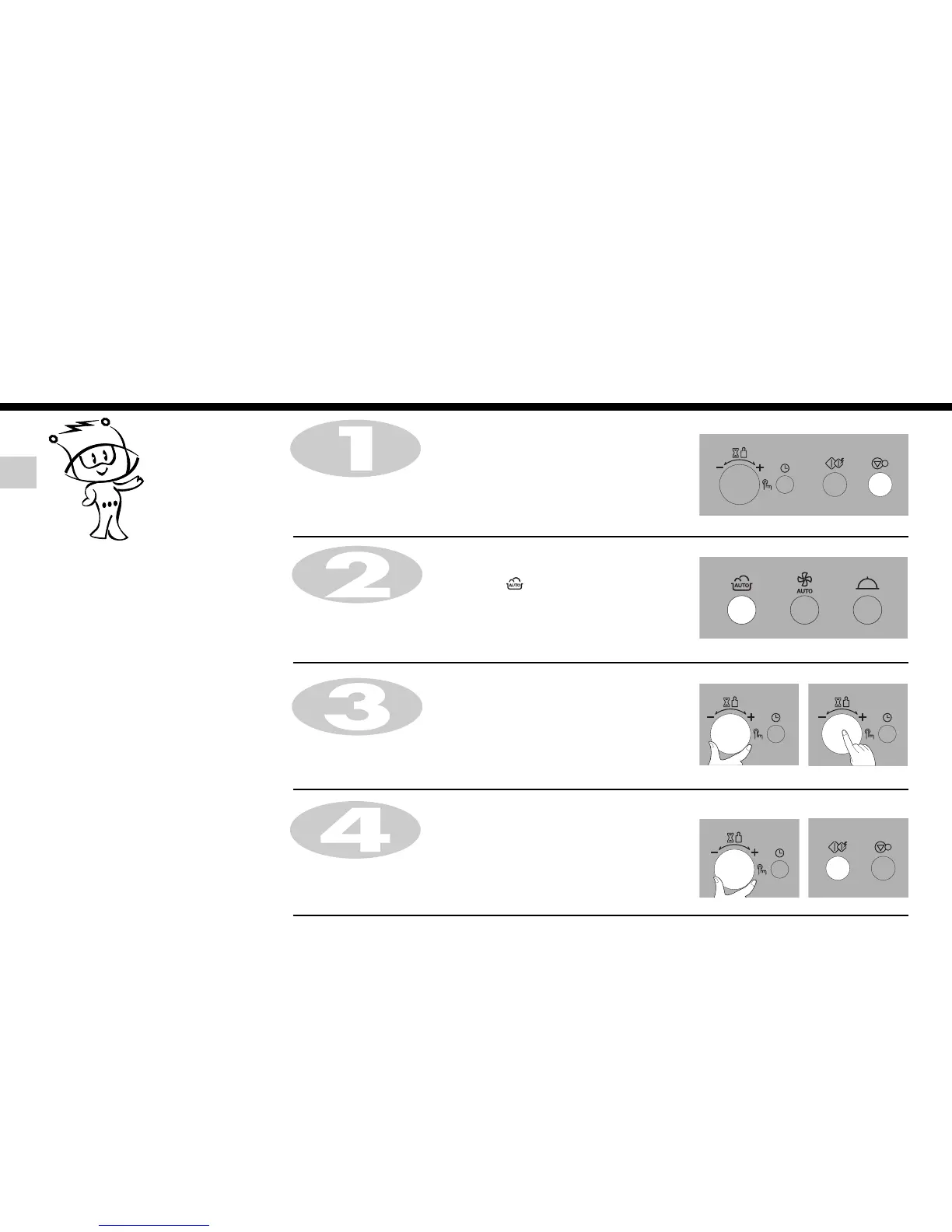
In the following example I will show you how to cook 0.6 kg of frozen vegetables.
Press STOP/CLEAR.
Press AUTO COOK.
The following indication is displayed: “ “.
Turn TIME/WEIGHT until display shows “Ac 3”.
Press TIME/WEIGHT for category confirmation.
Auto cook menus are programmed.
Auto cook allows you to cook most of
your favorite food by selecting the food
type and the weight of the food.
Turn TIME/WEIGHT until display shows “0.6kg”.
Press START/QUICK START.
When cooking you can increase or decrease cooking time by turning
TIME/WEIGHT.


 To Next Page
 Loading...