EasyManua.ls Logo

LG MHEC173 Series - User Manual

LG MHEC173 Series
48 pages
Print Icon
To Next Page IconTo Next Page
Loading...
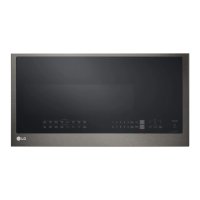
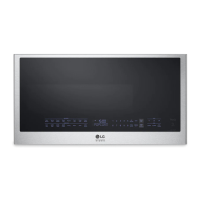
OWNER'S MANUAL
MICROWAVE OVEN
Read this owner's manual thoroughly before operating the
appliance and keep it handy for reference at all times.
ENGLISH
MHEC173**
MFL68927907
Rev.00_120821
www.lg.com
Copyright © 2021 LG Electronics Inc. All Rights Reserved.
us_main.book.book Page 1 Wednesday, December 8, 2021 9:28 AM
Question and Answer IconNeed help?

Do you have a question about the LG MHEC173 Series and is the answer not in the manual?

Summary

Important Safety Instructions

Read All Instructions Before Use

Instructions to read before operating the appliance.

Safety Messages

Information about safety alert symbols and warning messages.

Installation

Product Overview

Overview of the appliance's components and accessories.

Installation Requirements

Guidelines for installing the microwave oven properly.

Operation

Control Panel

Explanation of the microwave oven's control panel features.

Before Use

Steps to prepare the oven before initial use.

Quick Start and Stop

How to quickly start and interrupt cooking cycles.

Operating the Microwave

Instructions for using the microwave cooking functions.

Operating the Oven

Guidance on operating the various cooking modes of the oven.

Cookware Guide

Information on suitable and unsuitable cookware for use.

Cooking Guide

Tips and advice for effective cooking with the appliance.

Smart Functions

LG ThinQ Application

Using the LG ThinQ mobile application for smart features.

Smart Diagnosis Feature

Feature for diagnosing and solving appliance issues.

Maintenance

Cleaning

Instructions for cleaning the interior, exterior, and parts.

Replacing Parts

Guidance on how to replace worn or damaged parts.

Troubleshooting

FAQs

Answers to common questions about oven operation and issues.

Before Calling for Service

Troubleshooting guide for common problems before contacting service.

Limited Warranty

USA

Warranty terms and conditions specific to the USA.

Important Safety Instructions

Safety Messages

Information about safety alert symbols and warning messages.

Technical Safety

Specific safety precautions related to technical aspects of the oven.

Installation

Product Overview

Overview of the appliance's components and accessories.

Accessories

Description of available accessories that may vary by model.

Installation

How to Use Accessories

Guide on using various accessories with the oven modes.

Specifications

Technical specifications of the microwave oven model.

Installation Requirements

Installation Location

Guidance on selecting a suitable location for installation.

Installation

Electrical Requirements

Details on the electrical specifications and requirements for operation.

Voltage Warning

Important warnings regarding voltage usage for safety.

Do Not Block Air Vents

Instructions to keep air vents clear to prevent overheating.

Grounding Instructions

Essential steps for grounding the appliance for electrical safety.

Operation

Control Panel

Explanation of the microwave oven's control panel features.

MICROWAVE

How to use the microwave cooking functions.

CONVECTION

How to use the convection cooking functions.

Display

Information shown on the oven's display.

Number Keys

Using number keys for time, power, and temperature settings.

Number Keys 1-5 (Express Cook)

Quickly starting microwave cooking using number keys.

+30 seconds

How to add 30-second increments to cooking time.

Clock

Setting the current time on the oven.

Timer On;Off

Using the oven as a kitchen timer.

Settings

Adjusting default settings like sound, clock, and display.

Wi-Fi

Connecting the oven to a Wi-Fi network.

START;Enter

Starting the oven or entering values.

STOP;Clear

Stopping the oven or clearing entries.

Light and Vent Functions

Controlling the cooktop light and vent fan.

Operation

Before Use

Steps to prepare the oven before initial use.

Setting the Clock

Instructions for setting the current time on the microwave.

Child Lock

Activating and deactivating the control panel lock feature.

Setting Child Lock to ON

Steps to enable the Child Lock feature for safety.

Canceling Child Lock

How to disable the Child Lock feature.

Kitchen Timer

Using the oven as a separate kitchen timer.

Setting Timer for 3 Minutes

How to set the kitchen timer for a specific duration.

Setting the Cooktop Light

Adjusting the brightness of the cooktop light.

Setting Ventilation Functions

Adjusting vent fan speed and ventilation time.

Turning the Vent Fan On or Off

How to operate the vent fan.

Operation

Setting the Vent Fan Speed

Adjusting the speed of the vent fan.

Setting the Timed Ventilation

Setting a specific duration for the vent fan operation.

Custom Setting

Customizing default settings like sound and display.

Setting the Defrost Weight from Lbs to Kg

Changing the weight unit for defrosting from pounds to kilograms.

Microwave Power Levels

Understanding and using the 10 different power levels.

Operation

Wi-Fi

Connecting the oven to a Wi-Fi network.

Setting Up Wi-Fi

Steps to connect the appliance to a Wi-Fi network.

Quick Start and Stop

How to quickly start and interrupt cooking cycles.

Using Quick Start

How to quickly start cooking without using the START/Enter button.

Cooking for 2 Minutes on High Power

Example of using Quick Start for high power cooking.

Interrupting Cooking

How to stop and restart cooking cycles.

Using Express Cook

Starting microwave cooking for a set duration at high power.

Cooking for 3 Minutes at High

Example of using Express Cook for high power cooking.

Operating the Microwave

Instructions for using the microwave cooking functions.

Microwave Mode

Manual settings for cook time and power level.

Cooking for 5 Minutes, 30 Seconds at 80% Power

Example of setting cook time and power level.

Using the Sensor Functions

Utilizing sensor features for convenient automatic cooking.

Operation

Sensor Cook Mode

Cooking your favorite foods automatically using preset programs.

Sensor Cook Menu

List of preset sensor cook programs and their instructions.

1 Potato

Instructions for sensor cooking potatoes.

2 Fresh Vegetable - Hard

Instructions for sensor cooking hard fresh vegetables.

3 Fresh Vegetable - Soft

Instructions for sensor cooking soft fresh vegetables.

4 Frozen Vegetable

Instructions for sensor cooking frozen vegetables.

5 Canned Vegetable

Instructions for sensor cooking canned vegetables.

6 Rice

Instructions for sensor cooking rice.

7 Frozen Lasagna

Instructions for sensor cooking frozen lasagna.

8 Fish Fillets

Instructions for sensor cooking fish fillets.

9 Shrimp

Instructions for sensor cooking shrimp.

10 Chicken Pieces

Instructions for sensor cooking chicken pieces.

Operation

Sensor Reheat Mode

Reheating single servings of previously cooked foods.

Sensor Reheat Menu

Preset programs for reheating single servings of food.

1 Dinner Plate

Instructions for reheating a dinner plate.

2 Soup; Sauce

Instructions for reheating soup or sauce.

3 Casserole

Instructions for reheating casserole dishes.

4 Pizza

Instructions for reheating pizza.

5 Baked Goods

Instructions for reheating baked goods.

6 Beverage

Instructions for reheating beverages.

Popcorn Mode

How to prepare popcorn using the dedicated mode.

Operation

Popcorn Menu

Guidelines for popping popcorn correctly.

Steam Cook Mode

Cooking with steam using a steam bowl.

Steam Cook Menu

Preset steam cooking programs for various foods.

1 Asparagus

Instructions for steam cooking asparagus.

2 Broccoli

Instructions for steam cooking broccoli.

3 Brussels Sprout

Instructions for steam cooking Brussels sprouts.

4 Carrot

Instructions for steam cooking carrots.

5 Chicken Breast

Instructions for steam cooking chicken breast.

6 Fish

Instructions for steam cooking fish.

7 Zucchini

Instructions for steam cooking zucchini.

Auto Defrost Mode

Using preset defrost cycles for various foods.

Using Defrost Menu

Guide to using preset defrost cycles for various foods.

Operation

Auto Defrost Menu

List of food items and recommended settings for auto defrost.

Using Time Defrost

How to defrost food manually by setting time and power level.

More Modes

Accessing additional cooking functions.

Soften Mode

Using the oven to soften foods like butter and ice cream.

Operation

Soften Menu

Specific instructions for softening various food items.

Melt Mode

Using the oven to melt foods like butter, chocolate, and cheese.

Melt Menu

Specific instructions for melting various food items.

Kids Meal Mode

Preset cooking settings for popular kids' meals.

Operation

Kids Meal Menu

List of preset cooking settings for kids' meals.

Simmer Mode

Precise cooking performance for low-heat, long-time cooking.

Operation

Simmer Menu

Preset cooking parameters for simmer mode items.

Operating the Oven

Guidance on operating the various cooking modes of the oven.

Convection Bake Mode

Using the convection bake function for roasting and baking.

Operation

Setting the Convection Bake Function

Detailed steps for setting convection bake with or without preheating.

Convection Baking Menu

Guide to recommended temperatures and times for convection baking.

Operation

Meat Roasting Menu

Recommended temperatures and times for roasting various meats.

Air Fry Mode

Function for oil-free frying using hot air.

Operation

Air Fry Menu

Preset cooking parameters for air frying various foods.

Combination Mode

Using combined microwave and convection for faster cooking.

Operation

Combination Bake Menu

Recommended settings for combination baking various food types.

Combination Roast Function

Steps to use the combination roast function.

Combination Roast Menu

Recommended settings for combination roasting various meats.

Operation

Speed Combination Mode

Presets for cooking common foods quickly using combined modes.

Speed Combination Menu

List of food items and their settings for speed combination cooking.

Warm Mode

Function to keep cooked food warm for a limited time.

Operation

Proof Mode

Maintaining a warm oven for rising dough before baking.

Dehydrate

Function to dry fruits, vegetables, and meats for snacks.

Dehydrate Menu

Instructions and settings for dehydrating various food items.

Operation

Cookware Guide

Information on suitable and unsuitable cookware for use.

Microwave-Safe Cookware

Information on identifying and using microwave-safe cookware.

Ovenproof Glass

Details on using ovenproof glass cookware.

China

Guidelines for using china cookware.

Plastic

Information on using plastic containers and wraps.

Paper

Guidelines for using paper towels, napkins, and plates.

Tableware

Using ceramic and stoneware tableware.

Microwave-Unsafe Cookware

Identifying and avoiding cookware unsafe for microwave use.

Operation

Aluminum Foil

Proper use and precautions for aluminum foil.

Wood

Guidelines for using wood bowls and boards.

Tightly Covered Cookware

Precautions for using covered cookware.

Brown Paper

Warning against using brown paper bags.

Flawed or Chipped Cookware

Risks of using damaged cookware.

Metal Twist Ties

Warning to remove metal twist ties from bags.

Testing Cookware before Use

Steps to test if cookware is safe for microwave use.

Convection Cookware

Recommended cookware for convection cooking.

Combination Cooking Cookware

Recommended cookware for combination cooking.

Cooking Guide

General tips for monitoring food during cooking.

Cooking Tips

General tips for monitoring food during cooking.

Operation

Overcooked or Dry Food

Tips for preventing food from becoming overcooked or dry.

Undercooked Food

Tips for ensuring food is cooked thoroughly.

Unevenly Cooked Food

Methods to achieve even cooking for food items.

Foods with Skin, Shell or Membrane

Precautions for foods with skin, shell, or membrane.

Defrosting Tips

Advice and techniques for effective food defrosting.

Operation

Convection Cooking Tips

Guidance on using the convection cooking function effectively.

Combination Cooking Tips

Tips for optimizing combination cooking cycles.

Precautions

General safety precautions for combination cooking.

Smart Functions

LG ThinQ Application

Using the LG ThinQ mobile application for smart features.

LG ThinQ Application Features

Overview of features offered by the LG ThinQ app.

Settings

Customizing oven and app settings.

Smart Diagnosis

Using Smart Diagnosis for troubleshooting appliance issues.

Scan to Cook

Scanning barcodes to send cooking instructions to the oven.

Monitoring

Checking the appliance's status remotely.

Product Notifications

Receiving appliance status notifications via push alerts.

Timer

Setting the timer remotely via the application.

Firmware Update

Keeping the appliance's firmware up-to-date.

Before Using LG ThinQ Application

Prerequisites and steps before using the LG ThinQ app.

Smart Functions

Installing the LG ThinQ Application

Instructions for downloading and installing the LG ThinQ app.

Wireless LAN Module Specifications

Technical specifications for the wireless LAN module.

FCC Notice

Important FCC compliance information regarding radio frequency interference.

FCC RF Radiation Exposure Statement

Statement on FCC compliance for RF radiation exposure.

Open Source Software Notice Information

Information regarding open source software used in the product.

Smart Functions

Smart Diagnosis Feature

Feature for diagnosing and solving appliance issues.

Using LG ThinQ to Diagnose Issues

Diagnosing issues using the LG ThinQ app.

Using Audible Diagnosis to Diagnose Issues

Diagnosing issues using the audible diagnosis method.

Maintenance

Cleaning

Instructions for cleaning the interior, exterior, and parts.

Cleaning the Interior

Instructions for cleaning the inside surfaces of the oven.

Cleaning the Exterior

Instructions for cleaning the outside surfaces of the oven.

Cleaning the Accessories

How to clean the glass tray, rotating ring, and steam bowl.

Cleaning the Rack

Instructions for cleaning the oven rack.

Cleaning the Grease Filters

How and when to clean the grease filters.

Cleaning the Control Panel

Instructions for cleaning the oven's control panel safely.

Replacing Parts

Guidance on how to replace worn or damaged parts.

Replacing the Charcoal Filter

Steps for replacing the charcoal filter in the oven.

Maintenance

Replacing the Charcoal Filter

Steps for replacing the charcoal filter in the oven.

Troubleshooting

FAQs

Answers to common questions about oven operation and issues.

Frequently Asked Questions

Answers to common questions about oven operation and issues.

Troubleshooting

Before Calling for Service

Troubleshooting guide for common problems before contacting service.

Operation

Troubleshooting common operational problems and their solutions.

Troubleshooting

Wi-Fi

Troubleshooting Wi-Fi connectivity.

Trouble connecting appliance and smartphone to Wi-Fi network

Solutions for common Wi-Fi connection issues.

Limited Warranty

USA

Warranty terms and conditions specific to the USA.

TERMS AND CONDITIONS

General terms and conditions of the limited warranty.

WARRANTY PERIOD

Details on the warranty duration for different oven parts.

Limited Warranty

NOT COVERED BY WARRANTY

List of conditions and damages not covered by the warranty.

Limited Warranty

PROCEDURE FOR RESOLVING DISPUTES:

Process for resolving disputes, including arbitration.

Limited Warranty

Arbitration Rules and Procedures

Rules and procedures governing arbitration of disputes.

Governing Law

The applicable state law that governs the warranty.

Fees;Costs

Information regarding arbitration fees and costs.

Hearings and Location

Details on arbitration hearing locations and methods.

Opt Out

How to opt out of the dispute resolution procedure.

Summary

Important Safety Instructions

Read All Instructions Before Use

Instructions to read before operating the appliance.

Safety Messages

Information about safety alert symbols and warning messages.

Installation

Product Overview

Overview of the appliance's components and accessories.

Installation Requirements

Guidelines for installing the microwave oven properly.

Operation

Control Panel

Explanation of the microwave oven's control panel features.

Before Use

Steps to prepare the oven before initial use.

Quick Start and Stop

How to quickly start and interrupt cooking cycles.

Operating the Microwave

Instructions for using the microwave cooking functions.

Operating the Oven

Guidance on operating the various cooking modes of the oven.

Cookware Guide

Information on suitable and unsuitable cookware for use.

Cooking Guide

Tips and advice for effective cooking with the appliance.

Smart Functions

LG ThinQ Application

Using the LG ThinQ mobile application for smart features.

Smart Diagnosis Feature

Feature for diagnosing and solving appliance issues.

Maintenance

Cleaning

Instructions for cleaning the interior, exterior, and parts.

Replacing Parts

Guidance on how to replace worn or damaged parts.

Troubleshooting

FAQs

Answers to common questions about oven operation and issues.

Before Calling for Service

Troubleshooting guide for common problems before contacting service.

Limited Warranty

USA

Warranty terms and conditions specific to the USA.

Important Safety Instructions

Safety Messages

Information about safety alert symbols and warning messages.

Technical Safety

Specific safety precautions related to technical aspects of the oven.

Installation

Product Overview

Overview of the appliance's components and accessories.

Accessories

Description of available accessories that may vary by model.

Installation

How to Use Accessories

Guide on using various accessories with the oven modes.

Specifications

Technical specifications of the microwave oven model.

Installation Requirements

Installation Location

Guidance on selecting a suitable location for installation.

Installation

Electrical Requirements

Details on the electrical specifications and requirements for operation.

Voltage Warning

Important warnings regarding voltage usage for safety.

Do Not Block Air Vents

Instructions to keep air vents clear to prevent overheating.

Grounding Instructions

Essential steps for grounding the appliance for electrical safety.

Operation

Control Panel

Explanation of the microwave oven's control panel features.

MICROWAVE

How to use the microwave cooking functions.

CONVECTION

How to use the convection cooking functions.

Display

Information shown on the oven's display.

Number Keys

Using number keys for time, power, and temperature settings.

Number Keys 1-5 (Express Cook)

Quickly starting microwave cooking using number keys.

+30 seconds

How to add 30-second increments to cooking time.

Clock

Setting the current time on the oven.

Timer On;Off

Using the oven as a kitchen timer.

Settings

Adjusting default settings like sound, clock, and display.

Wi-Fi

Connecting the oven to a Wi-Fi network.

START;Enter

Starting the oven or entering values.

STOP;Clear

Stopping the oven or clearing entries.

Light and Vent Functions

Controlling the cooktop light and vent fan.

Operation

Before Use

Steps to prepare the oven before initial use.

Setting the Clock

Instructions for setting the current time on the microwave.

Child Lock

Activating and deactivating the control panel lock feature.

Setting Child Lock to ON

Steps to enable the Child Lock feature for safety.

Canceling Child Lock

How to disable the Child Lock feature.

Kitchen Timer

Using the oven as a separate kitchen timer.

Setting Timer for 3 Minutes

How to set the kitchen timer for a specific duration.

Setting the Cooktop Light

Adjusting the brightness of the cooktop light.

Setting Ventilation Functions

Adjusting vent fan speed and ventilation time.

Turning the Vent Fan On or Off

How to operate the vent fan.

Operation

Setting the Vent Fan Speed

Adjusting the speed of the vent fan.

Setting the Timed Ventilation

Setting a specific duration for the vent fan operation.

Custom Setting

Customizing default settings like sound and display.

Setting the Defrost Weight from Lbs to Kg

Changing the weight unit for defrosting from pounds to kilograms.

Microwave Power Levels

Understanding and using the 10 different power levels.

Operation

Wi-Fi

Connecting the oven to a Wi-Fi network.

Setting Up Wi-Fi

Steps to connect the appliance to a Wi-Fi network.

Quick Start and Stop

How to quickly start and interrupt cooking cycles.

Using Quick Start

How to quickly start cooking without using the START/Enter button.

Cooking for 2 Minutes on High Power

Example of using Quick Start for high power cooking.

Interrupting Cooking

How to stop and restart cooking cycles.

Using Express Cook

Starting microwave cooking for a set duration at high power.

Cooking for 3 Minutes at High

Example of using Express Cook for high power cooking.

Operating the Microwave

Instructions for using the microwave cooking functions.

Microwave Mode

Manual settings for cook time and power level.

Cooking for 5 Minutes, 30 Seconds at 80% Power

Example of setting cook time and power level.

Using the Sensor Functions

Utilizing sensor features for convenient automatic cooking.

Operation

Sensor Cook Mode

Cooking your favorite foods automatically using preset programs.

Sensor Cook Menu

List of preset sensor cook programs and their instructions.

1 Potato

Instructions for sensor cooking potatoes.

2 Fresh Vegetable - Hard

Instructions for sensor cooking hard fresh vegetables.

3 Fresh Vegetable - Soft

Instructions for sensor cooking soft fresh vegetables.

4 Frozen Vegetable

Instructions for sensor cooking frozen vegetables.

5 Canned Vegetable

Instructions for sensor cooking canned vegetables.

6 Rice

Instructions for sensor cooking rice.

7 Frozen Lasagna

Instructions for sensor cooking frozen lasagna.

8 Fish Fillets

Instructions for sensor cooking fish fillets.

9 Shrimp

Instructions for sensor cooking shrimp.

10 Chicken Pieces

Instructions for sensor cooking chicken pieces.

Operation

Sensor Reheat Mode

Reheating single servings of previously cooked foods.

Sensor Reheat Menu

Preset programs for reheating single servings of food.

1 Dinner Plate

Instructions for reheating a dinner plate.

2 Soup; Sauce

Instructions for reheating soup or sauce.

3 Casserole

Instructions for reheating casserole dishes.

4 Pizza

Instructions for reheating pizza.

5 Baked Goods

Instructions for reheating baked goods.

6 Beverage

Instructions for reheating beverages.

Popcorn Mode

How to prepare popcorn using the dedicated mode.

Operation

Popcorn Menu

Guidelines for popping popcorn correctly.

Steam Cook Mode

Cooking with steam using a steam bowl.

Steam Cook Menu

Preset steam cooking programs for various foods.

1 Asparagus

Instructions for steam cooking asparagus.

2 Broccoli

Instructions for steam cooking broccoli.

3 Brussels Sprout

Instructions for steam cooking Brussels sprouts.

4 Carrot

Instructions for steam cooking carrots.

5 Chicken Breast

Instructions for steam cooking chicken breast.

6 Fish

Instructions for steam cooking fish.

7 Zucchini

Instructions for steam cooking zucchini.

Auto Defrost Mode

Using preset defrost cycles for various foods.

Using Defrost Menu

Guide to using preset defrost cycles for various foods.

Operation

Auto Defrost Menu

List of food items and recommended settings for auto defrost.

Using Time Defrost

How to defrost food manually by setting time and power level.

More Modes

Accessing additional cooking functions.

Soften Mode

Using the oven to soften foods like butter and ice cream.

Operation

Soften Menu

Specific instructions for softening various food items.

Melt Mode

Using the oven to melt foods like butter, chocolate, and cheese.

Melt Menu

Specific instructions for melting various food items.

Kids Meal Mode

Preset cooking settings for popular kids' meals.

Operation

Kids Meal Menu

List of preset cooking settings for kids' meals.

Simmer Mode

Precise cooking performance for low-heat, long-time cooking.

Operation

Simmer Menu

Preset cooking parameters for simmer mode items.

Operating the Oven

Guidance on operating the various cooking modes of the oven.

Convection Bake Mode

Using the convection bake function for roasting and baking.

Operation

Setting the Convection Bake Function

Detailed steps for setting convection bake with or without preheating.

Convection Baking Menu

Guide to recommended temperatures and times for convection baking.

Operation

Meat Roasting Menu

Recommended temperatures and times for roasting various meats.

Air Fry Mode

Function for oil-free frying using hot air.

Operation

Air Fry Menu

Preset cooking parameters for air frying various foods.

Combination Mode

Using combined microwave and convection for faster cooking.

Operation

Combination Bake Menu

Recommended settings for combination baking various food types.

Combination Roast Function

Steps to use the combination roast function.

Combination Roast Menu

Recommended settings for combination roasting various meats.

Operation

Speed Combination Mode

Presets for cooking common foods quickly using combined modes.

Speed Combination Menu

List of food items and their settings for speed combination cooking.

Warm Mode

Function to keep cooked food warm for a limited time.

Operation

Proof Mode

Maintaining a warm oven for rising dough before baking.

Dehydrate

Function to dry fruits, vegetables, and meats for snacks.

Dehydrate Menu

Instructions and settings for dehydrating various food items.

Operation

Cookware Guide

Information on suitable and unsuitable cookware for use.

Microwave-Safe Cookware

Information on identifying and using microwave-safe cookware.

Ovenproof Glass

Details on using ovenproof glass cookware.

China

Guidelines for using china cookware.

Plastic

Information on using plastic containers and wraps.

Paper

Guidelines for using paper towels, napkins, and plates.

Tableware

Using ceramic and stoneware tableware.

Microwave-Unsafe Cookware

Identifying and avoiding cookware unsafe for microwave use.

Operation

Aluminum Foil

Proper use and precautions for aluminum foil.

Wood

Guidelines for using wood bowls and boards.

Tightly Covered Cookware

Precautions for using covered cookware.

Brown Paper

Warning against using brown paper bags.

Flawed or Chipped Cookware

Risks of using damaged cookware.

Metal Twist Ties

Warning to remove metal twist ties from bags.

Testing Cookware before Use

Steps to test if cookware is safe for microwave use.

Convection Cookware

Recommended cookware for convection cooking.

Combination Cooking Cookware

Recommended cookware for combination cooking.

Cooking Guide

General tips for monitoring food during cooking.

Cooking Tips

General tips for monitoring food during cooking.

Operation

Overcooked or Dry Food

Tips for preventing food from becoming overcooked or dry.

Undercooked Food

Tips for ensuring food is cooked thoroughly.

Unevenly Cooked Food

Methods to achieve even cooking for food items.

Foods with Skin, Shell or Membrane

Precautions for foods with skin, shell, or membrane.

Defrosting Tips

Advice and techniques for effective food defrosting.

Operation

Convection Cooking Tips

Guidance on using the convection cooking function effectively.

Combination Cooking Tips

Tips for optimizing combination cooking cycles.

Precautions

General safety precautions for combination cooking.

Smart Functions

LG ThinQ Application

Using the LG ThinQ mobile application for smart features.

LG ThinQ Application Features

Overview of features offered by the LG ThinQ app.

Settings

Customizing oven and app settings.

Smart Diagnosis

Using Smart Diagnosis for troubleshooting appliance issues.

Scan to Cook

Scanning barcodes to send cooking instructions to the oven.

Monitoring

Checking the appliance's status remotely.

Product Notifications

Receiving appliance status notifications via push alerts.

Timer

Setting the timer remotely via the application.

Firmware Update

Keeping the appliance's firmware up-to-date.

Before Using LG ThinQ Application

Prerequisites and steps before using the LG ThinQ app.

Smart Functions

Installing the LG ThinQ Application

Instructions for downloading and installing the LG ThinQ app.

Wireless LAN Module Specifications

Technical specifications for the wireless LAN module.

FCC Notice

Important FCC compliance information regarding radio frequency interference.

FCC RF Radiation Exposure Statement

Statement on FCC compliance for RF radiation exposure.

Open Source Software Notice Information

Information regarding open source software used in the product.

Smart Functions

Smart Diagnosis Feature

Feature for diagnosing and solving appliance issues.

Using LG ThinQ to Diagnose Issues

Diagnosing issues using the LG ThinQ app.

Using Audible Diagnosis to Diagnose Issues

Diagnosing issues using the audible diagnosis method.

Maintenance

Cleaning

Instructions for cleaning the interior, exterior, and parts.

Cleaning the Interior

Instructions for cleaning the inside surfaces of the oven.

Cleaning the Exterior

Instructions for cleaning the outside surfaces of the oven.

Cleaning the Accessories

How to clean the glass tray, rotating ring, and steam bowl.

Cleaning the Rack

Instructions for cleaning the oven rack.

Cleaning the Grease Filters

How and when to clean the grease filters.

Cleaning the Control Panel

Instructions for cleaning the oven's control panel safely.

Replacing Parts

Guidance on how to replace worn or damaged parts.

Replacing the Charcoal Filter

Steps for replacing the charcoal filter in the oven.

Maintenance

Replacing the Charcoal Filter

Steps for replacing the charcoal filter in the oven.

Troubleshooting

FAQs

Answers to common questions about oven operation and issues.

Frequently Asked Questions

Answers to common questions about oven operation and issues.

Troubleshooting

Before Calling for Service

Troubleshooting guide for common problems before contacting service.

Operation

Troubleshooting common operational problems and their solutions.

Troubleshooting

Wi-Fi

Troubleshooting Wi-Fi connectivity.

Trouble connecting appliance and smartphone to Wi-Fi network

Solutions for common Wi-Fi connection issues.

Limited Warranty

USA

Warranty terms and conditions specific to the USA.

TERMS AND CONDITIONS

General terms and conditions of the limited warranty.

WARRANTY PERIOD

Details on the warranty duration for different oven parts.

Limited Warranty

NOT COVERED BY WARRANTY

List of conditions and damages not covered by the warranty.

Limited Warranty

PROCEDURE FOR RESOLVING DISPUTES:

Process for resolving disputes, including arbitration.

Limited Warranty

Arbitration Rules and Procedures

Rules and procedures governing arbitration of disputes.

Governing Law

The applicable state law that governs the warranty.

Fees;Costs

Information regarding arbitration fees and costs.

Hearings and Location

Details on arbitration hearing locations and methods.

Opt Out

How to opt out of the dispute resolution procedure.

LG MHEC173 Series Specifications

General IconGeneral
BrandLG
ModelMHEC173 Series
CategoryMicrowave Oven
LanguageEnglish

Related product manuals