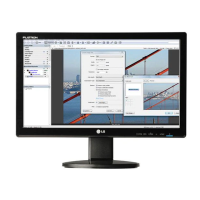
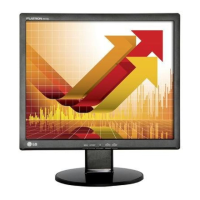
This document is a user's guide for the LG Network Monitors N1642W and N1941W. It provides essential information regarding safety, installation, connection, operation, and troubleshooting of the devices.
Function Description:
The LG Network Monitors N1642W and N1941W are flat panel active matrix-TFT LCD displays designed for use as network monitors. They can be connected to a computer system via D-sub (VGA) or X-PORT input. The X-PORT input allows for connection to a host PC using a LAN cable, enabling multiple users to share one PC. The monitors feature an On Screen Display (OSD) control system for adjusting image settings and other parameters. They also include built-in speakers for audio output when using the X-PORT.
Important Technical Specifications:
N1642W:
- Display Size: 15.6 inches (39.6 cm)
- Visible Diagonal Size: 39.6 cm
- Pixel Pitch: 0.252 x 0.252 mm
- Sync Input (RGB):
- Horizontal Frequency: 30 - 66 kHz (Automatic)
- Vertical Frequency: 57 - 63 Hz (Automatic)
- RGB support 60Hz only (except Dos mode)
- Sync Input (X-PORT):
- Supported resolutions include 1440 x 900 (60Hz), 1280 x 1024 (60Hz), 1024 x 768 (60Hz), 800 x 600 (72Hz), 1360 x 768 (60Hz).
- Video Input (RGB): 15 pin D-Sub Connector, RGB Analog (0.7 Vp-p/75 ohm)
- Video Input (X-PORT): X-PORT Connector, X-PORT Signal
- Recommended Resolution: VESA 1360 x 768 @ 60 Hz (for both RGB and X-PORT)
- Power Consumption:
- On Mode: 20W (Typical)
- Sleep Mode: ≤ 1 W
- Off Mode: ≤ 1 W
- Dimensions (With Stand):
- Width: 38.17 cm / 15.03 inches
- Height: 32.39 cm / 12.75 inches
- Depth: 19.84 cm / 7.81 inches
- Dimensions (Without Stand):
- Width: 38.17 cm / 15.03 inches
- Height: 26.03 cm / 10.25 inches
- Depth: 5.67 cm / 2.23 inches
- Net Weight: 2.6 kg (5.78 lbs)
- Tilt Range: -5° ~ 20°
- Power Input: AC 100-240V~ 50/60Hz 0.8A
- Operating Temperature: 10°C to 35 °C
- Operating Humidity: 10% to 80% non-Condensing
- Storage Temperature: -20°C to 60 °C
- Storage Humidity: 5% to 90% non-Condensing
- Stand Base: Attached
- Power Cord: Wall-outlet type
N1941W:
- Display Size: 18.51 inches (47.0 cm)
- Visible Diagonal Size: 47.0 cm
- Pixel Pitch: 0.30 x 0.30 mm
- Sync Input (RGB):
- Horizontal Frequency: 30 - 66 kHz (Automatic)
- Vertical Frequency: 57 - 63 Hz (Automatic)
- RGB support 60Hz only (except Dos mode)
- Sync Input (X-PORT):
- Supported resolutions include 1440 x 900 (60Hz), 1280 x 1024 (60Hz), 1024 x 768 (60Hz), 800 x 600 (72Hz), 1360 x 768 (60Hz).
- Video Input (RGB): 15 pin D-Sub Connector, RGB Analog (0.7 Vp-p/75 ohm)
- Video Input (X-PORT): X-PORT Connector, X-PORT Signal
- Recommended Resolution: VESA 1360 x 768 @ 60 Hz (for both RGB and X-PORT)
- Power Consumption:
- On Mode: 23W (Typical)
- Sleep Mode: ≤ 1 W
- Off Mode: ≤ 1 W
- Dimensions (With Stand):
- Width: 44.84 cm / 17.65 inches
- Height: 37.25 cm / 14.66 inches
- Depth: 19.84 cm / 7.81 inches
- Dimensions (Without Stand):
- Width: 44.84 cm / 17.65 inches
- Height: 27.80 cm / 10.94 inches
- Depth: 5.76 cm / 2.27 inches
- Net Weight: 3.1 kg (6.89 lbs)
- Tilt Range: -5° ~ 20°
- Power Input: AC 100-240V~ 50/60Hz 0.8A
- Operating Temperature: 10°C to 35 °C
- Operating Humidity: 10% to 80% non-Condensing
- Storage Temperature: -20°C to 60 °C
- Storage Humidity: 5% to 90% non-Condensing
- Stand Base: Attached
- Power Cord: Wall-outlet type
Usage Features:
- Stand Assembly and Disassembly: The monitor comes with a detachable stand. Assembly involves placing the monitor face down on a soft cloth, attaching the stand body until it clicks, then assembling the stand base, and securing it with a lock. Disassembly is the reverse process, requiring the user to change the lock position and push a knob to release the stand.
- Ergonomic Positioning: The display panel can be tilted from -5° to 20° for comfortable viewing. It is recommended that the forward tilt angle does not exceed 5 degrees for ergonomic comfort.
- Connectivity:
- D-sub (VGA) Connection: Connects to a PC's D-sub port using a 15-pin D-sub cable. For Apple Macintosh, a separate plug adapter may be needed.
- X-PORT Connection: Connects to a host PC via a LAN cable (SFTP 6m recommended, with ferrite cores for electromagnetic wave reduction). Up to 5 monitors can be connected per X550 PCI Card (purchased separately). This input supports keyboard/mouse input and headphone/earphone output.
- Power On/Off: A dedicated power button on the front panel turns the display on or off. The power indicator lights blue in On Mode and flickers in Sleep Mode (Energy Saving).
- Self Image Setting Function: Automatically adjusts display settings to optimal for individual input signals upon first connection or when the power is turned on.
- AUTO/SET Function: Improves resolution for issues like blurry screens, blurred letters, screen flicker, or tilted screens.
- On Screen Display (OSD) Controls:
- MUTE Button: For X-PORT input, switches sound on/off. Not available for D-sub.
- MENU Button: Enters/exits OSD. Can lock/unlock OSD controls by holding for several seconds.
- SOURCE Button: Selects D-sub or X-PORT input.
- VOLUME Buttons (▲/▼): Adjusts speaker volume for X-PORT input.
- AUTO/SET Button: Enters OSD selections and performs auto image adjustment.
- OSD Menu Items:
- PICTURE: Adjusts Brightness, Contrast, Gamma.
- COLOR: Adjusts Preset (sRGB, 6500K, 9300K), Red, Green, Blue levels.
- POSITION: Adjusts Horizontal and Vertical position.
- TRACKING: Adjusts Clock and Phase to improve clarity and stability, and Sharpness.
- SETUP: Adjusts Language, OSD Position (Horizontal/Vertical), White Balance, Power Indicator (On/Off), 4:3 in Wide (Full screen/4:3 ratio), Factory Reset.
- FLATRON F-ENGINE: Selects image conditions (MOVIE, INTERNET, USER, NORMAL, DEMO). USER allows manual adjustment of brightness, ACE (Adaptive Clarity Enhancer), and RCM (Real Color Management).
- PC Specifications for X-PORT:
- Operating System: Windows Server 2003 R2 SP2 (Standard or Enterprise Edition, 32-bit).
- Minimum Host PC Specs: Dual core processor at 3.0 GHz or higher (e.g., Intel Core 2 Duo or AMD Athlon X2), 2 GB RAM or higher.
- Recommended Host PC Specs: Quad core processor at 2.66 GHz or higher (e.g., Intel Core 2 Quad or AMD Phenom X4), 4 GB RAM or higher.
- Restrictions: May cause screen disruption or slower PC operation for video/moving pictures and games. Only 16-bit color is supported for X-PORT input.
- Wall Mount Installation (N1941W only): The N1941W model supports wall mount plate installation (plate sold separately).
- Kensington Security Slot: Allows connection of a locking cable (purchased separately) for security.
Maintenance Features:
- Cleaning:
- Unplug the display before cleaning.
- Use a slightly damp (not wet) cloth.
- Do not use aerosols directly on the screen to avoid electrical shock.
- Do not use wet cloths or spray water/liquids directly onto the product.
- Avoid chemicals like benzene, paint thinners, or alcohol.
- Spray water 2-4 times onto a soft cloth to clean the front frame, wiping in one direction.
- Repacking: Keep the original carton and packing materials for transport.
- Disposal: The fluorescent lamp contains mercury. Do not dispose with general household waste. Follow local authority regulations for disposal.
- Troubleshooting: The manual provides a troubleshooting guide for common issues such as no image, power indicator flickering, "OUT OF RANGE" message, "CHECK SIGNAL CABLE" message, "OSD LOCKED" message, incorrect display position, vertical bars/stripes, horizontal noise, mono/abnormal screen color, and screen blinking. It suggests solutions like checking cable connections, pressing the power button, adjusting OSD settings, and ensuring recommended resolution and color depth.
- Image Burn-in Prevention: Use a screen saver to prevent damage from fixed images displayed for long periods. Burn-in is not covered by warranty.

 Need help?

 To Next Page
 General