EasyManua.ls Logo

LG NA6550WO - User Manual

LG NA6550WO
21 pages
Print Icon
To Next Page IconTo Next Page
Loading...
Portable
Bluetooth Speaker
Please read this manual carefully before operating
your set and retain it for future reference.
MODELS
NP5550W
NP5550WO
NP5550WL
NP5550NC
NP5550B
NP5550BR
NP5550WG
NP5559NC
NA6550W
NA6550WO
NA6550WL
NA6550B
NA6550BR
NA6550WG
*MFL69383521*
www.lg.com
P5
Question and Answer IconNeed help?

Do you have a question about the LG NA6550WO and is the answer not in the manual?

Overview

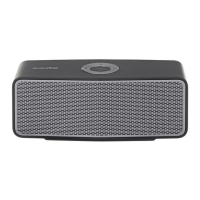
This document describes the LG MUSIC flow P5 Portable Bluetooth Speaker, a device designed for wireless audio playback and portable use.

Function Description

The LG MUSIC flow P5 is a portable Bluetooth speaker that allows users to listen to music from various external devices. It supports Bluetooth wireless technology for connecting to smartphones, MP3 players, laptops, and PDAs. The device is equipped with a built-in rechargeable battery, making it suitable for on-the-go use.

Usage Features

Basic Operations:

  • Power On/Off: The unit is turned on or off by pressing and holding the power button.
  • Volume Control: Volume can be adjusted using the dedicated volume buttons. A beep sound indicates when the maximum or minimum volume level is reached.
  • Play/Pause: Playback can be started or paused by pressing the play/pause button.
  • Forward/Backward Skip: Users can skip forward or backward through tracks by pressing the play/pause button twice or three times, respectively.
  • Mute: The sound can be muted in Portable and LG Sound Sync modes by pressing the play/pause button.

Bluetooth Connectivity:

  • Pairing: The speaker can be paired with Bluetooth devices. When the Bluetooth button blinks white, users can select "LG Music Flow P5 (XX)" from their smart device's list to connect. Once successfully connected, the Bluetooth button stays white with a beep sound.
  • Multi-pairing: The unit supports multi-pairing, allowing connection with up to two Bluetooth devices simultaneously. This feature is supported on Android and iOS devices.
  • Bluetooth Range: For optimal performance, the Bluetooth device should be kept as close as possible to the speaker. Obstacles, other electronic waves, or distance can interrupt the connection or degrade sound quality.
  • Automatic Disconnection: The Bluetooth connection will disconnect if the unit is turned off or if the Bluetooth device moves too far away.
  • Volume Synchronization: When an iOS device is connected, the volume level can be synchronized between the device and the speaker.

Music Flow Bluetooth App:

  • The "Music Flow Bluetooth" app enhances the user experience by offering additional features and comfortable control.
  • Installation: The app can be downloaded from the "Apple App Store" or "Google Play Store" by searching for "Music Flow Bluetooth" or by scanning a provided QR code.
  • Activation: The app helps connect the Bluetooth device to the speaker. Users can open the app, select the desired unit from the menu, and access settings and help for more information.
  • Compatibility: The app is compatible with Android O/S Ver 4.0.3 (or later) and iOS O/S Ver 6.0 (or later).

Dual Play Connection (Optional):

  • This feature allows users to enjoy stereo sound by connecting two LG MUSIC flow P5 speakers.
  • Setup: One speaker (A) is connected to a Bluetooth device. Then, the volume up and Bluetooth buttons on speaker A, and the volume down and Bluetooth buttons on speaker B are pressed and held simultaneously. A beep sound and fast blinking white Bluetooth buttons indicate the connection process. Once connected, the Bluetooth buttons stay white.
  • Auto Connection: If the speakers are turned off and then on again in dual play mode, they will automatically reconnect in dual play mode within approximately 30 seconds.
  • Limitations: Dual Play is not supported with Bluetooth dongles or in portable input mode. Multi-pairing is not supported during Dual Play. Only speaker A can be connected to a Bluetooth device in Dual Play mode.

LG Sound Sync (TV Private Sound):

  • This feature allows control of the speaker's volume (up/down, mute) using the remote control of a compatible LG TV that supports LG Sound Sync.
  • Wireless Connection: To use this, turn on the speaker, set the TV's sound output to "LG Sound Sync (Wireless)," and then press and hold the play/pause and fast forward buttons on the speaker simultaneously until a beep is heard and the Bluetooth button blinks amber. Once connected, the Bluetooth button stays amber.
  • Reconnection: If the LG Sound Sync (Wireless) connection is lost, it must be reconnected manually.

Listening to Music from External Devices:

  • The unit has a Portable In connector for wired connection to various external devices.
  • Simply connect the external device to the Portable In connector, turn on the speaker, and start playing music from the external device.
  • Connecting a portable cable automatically switches the function to portable input mode.

Maintenance Features

Charging the Unit:

  • The speaker has a built-in battery and should be charged using the supplied USB cable and an AC adapter (not supplied).
  • Charging Status: The battery indicator shows the charging status:
    • White: ≥ 60% charged.
    • Amber: ≥ 15% charged.
    • Amber (blinking): < 15% charged.
  • When fully charged, the battery indicator changes from red to green.
  • Charging Time: The operating time is approximately 15 hours, but this may vary depending on battery status and operational conditions. Listening to music while charging will extend the charging time.
  • Recommended Adapter: It is recommended to use a 5V AC adapter approved by LG Electronics Inc. (more than 1.8A) to avoid explosion risks and ensure proper charging.

Resetting:

  • In case of malfunction or if the unit freezes, remove the rubber sleeve and press the reset hole using a thin pin. This will turn off the unit completely.

Auto Power Off:

  • The unit automatically turns off after 20 minutes in BT/LG Sound Sync mode without music playback, or after 6 hours in portable input mode without any button operation.

Keeping the Exterior Surfaces Clean:

  • Use a soft, dry cloth to clean the player. For very dirty surfaces, use a soft cloth lightly moistened with a mild detergent solution.
  • Avoid: Volatile liquids (like insecticide spray), strong pressure (which may damage the surface), and leaving rubber or plastic products in contact with the unit for extended periods. Strong solvents such as alcohol, benzine, or thinner should not be used as they can damage the surface.

Shipping the Unit:

  • Retain the original shipping carton and packing materials. If the unit needs to be shipped, repack it as it was originally packed for maximum protection.

Safety Information:

  • Ventilation: Do not block ventilation openings. Ensure proper ventilation and avoid placing the product on soft surfaces or in confined spaces like bookcases.
  • Power Cord: Use a dedicated circuit for the appliance. Do not overload wall outlets or use damaged cords. Periodically inspect the power cord for damage. The power plug is the disconnecting device and must remain readily accessible.
  • Low Humidity: In low humidity environments, static electricity may occur. It is recommended to touch a metal object that conducts electricity before using the product.
  • Magnets: The unit contains magnets that can be harmful to certain objects (e.g., magnetic cards, pacemakers).
  • Water/Moisture: Do not expose the apparatus to water (dripping or splashing) and do not place objects filled with liquids on it.
  • High Voltage Products: Avoid using high voltage products (e.g., electrical swatters) near the unit, as this may cause malfunction.

Battery Disposal:

  • Old batteries/accumulators should be disposed of separately from municipal waste. They may contain hazardous substances and should be taken to designated collection facilities.
  • Removal: For safety, the battery should only be removed by qualified professionals for replacement or recycling. Users should not attempt to remove the battery themselves.
  • Heat Exposure: The battery should not be exposed to excessive heat, such as sunshine or fire.

LG NA6550WO Specifications

General IconGeneral
BrandLG
ModelNA6550WO
Speaker TypeSoundbar
Wireless SubwooferYes
BluetoothYes
Wall MountableYes
HDMI InputYes
HDMI OutputYes
Optical InputYes

Related product manuals