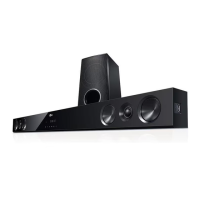
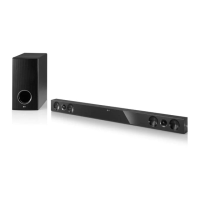
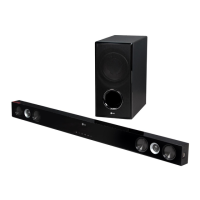
EasyManua.ls Logo

LG NB3730A - User Manual

LG NB3730A
66 pages
Print Icon
To Next Page IconTo Next Page
Loading...
OWNER’S MANUAL
300 W SMART SOUND
BAR
Please read this manual carefully before operating your set and retain it
for future reference.
NB3730A (NB3730A, S33A1-D)
NB3732A (NB3732A, S33A1-D)
www.lg.com

Table of Contents

Other manuals for LG NB3730A

Questions and Answers

  • A
    Ann MoranAug 16, 2025
    What to do if the remote control doesn't work with my LG NB3730A?
    • J
      Jennifer AdamsAug 17, 2025
      If the remote control isn't working properly with your LG Speaker System, consider these potential causes: * Ensure the remote is pointed at the remote sensor on the unit. * Make sure you're not too far away from the unit. * Remove any obstacles between the remote and the unit. * Replace the batteries in the remote control, as they may be exhausted.
  • A
    Alyssa AcevedoAug 19, 2025
    What to do if my LG NB3730A does not turn on?
    • J
      Jacqueline PattersonSep 12, 2025
      If your LG Speaker System isn't turning on, make sure the power cord is securely plugged into the wall outlet.
  • P
    Paul KaneAug 22, 2025
    What to do if my LG NB3730A is plugged in but won't turn on or off?
    • R
      Robert HarrisonAug 22, 2025
      To reset your LG Speaker System, unplug the power cord, wait at least five seconds, and then plug it back in.
  • J
    Joyce RussellAug 25, 2025
    Why are streaming video services often stopped on my LG Speaker System?
    • B
      baldwinjenniferAug 26, 2025
      If streaming video services like YouTube™ are frequently interrupted or buffer during playback on your LG Speaker System, it's likely that your broadband service speed isn't fast enough. Contact your Internet Service Provider (ISP) to increase your broadband speed.
  • Y
    ycooperAug 28, 2025
    What to do if my LG NB3730A doesn't recognize the USB storage device?
    • S
      Scott SimmonsAug 28, 2025
      If your LG Speaker System isn't recognizing the connected USB storage device: * Try a different USB cable, as some cables may not provide enough current. * Avoid using a USB extension cable or USB hub. * Ensure you're using a USB Flash Drive or USB External HDD with FAT32 or NTFS format, as the unit does not support USB devices requiring additional program installation when connected to a computer.
  • J
    Joshua DouglasAug 31, 2025
    How to fix LG NB3730A Speaker System when there is no picture?
    • S
      stacy52Aug 31, 2025
      If there is no picture on your LG Speaker System, try the following: * Select the correct video input mode on your TV. * Ensure the video connection is secure. * Check the HDMI Color Setting in the Settings menu. * Change the resolution to one supported by your TV.
  • E
    ewingnancySep 3, 2025
    Why media servers are not displayed on the device list of my LG NB3730A Speaker System?
    • S
      Scott SullivanSep 3, 2025
      If media servers aren't showing on the device list of your LG Speaker System, it may be due to the firewall or anti-virus software running on your media server. Try turning off the firewall or anti-virus software.
  • A
    amanda68Sep 6, 2025
    How to fix picture noise on LG NB3730A Speaker System?
    • D
      Donna RodriguezSep 7, 2025
      If picture noise appears on your LG Speaker System, the file might be recorded in a color system different from your TV. Set the resolution that your TV accepts.
  • D
    danielshollySep 9, 2025
    Why I cannot connect my LG NB3730A to the access point?
    • D
      David StewartSep 9, 2025
      If you cannot connect your LG Speaker System to the access point or wireless LAN router, it might be due to wireless communication interference from household devices using radio frequencies. Try moving the unit away from these devices.
  • S
    samantha32Sep 12, 2025
    Why is the access point not displayed on my LG NB3730A Speaker System?
    • B
      Brian KirkSep 13, 2025
      If the access point isn't showing on the “Access point name” list on your LG Speaker System: * Set your access point to broadcast its SSID through your computer, as it may not be broadcasting it. * Adjust the frequency range and channel on your network device settings to ensure compatibility with the unit.

Summary

Safety Information

General Safety Precautions

General safety instructions and warnings for operating the product.

Getting Started

Important Safety Instructions

Key instructions for safe operation and handling of the apparatus.

Connecting

Speaker Connection

Instructions for connecting speakers, including wireless setup.

ARC (Audio Return Channel) Function

Explanation of the Audio Return Channel function for TV audio output.

Optical Digital Audio Connection

Steps for connecting TV audio via optical digital cable.

External Device Connections

Home Network Connectivity

Wireless Network Setup

System Setting

Initial Setup

Wizard for initial display language and network setup on first use.

Settings

[NETWORK] Menu

[DISPLAY] Menu

[AUDIO] Menu

Sound Effect

Home Menu Display

Playing Linked Devices

Playing a USB Device

Steps to play media files from a connected USB storage device.

Playing Files on Network Server

Using Home Network Server for PC

General Playback

On-Screen Display

Advanced Playback Features

Advanced Features

Using Bluetooth Technology

Bluetooth Music Playback

Pairing the unit with Bluetooth devices and listening to music.

Using the Premium Feature

Using LG Smart World

Searching Online Content

Using the My Apps Menu

Troubleshooting

General Troubleshooting

Common troubleshooting symptoms and their solutions for general issues.

Network Troubleshooting

Troubleshooting network connectivity issues, streaming problems, and server display.

Picture Troubleshooting

Solutions for picture-related problems like no image or picture noise.

Sound Troubleshooting

Troubleshooting sound issues such as no sound or distorted audio.

Network Software Update

Maintenance

LG NB3730A Specifications

General IconGeneral
Audio decoders-
RMS rated power300 W
Audio output channels2.1 channels
Impedance4 Ω
Soundbar speaker RMS power160 W
Total Harmonic Distortion (THD)10 %
Subwoofer typeActive subwoofer
Subwoofer includedYes
Subwoofer connectivityWireless
Receiver includedNo
Receiver typeBuilt-in
Apple docking compatibilityNot supported
Soundbar dimensions (WxDxH)1038 x 49 x 71 mm
Subwoofer dimensions (WxDxH)170 x 316 x 360 mm
Product colorBlack
Recommended usageHome theatre
USB 2.0 ports quantityUSB 2.0 ports have a data transmission speed of 480 Mbps, and are backwards compatible with USB 1.1 ports. You can connect all kinds of peripheral devices to them.
Connectivity technologyWired & Wireless
Power sourceAC
AC input voltage100-240 V
AC input frequency50 - 60 Hz
Power consumption (typical)40 W
Weight and Dimensions IconWeight and Dimensions
Soundbar weight2500 g
Subwoofer weight5540 g

Related product manuals