
 Need help?
Do you have a question about the LG niagara4 MultiSITE Edge 10 and is the answer not in the manual?
Details the Niagara technical documentation library and the intended audience for this guide.
Describes the initial Niagara 4 software installation for QNX-based controllers using Workbench.
Lists additional documents for Niagara system, devices, and protocols.
Describes the default IP address, HTTPS port, and platform credentials of the MS-E10 device.
Details the two RJ-45 Ethernet connectors (PRI/SEC) and their use.
Explains that only secure HTTPS connections are allowed and the default port.
Provides the default username and password for the MS-E10 platform daemon.
Explains the one-time DHCP feature and fallback static IP for initial device setup.
Lists the mix of universal, analog, and digital I/O points on the MS-E10 device.
Highlights security issues for the MS-E10 platform, including access restrictions and strong passwords.
Refers to the installation manual for power and Ethernet wiring details.
Overview of connectivity options and setup choices for MS-E10 devices.
Describes network topologies like Star, Daisy Chain, and Ring for MS-E10 devices.
Explains how to connect MS-E10 devices to a JACE via primary or secondary ports.
Summarizes tools for device setup based on network configuration (commissioning, provisioning).
Provides steps for setting up a single MS-E10 device using Niagara 4.7 Workbench.
Details how to connect to the MS-E10 device using Workbench for host-level operations.
Explains how to initiate the Commissioning Wizard for configuring host stations.
Guides on installing or updating license files for MS-E10 devices from a license server or files.
Describes the process of installing license files directly from local files.
Specifies which N4 software module JARs are installed, affecting file space.
Details how to specify a station database to install on the MS-E10 device during commissioning.
Guides on selecting software modules to install based on device dependencies and needs.
Explains how the wizard determines and installs necessary core distribution files.
Allows review and adjustment of the platform's TCP/IP settings.
Guides on changing the default system passphrase for security.
Details replacing factory default login credentials with new platform user accounts.
Describes adding, deleting, or managing platform admin users for authentication.
Summarizes all actions before committing and completing the commissioning process.
Explains the PlatformServices container within each station and its role.
Highlights key child platform services like CertManagerService for controller commissioning.
Details numerous properties accessible via the Platform Service Container Plugin.
Mentions hardware-specific properties that may be appended to PlatformServices.
Guides on reviewing and optionally changing settings post-commissioning via Platform Administration.
Discusses network topologies for connecting MS-E10 devices.
Introduces provisioning steps to simplify and enhance MS-E10 installation workflow.
Explains setting up device provisioning using NiagaraNetworkJobPrototype components.
Details how to initiate and run provisioning jobs from the Niagara Network Prototype view.
Provides a recommended starting point for initial setup, software updates, and communication.
Describes upgrading devices with the latest platform and module software.
Explains deploying customer applications to multiple devices using templates.
Guides on generating and configuring template bulk provisioning Excel files.
Details adding the Deploy Template step to a provisioning job prototype.
Explains updating provisioned templates using the Upgrade Template job step.
Guides on reviewing past TCP/IP settings changes recorded in an ipchanges.bog file.
Describes restoring the MS-E10 device to its factory shipped state using a terminal emulator.
Explains how to access low-level platform settings and perform troubleshooting via a system shell.
 General
| Category | Control Systems |
|---|---|
| Manufacturer | LG |
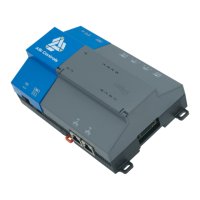
| Model | niagara4 MultiSITE Edge 10 |
| Device Type | Edge Controller |
| Operating System | Niagara 4 |
| Connectivity | Ethernet, Wi-Fi (optional), Cellular (optional) |
| Series | MultiSITE |
| Protocols Supported | BACnet, Modbus, LON |
| Power Supply | 24 VAC/VDC |
| Operating Temperature | -20°C to 60°C |
| Humidity Range | 5% to 95% RH, non-condensing |
| Certifications | CE, UL, FCC |

 To Next Page
