MS- E10 User Guide
Due to our policy of continuous product innovation, some specifications may change without notification.
©LG Electronics U.S.A., Inc., Englewood Cliffs, NJ. All rights reserved. “LG” is a registered trademark of LG Corp. 63
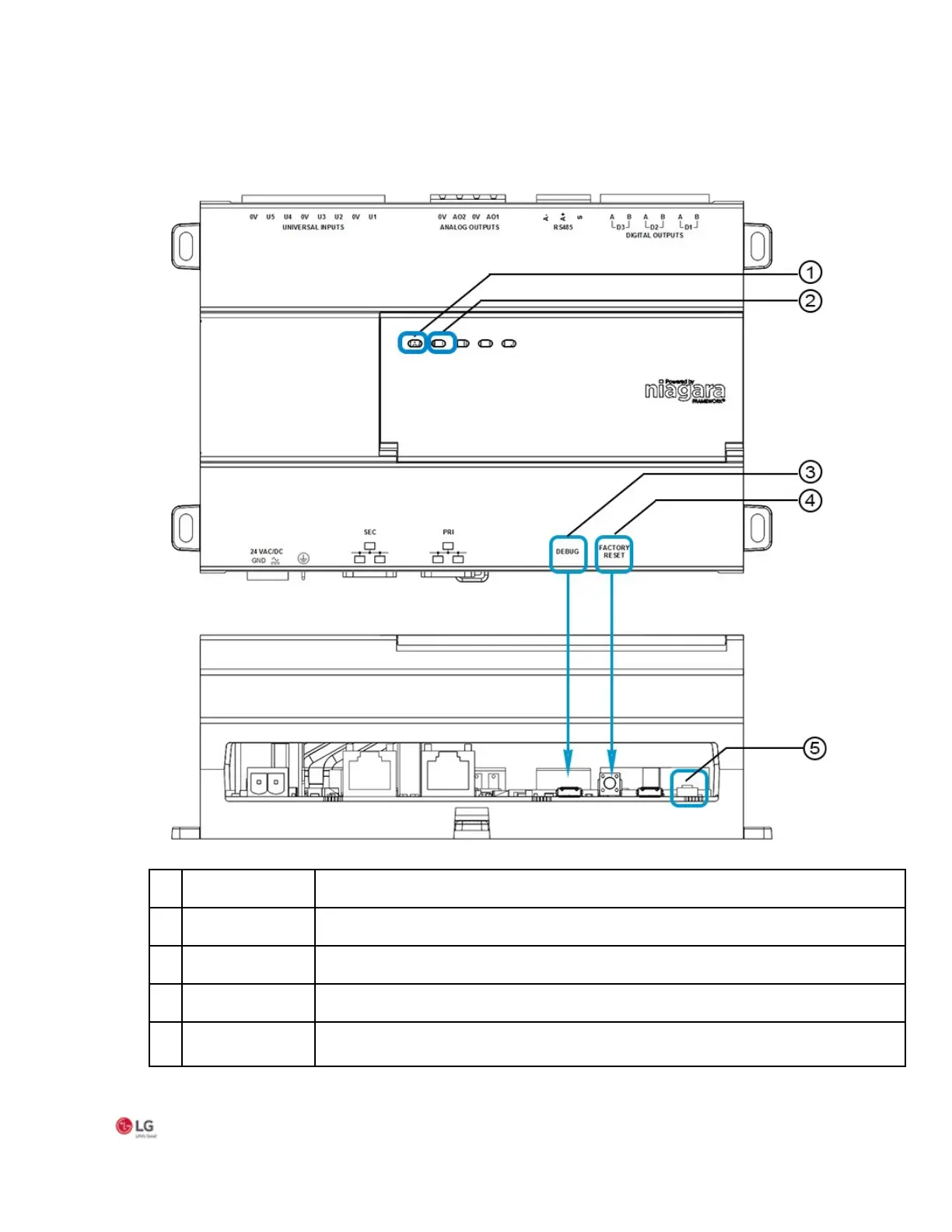
The figure with numbered call-outs, shown here, indicates the position of USB port and pushbutton
switches.
Figure 38: Position of USB port and pushbutton switches
Status LED, illuminated while controller is powered.
mally 5Hz, 50% duty cycle. Fast blink during boot process.
-A USB port for serial debug communications
-button switch to initiate a return to factory default settings
push-button switch (located in the recessed cavity) to initiate physical reset of the device.


 To Next Page