Replacement of battery
Remove the battery cover on the rear of the remote control, and insert the battery with (+) and (-)
matched correctly.
• • • • • • • • • • • • • • (1) • • • • • • • • • • • • •
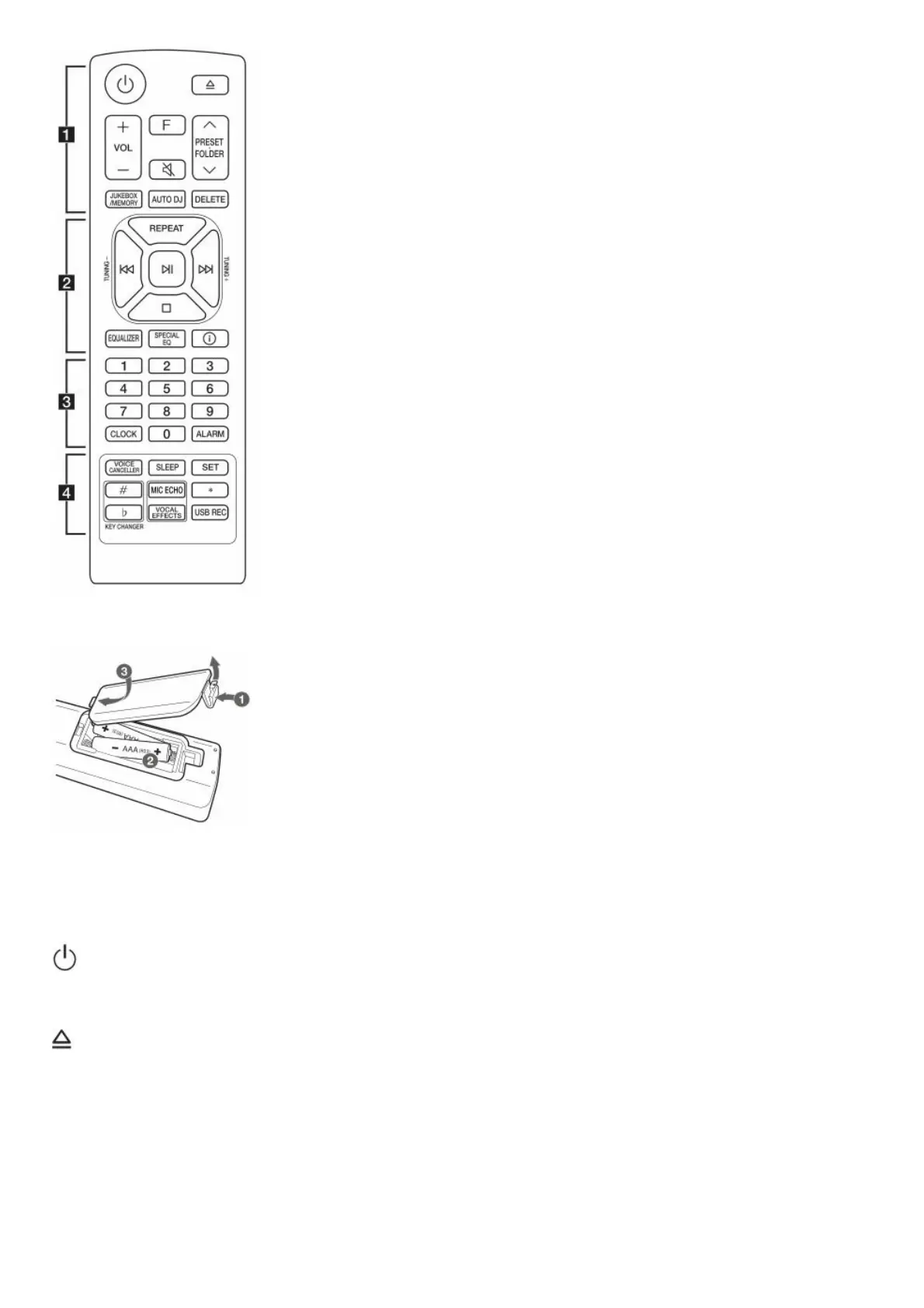
(Standby) : Turns the power on or off.
(Open/Close) : Opens and closes the disc tray.
VOL (Volume) +/- : Adjusts speaker volume.
F (Function) : Selects the function and input source.



 To Next Page