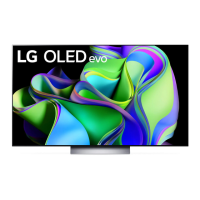
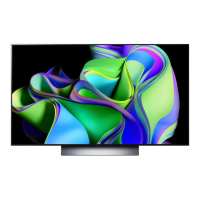
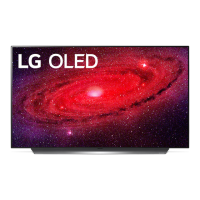
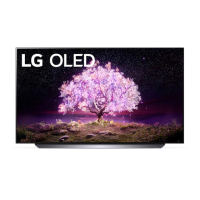
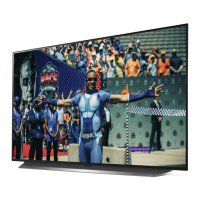
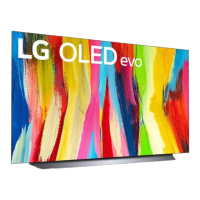
This document is an owner's manual for an LG OLED TV, covering safety, installation, connections, specifications, product information, troubleshooting, and screen protection. It also includes an external control device setup guide.
Function Description
The LG OLED TV is a high-definition television designed for home entertainment. It utilizes OLED technology, where each pixel emits its own light, providing perfect black levels and clear images without blurring. The TV can be controlled via a remote control or external control devices through various interfaces. It supports receiving broadcast signals from antenna, cable, or satellite, and can connect to a range of external devices such as Blu-ray players, soundbars, game consoles, and PCs. The TV includes features for image retention prevention, such as "Pixel Cleaning," and offers various picture and sound adjustments.
Important Technical Specifications
Model Series:
OLED48A3AUA, OLED48A3PUA, OLED55A3AUA, OLED55A3PUA, OLED65A3AUA, OLED65A3PUA, OLED77A3AUA, OLED77A3PUA, OLED55B3AUA, OLED55B3PUA, OLED65B3AUA, OLED65B3PUA, OLED77B3AUA, OLED77B3PUA, OLED42C3AUA, OLED42C3PUA, OLED48C3AUA, OLED48C3AUB, OLED48C3PUA, OLED55C3AUA, OLED55C3PUA, OLED65C3AUA, OLED65C3PUA, OLED77C3AUA, OLED77C3PUA, OLED83C3AUA, OLED83C3PUA
Power Requirement:
AC 120V~50/60 Hz (depending on country)
Broadcasting Specifications:
- Television System: ATSC/NTSC-M, 64 & 256 QAM
- Channel Coverage (Band): VHF 2-13, UHF 14-69, DTV 2-69, CATV 1-135, CADTV 1-135
- External Antenna Impedance: 75 Ω
Environment Condition:
- Operating Temperature: 0 °C to 40 °C (32 °F to 104 °F)
- Operating Humidity: Less than 80%
- Storage Temperature: -20 °C to 60 °C (-4 °F to 140 °F)
- Storage Humidity: Less than 85%
Conditions for Wall Mount Installation:
- Tilt Angle: 0° to 15° (for proper viewing angle)
Wireless Module Specifications (LGSBWAX12 / LGSBWAC95):
- Wireless LAN (IEEE 802.11a/b/g/n/ac/ax):
- Frequency Range: 2,400 to 2,472 MHz, 5,150 to 5,725 MHz, 5,725 to 5,850 MHz, 5,945 to 7,125 MHz (LGSBWAX12)
- Frequency Range: 2,400 to 2,483.5 MHz, 5,150 to 5,725 MHz, 5,725 to 5,850 MHz (LGSBWAC95)
- Output Power (Max.): 11-18.5 dBm (varies by frequency band and module)
- Bluetooth:
- Frequency Range: 2,400 to 2,483.5 MHz
- Output Power (Max.): 9 dBm
- FCC ID: BEJLGSBWAX12 / BEJLGSBWAC95
- IC: 2703H-LGSBWAX12 / 2703H-LGSBWAC95
- Minimum Distance: 20 cm (7.8 inches) between device and body for user consideration.
- FCC Regulations (LGSBWAX12): Restricted to indoor use only; operation prohibited on oil platforms, cars, trains, boats, and aircraft, except in large aircraft above 10,000 feet.
HDMI Supported Audio Formats:
True HD (48 kHz), Dolby Digital / Dolby Digital Plus (32 kHz / 44.1 kHz / 48 kHz), PCM (32 kHz / 44.1 kHz / 48 kHz / 96 kHz / 192 kHz), DTS (44.1 kHz / 48 kHz / 88.2 kHz / 96 kHz), DTS-HD (44.1 kHz / 48 kHz / 88.2 kHz / 96 kHz / 176.4 kHz / 192 kHz).
Recommended HDMI cable type: Ultra High Speed HDMI®/™™ cable (3 m or less).
USB:
Supports USB 2.0. For optimal connection, USB cables and devices should have bezels less than 10 mm (0.39 inches) thick and 18 mm (0.7 inches) width.
External Control Device Setup:
- Communication Parameters: Baud rate: 9600 bps (UART), Data length: 8 bits, Stop bit: 1 bit, Parity: None, Communication code: ASCII code.
- Cable Type: Crossed (reverse) cable for RS-232C.
- Interfaces: USB to Serial (RS-232C) converter (PL2303 chip-based), RS-232C (DE9 D-Sub 9pin female-to-female type) or phone jack type.
- Set ID: Adjustable from 1 to 99 (decimal) or 0x00 to 0x63 (hexadecimal). Set ID '0' controls all connected sets.
Usage Features
Turning On/Off:
The TV can be turned on or off using a single button on the TV itself (depending on type A or B). For type A, pressing the button turns it on, and pressing and holding turns it off. For type B, there are separate buttons for power, volume, and channels. All running apps will close when the TV is turned off. Initial startup may take approximately one minute.
External Device Connections:
- HDMI: Connect HDMI cables to the TV and external devices. Ensure devices are turned off and unplugged before connecting. Use certified HDMI cables for optimal performance. HDMI Deep Color can be adjusted for clearer pictures.
- USB: Connect USB devices directly to the TV's USB port. Use an extension cable if the USB device or cable does not fit.
- IR Blaster: Control set-top boxes, Blu-ray/DVD players, soundbars, and game consoles using the IR Blaster. Connect the IR Blaster cable to the TV's IR Blaster port and secure it with 3M tape. Required for "Room to Room Share" and "Hands-free Voice Control."
- Antenna/Cable: Connect an antenna, cable, or cable box to watch TV. Use a signal splitter for multiple TVs. Supports DTV Audio Codec: MPEG, Dolby Digital.
- Remote RS-232C Setup: For external control, connect a PC or A/V control system via USB to Serial (RS-232C) converter or RS-232C cable. Set the TV's ID number in the settings menu.
Picture and Sound Adjustments (via External Control):
The manual details hexadecimal commands for controlling various TV functions:
- Power (ka): Turn TV on (01) or off (00).
- Aspect Ratio (kc): Adjust screen format (e.g., Normal screen 01, Wide screen 02, Just Scan 09).
- Screen Mute (kd): Mute screen (01) or unmute (00).
- Volume Mute (ke): Mute volume (00) or unmute (01).
- Volume Control (kf): Adjust volume from 00 to 64 (hexadecimal).
- Contrast (kg): Adjust screen contrast from 00 to 64.
- Brightness (kh): Adjust screen brightness from 00 to 64.
- Color/Colour (ki): Adjust screen color from 00 to 64.
- Tint (kj): Adjust screen tint from 00 to 64.
- Sharpness (kk): Adjust screen sharpness from 00 to 32.
- OSD Select (kl): Turn OSD on (01) or off (00).
- Remote Control Lock Mode (km): Lock (01) or unlock (00) front panel controls and remote.
- Treble (kr): Adjust treble from 00 to 64.
- Bass (ks): Adjust bass from 00 to 64.
- Balance (kt): Adjust balance from 00 to 64.
- Color/Colour Temperature (xu): Adjust color temperature from 00 to 64.
- ISM Method (jp): Control ISM method (e.g., Orbiter 02, Normal 08, Color Wash 20) (Plasma TV only).
- Equalizer (jv): Adjust EQ settings.
- Energy Saving (jq): Set energy saving mode (e.g., Off 00, Minimum 01, Auto 04).
- Tune Command (ma): Select channels for Analog Antenna/Cable, Digital Antenna/Cable/Satellite.
- Channel Add/Del/Skip (mb): Add (01) or delete/skip (00) channels.
- Key (mc): Send IR remote key codes.
- Control Backlight (mg): Control backlight (LCD/LED TV) or panel light (Plasma TV) from 00 to 64.
- Input Select (xb): Select input source (e.g., DTV 00, HDMI1 90).
- 3D (xt): Change 3D mode (e.g., 3D On 00, 3D Off 01, 2D to 3D 03) and 3D effect (00-14) (3D models only).
- Extended 3D (xv): Change 3D options (e.g., 3D Picture Correction 00, 3D Depth 01).
- Auto Configure (ju): Adjust picture position and minimize image shaking (RGB PC mode only).
Maintenance Features
Important Safety Instructions:
- Read and keep instructions.
- Heed all warnings and follow instructions.
- Do not use near water; clean with dry cloth only.
- Ensure proper ventilation; do not block openings.
- Avoid heat sources.
- Do not defeat polarized or grounding-type plug safety.
- Protect power cord from damage.
- Use only manufacturer-specified attachments/accessories.
- Use caution when moving with a cart.
- Unplug during lightning storms or long periods of disuse.
- Refer servicing to qualified personnel for damage.
- Prevent fire: keep open flames away.
- Avoid extreme environments (direct sunlight, high humidity, heat, steam, oil, rain, wind, flammable objects, excessive dust, direct air conditioning).
- Do not expose to dripping/splashing; do not place liquid-filled objects on TV.
- Ensure proper ventilation; do not install in confined spaces or block with cloth.
- Ventilation openings may become hot.
- Do not move TV with power cord plugged in.
- Do not use damaged or loose power cords.
- Grasp plug, not cord, when unplugging.
- Avoid connecting too many devices to one AC outlet.
- Power plug is the disconnecting device; ensure it's readily accessible.
- Prevent children from climbing/clinging to TV.
- Outdoor antenna grounding: follow NEC guidelines for protection against surges and static charges.
- Never touch apparatus/antenna during lightning storm.
- Ensure secure power cord connection to prevent damage/fire.
- Do not insert metallic/inflammable objects into product.
- Do not touch power cord end when plugged in.
Batteries:
- Store accessories (batteries) out of reach of children.
- Do not short circuit, disassemble, overheat, or dispose of in fire.
- Risk of fire/explosion if replaced with incorrect type.
Moving the TV:
- Turn off, unplug, and remove all cables before moving.
- Use original box/packing material if possible.
- Screen should face away from you to prevent damage.
- Hold side and bottom frame firmly; avoid transparent parts, speakers, grilles.
- Use at least two people for large TVs.
- Avoid jolts, excessive vibration.
- Keep TV upright; never tilt on its side.
- Be careful not to damage protruding buttons.
- Avoid touching the screen.
- Do not place product face down on floor without padding.
- When attaching stand, place screen face down on cushioned table.
Cleaning:
- Unplug power cord.
- Wipe gently with a soft/dry cloth.
- Do not spray water or liquids directly on TV.
- Do not use chemicals (glass cleaner, air freshener, insecticide, lubricants, wax, abrasive, thinner, benzene, alcohol) as they can damage the product/panel.
- Wring excess water/cleaner from cloth.
- Spray cleaner onto dry cloth, not screen.
Screen Protection (OLED TV Screen):
- OLED displays may experience image retention (persistent phenomenon) due to organic materials.
- Pixel Cleaning: Built-in feature to check screen status and prevent image retention. Automatically runs when TV is off based on accumulated viewing time. Can be run manually via
[Settings] → [General] → [OLED Care] → [OLED Panel Care] → [Pixel Cleaning].
- Recommendations for Minimizing Image Retention:
- Set picture mode to
[Auto Power Save].
- Set
[OLED Pixel Brightness] to a lower level.
- Set
[Adjust Logo Brightness] to [High].
- Use
[Vertical Zoom] or [4-Way Zoom] to remove black bars from images.
- Turn off menus from set-top boxes if displayed for long periods.
- Screen brightness may automatically reduce for fixed images and restore when content changes.
Troubleshooting:
- Cannot control TV with remote: Check for obstructions, tape over receiver, or replace batteries.
- No image/sound: Check if TV is on, power cord connection, and wall outlet.
- TV turns off suddenly: Check power control settings, auto-off function.
- Abnormal Display: Small flicker on startup is normal. Tiny black/colored dots (1 ppm) are normal for advanced panels. Brightness/color may vary by viewing position. Avoid touching screen for long periods to prevent temporary distortion.
- Generated Sound: Cracking noise (plastic thermal contraction) and electrical circuit humming/panel buzzing (high-speed switching circuit) are normal.
Regulatory Information:
- FCC Notice (USA): Class B digital device, complies with Part 15 of FCC Rules. Provides guidelines for interference. Indoor use only.
- FCC Radio Frequency Interference Requirements (UNII devices - USA): High power radars may cause interference; device cannot be co-located with other transmitters.
- FCC RF Radiation Exposure Statement (USA): Minimum distance of 20 cm (7.8 inches) between antenna and body.
- Industry Canada Statement (Canada): Licence-exempt transmitter/receiver, complies with RSS(s). Operation subject to no interference and acceptance of interference.
- IC Radiation Exposure Statement (Canada): Minimum distance of 20 cm (7.8 inches) between antenna and body.
- RSS-247 Requirement (Canada - 5 GHz bands): Indoor use only for 5150–5250 MHz. Specifies maximum antenna gain and e.i.r.p. limits for other bands. High-power radars are primary users of 5250-5350 MHz and 5650-5850 MHz bands.
- NOTE TO CABLE/TV INSTALLER (USA and Canada): Refers to Article 820-40 of National Electric Code regarding cable ground connection.
- WARNING! (STABILITY HAZARD): Precautions to prevent TV from falling, causing injury or death. Use recommended cabinets/stands, secure furniture, educate children, route cords safely, avoid unstable locations or tall furniture without anchoring, and avoid placing items that tempt children to climb.
- LG Take-back & Recycling Policy (USA): LG Electronics offers e-waste take-back and recycling services.

 Need help?

 To Next Page
 General