Need help?
Do you have a question about the LG OLED5565B1 Series OLED65B1 Series and is the answer not in the manual?
This document is an owner's manual for an LG OLED TV, providing comprehensive information on its setup, operation, and maintenance. It emphasizes safety instructions, preparing the TV for use, starting it up, using the remote control, connecting external devices, troubleshooting common issues, and precautions for protecting the OLED TV screen.
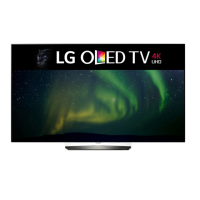
The LG OLED TV is a high-resolution display device designed to provide a superior viewing experience. Unlike traditional LED/LCD TVs, OLED technology allows each pixel to emit its own light, resulting in perfect blacks, vibrant colors, and clear images without blurring. The TV supports various broadcasting specifications, including digital and analogue TV, and offers multiple connectivity options for external devices.
The TV can be operated using a physical button on the device or through the Magic Remote Control. The physical button allows for basic functions such as power on/off, volume adjustment, and menu navigation. The Magic Remote Control offers more advanced functionalities, including number buttons for direct channel access, a microphone for voice recognition, and dedicated buttons for quick settings, home menu, input selection, and streaming services. The remote also features a "Wheel (OK)" button for menu selection and navigation, and a "Magic Explorer" feature for enhanced interaction.
The TV's menu system is intuitive, allowing users to adjust settings like picture modes, brightness, and aspect ratio. It includes features to minimize image retention, a common characteristic of OLED panels, by automatically adjusting screen brightness when a fixed image is displayed for an extended period.
Connectivity is a key aspect of the LG OLED TV. It features multiple HDMI ports, with some supporting HDMI Deep Colour for clearer pictures. Users are advised to use certified Ultra High Speed HDMI cables for optimal performance. The TV also includes USB ports for connecting USB devices, though some USB hubs may not work, and an extension cable is recommended for larger USB devices. A CI module slot is available for viewing encrypted digital TV services. The TV can be connected to a wall antenna socket or a satellite dish using RF cables.
Smart features are integrated through NFC Tagging with the Magic Remote Control. By bringing an NFC-enabled smart device near the remote, users can install the LG ThinQ app and access various TV features through their mobile device.
The manual provides detailed instructions for maintaining the TV and ensuring its longevity. It highlights the importance of proper ventilation, advising against installing the TV in confined spaces or blocking its ventilation openings. Users are cautioned to protect the power cord from physical abuse and to avoid using damaged cords or overloading AC power outlets.
For cleaning, the manual recommends unplugging the power cord and gently wiping the TV with a soft/dry cloth, explicitly warning against spraying water or other liquids directly onto the TV or using harsh chemicals.
Battery maintenance for the Magic Remote Control is also covered, with instructions on proper replacement and warnings against mixing old and new batteries, short-circuiting, disassembling, or exposing batteries to excessive heat.
A crucial maintenance feature for OLED TVs is "Pixel Cleaning," designed to protect the screen from image retention. This feature automatically activates after cumulative use periods (four hours daily or 2,000 hours yearly) and can also be run manually through the TV's support menu. It is essential to keep the power cord connected during this process.
The manual also addresses troubleshooting common issues such as remote control malfunction, no image or sound, sudden TV shutdown, and signal detection problems when connecting to a PC. It explains that minor visual anomalies, like tiny black or colored dots, are characteristic of advanced panels and do not indicate a malfunction. Similarly, certain noises like "cracking" or "electrical circuit humming" are described as normal operational sounds related to thermal contraction or high-speed switching circuits.
 General
| Screen Size | 65 inches |
|---|---|
| Display Type | OLED |
| Refresh Rate | 120Hz |
| Processor | α7 Gen4 AI Processor 4K |
| Operating System | webOS |
| VRR | Yes |
| ALLM | Yes |
| USB Ports | 3 |
| Ethernet | Yes |
| Resolution | 3840 x 2160 (4K UHD) |
| HDR Support | HDR10, HLG, Dolby Vision |
| Bluetooth | Yes |
| Wi-Fi | Yes (802.11ac) |
| HDMI Ports | 4 (HDMI 2.1) |
| Audio Output | 40W (2.2 Channel) |

 To Next Page