EasyManua.ls Logo

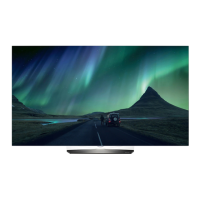
LG OLED55B6V - User Manual

LG OLED55B6V
92 pages
Print Icon
To Next Page IconTo Next Page
Loading...
Please read this manual carefully before operating your set and retain
it for future reference.
www.lg.com
P/NO : MFL69365712 (1606-REV02)
Printed in Korea
*MFL69365712*
Safety and Reference

Questions and Answers

  • R
    Robert ClarkJul 29, 2025
    Why does my LG OLED55B6V OLED TV turn off suddenly?
    • W
      William BrownJul 29, 2025
      Your LG OLED TV might be turning off suddenly because the power supply is interrupted, so check the power control settings. Also, check if the Sleep Timer or Timer Power Off is activated in the TIMERS settings. Depending on your model, the Auto Power Off feature in the General Eco Mode settings might also be enabled.
  • T
    Timothy CooleyAug 6, 2025
    What to do if my LG OLED TV remote control is not working?
    • V
      Virginia RileyAug 6, 2025
      If you cannot control your LG OLED TV with the remote, first check the remote control sensor on the TV and try again. Ensure there are no obstacles between the remote and the TV. Also, verify that the batteries in the remote are working and properly installed.
  • A
    Angela ArcherAug 14, 2025
    What to do if my LG OLED55B6V OLED TV has no image and sound?
    • L
      Lori BlankenshipAug 14, 2025
      If your LG OLED TV shows no image and produces no sound, ensure that the TV is turned on. Check if the power cord is properly connected to a wall outlet. To rule out a problem with the outlet, connect other products to the same outlet to see if they work.
  • S
    Steven VangAug 21, 2025
    What to do if my LG OLED TV says ‘No signal’ or ‘Invalid Format’ when connecting to PC (HDMI)?
    • B
      brandy40Aug 21, 2025
      If your LG OLED TV displays ‘No signal’ or ‘Invalid Format’ when connecting to a PC via HDMI, turn the TV off and on using the remote control. Reconnect the HDMI cable. Restart the PC while the TV is on.

Summary

Safety Instructions

3 D Viewing Safety Precautions

Safety guidelines for 3D viewing, addressing eye fatigue, headaches, and proper usage.

Product Preparation and Setup

Lifting and Moving the TV Safely

Advice on safely lifting and moving the TV to prevent scratches, damage, or injury.

Optional Accessories Information

Information on optional accessories available for separate purchase, like glasses and remotes.

Basic TV Button Operation

Explanation of the TV's physical button functions for basic operation.

Navigating and Adjusting the Menu

Guide to navigating and adjusting TV settings via the on-screen menu.

Table Mounting Instructions

Steps for safely placing and ventilating the TV when mounted on a table.

Securing the TV to a Wall

Instructions for securely mounting the TV to a wall using brackets and bolts.

Device Connections

Satellite Dish Connection Guide

Instructions for connecting the TV to a satellite dish for reception.

CI Module Connection Guide

Guide for connecting a CI module to view encrypted digital TV services.

USB Device Connection

Information on connecting USB devices to the TV for media playback or storage.

Other External Device Connections

Details on connecting various external devices using HDMI and other ports.

Remote Control Operations

Slim Remote Battery Installation

Instructions on how to replace the batteries in the slim remote control.

Magic Remote Functions

Product Licenses

Open Source Software Notice Information

Information regarding open source software licenses used in the product.

External Control Device Setup Guide

Guidance on setting up external control devices for the TV.

Troubleshooting

Specifications

LG OLED55B6V Specifications

General IconGeneral
Screen Size55 inches
Display TypeOLED
HDRHDR10, Dolby Vision
Smart TVYes
Operating SystemwebOS
HDMI Ports4
USB Ports3
Refresh Rate120 Hz
ProcessorQuad-Core
Wi-FiYes
BluetoothYes
Resolution3840 x 2160

Related product manuals