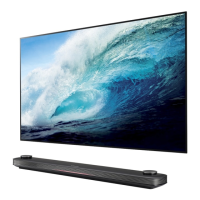
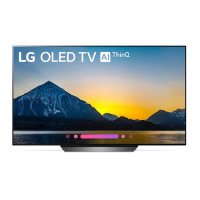
This document serves as a Quick Start Guide for LG OLED TVs, specifically models OLED55B8* and OLED65B8*. It provides instructions for unpacking, assembling the stand, connecting external devices, and basic usage.
Function Description:
The LG OLED TV is a high-definition television designed for home entertainment. It features an OLED display, offering superior picture quality with deep blacks and vibrant colors. The TV supports various input sources, including antenna/cable, satellite, HDMI, USB, component, AV, and LAN, allowing users to connect a wide range of external devices such as set-top boxes, gaming consoles, Blu-ray players, USB storage devices, and network cables for internet access. The TV also includes audio output options for connecting external sound systems or headphones.
Important Technical Specifications:
- Models: OLED55B8*, OLED65B8*
- Display Technology: OLED (Organic Light Emitting Diode)
- Power Requirement: AC 100-240 V~, 50/60 Hz
- Dimensions (with stand):
- OLED55B8PTA, OLED55B8PVA, OLED55B8YVA (55-inch models):
- A (Width): 1228 mm
- B (Height with stand): 749 mm
- C (Depth with stand): 220 mm
- D (Height without stand): 707 mm
- E (Stand width): 46.9 mm
- F (Stand depth): 17.8 mm
- G (Stand depth): 16.3 mm
- Weight (with stand): 17.8 kg
- Weight (without stand): 16.3 kg
- OLED65B8PTA, OLED65B8PVA, OLED65B8YVA (65-inch models):
- A (Width): 1449 mm
- B (Height with stand): 872 mm
- C (Depth with stand): 220 mm
- D (Height without stand): 831 mm
- E (Stand width): 46.9 mm
- F (Stand depth): 22.5 mm
- G (Stand depth): 21.0 mm
- Weight (with stand): 22.5 kg
- Weight (without stand): 21.0 kg
- Connectivity:
- Antenna/Cable IN
- Satellite IN (Main and Sub, depending on model)
- PCMCIA CARD SLOT
- HDMI IN (with ARC support on one port)
- USB IN
- COMPONENT IN
- AV IN
- LAN
- OPTICAL DIGITAL AUDIO OUT
- AUDIO OUT/H/P OUT
- Included Accessories:
- Stand components
- Screws (M4 x L12) x 4
- Cable management clips (AA)
Usage Features:
- Stand Assembly: The guide provides step-by-step visual instructions for assembling the TV stand, including attaching the stand base to the TV using the provided screws. It emphasizes placing the screen face down on a cushioned or flat surface during assembly to prevent scratches.
- Cable Management: Specific instructions and illustrations are provided for organizing cables using the included cable management clips to maintain a tidy setup.
- Connecting External Devices:
- Antenna/Cable/Satellite: Connects to the respective input ports for receiving broadcast signals.
- HDMI: Multiple HDMI ports allow connection of devices like Blu-ray players, game consoles, and set-top boxes. One HDMI port supports Audio Return Channel (ARC), enabling a compatible external audio device to output SPDIF audio without an additional audio cable and supporting SIMPLINK (LG's HDMI-CEC feature).
- USB: Connects USB storage devices for media playback. A caution notes that some USB hubs may not work, and direct connection or external power for the USB device might be necessary.
- Component/AV: Legacy input ports for older devices.
- LAN: For wired internet connection.
- Optical Digital Audio Out: For connecting to external sound systems that support optical input. A caution warns against looking directly into the port due to the laser beam.
- Audio Out/H/P Out: For connecting headphones or other audio output devices.
- User Guide Access: The guide explains how to access the full user guide via the TV's home menu by pressing the "Settings" button on the remote, navigating, and selecting "User Guide."
- SIMPLINK (HDMI-CEC): When an external audio device supporting SIMPLINK and ARC is connected via the HDMI IN/ARC port with a high-speed HDMI cable, it can output SPDIF audio without an additional audio cable and supports SIMPLINK functionality, allowing control of multiple devices with a single remote.
Maintenance Features:
- Unpacking and Inspection: Users are instructed to check the product box for all items and contact the local dealer if any accessories are missing.
- Safety Precautions: The guide includes general safety advice, referring users to the "Safety and Reference" section of the full manual. It also provides specific cautions, such as protecting the screen from scratches during stand assembly and avoiding direct eye exposure to the optical digital audio output port's laser beam.
- Power Consumption: Users are directed to refer to the label attached to the product for information on power supply and consumption.
- Image Retention (Burn-in) Prevention: A caution advises against displaying still images for long periods to prevent image retention. It recommends turning off the TV when not in use and using the screen saver function.


 To Next Page

 General