2 Connecting
Connecting14
Connecting
2
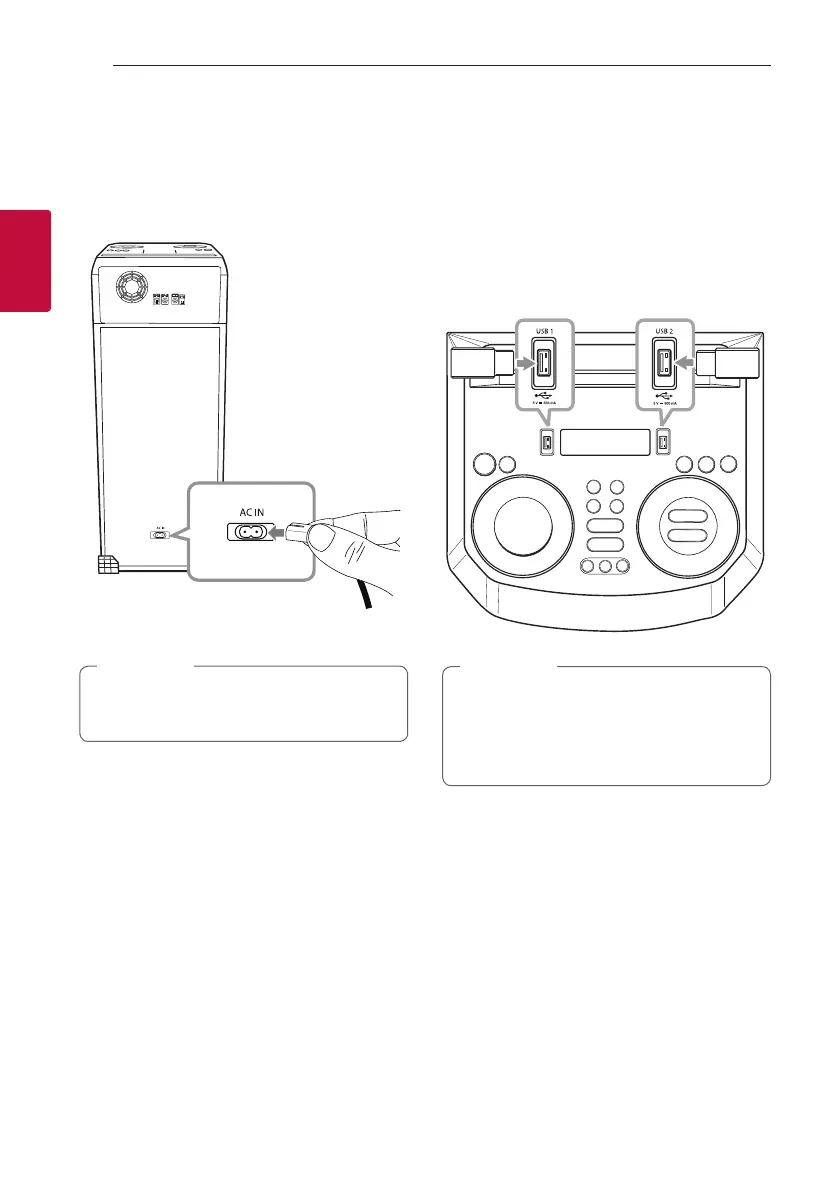
AC Power Cord
Connection
1. Connect one end of the AC power cord (included)
to the AC IN socket.
2. Plug the other end into the wall outlet.
Unplug the AC power cord from the wall outlet
if you do not use for an extended period of time.
,
Note
Optional Equipment
Connection
USB Connection
Connect a USB device (or MP3 player, etc.) to the
USB ports on the unit.
USB device
Removing the USB device from the unit:
1. Choose a different function/mode or
press Z twice in a row.
2. Remove the USB device from the unit.
,
Note



 To Next Page