EasyManua.ls Logo

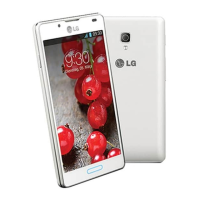
LG Optimus L7 II - User Manual

LG Optimus L7 II
94 pages
Print Icon
To Next Page IconTo Next Page
Loading...
User Guide
LG-P713/P713GO
MFL67862757 (1.0) www.lg.com
ENGLISH

Table of Contents

Questions and Answers

  • E
    Edward MorrisonAug 18, 2025
    What to do if my LG Optimus L7 II won't switch on?
    • J
      Julia Navarro MDAug 18, 2025
      If your LG Cell Phone won't switch on, the On/Off key may not have been pressed long enough. Press and hold the On/Off key for at least two seconds. Also, the battery may not be charged, so charge the battery and check the charging indicator on the display. Finally, the battery contacts might be dirty, so clean them.
  • E
    Erin MoonAug 21, 2025
    Why is my LG Optimus L7 II Cell Phone not charging?
    • H
      hmcconnellAug 21, 2025
      Several factors can prevent your LG Cell Phone from charging: * The battery may not be charged – in this case, charge the battery. * The ambient temperature might be too extreme. Ensure you are charging the phone at a normal temperature. * There could be a contact issue. Check the charger and its connection to the phone, and clean the battery contacts if needed. * There may be no voltage. Try plugging the charger into a different socket. * The charger itself could be defective, requiring a replacement. * You might be using the wrong charger. Use only original LG accessories. * The battery may be defective, requiring replacement.
  • P
    patriciabruceAug 23, 2025
    What to do if my LG Cell Phone has no network connection or keeps losing network?
    • C
      Crystal SimsAug 23, 2025
      If your LG Cell Phone has no network connection or keeps losing network, it could be due to a weak signal or being outside the carrier's network. Try moving towards a window or into an open area. Check the network operator coverage map. Also, check if the SIM card is more than 6~12 months old. If so, change your SIM at your network provider's nearest branch. You may also need to contact your service provider.
  • T
    Tiffany HolderAug 26, 2025
    What to do if my LG Optimus L7 II Cell Phone screen does not turn on when I receive a call?
    • M
      monica21Aug 26, 2025
      If the screen on your LG Cell Phone does not turn on when you receive a call, it may be due to a proximity sensor problem. If you are using any protection tape or case, check to see if it covers the area around the proximity sensor. Also, ensure that the area around the proximity sensor is clean.
  • S
    Stefanie LoweryAug 28, 2025
    What to do if my LG Optimus L7 II Cell Phone hangs up or freezes?
    • J
      jade58Aug 28, 2025
      If your LG Cell Phone hangs up or freezes, it may be due to an intermittent software problem. Remove the battery, reinsert it, and switch the phone on. You can also try to perform a software update via the website.
  • M
    Melvin WatsonAug 30, 2025
    How to fix LG Optimus L7 II Cell Phone SIM error?
    • A
      amberfoxAug 30, 2025
      An LG Cell Phone SIM error typically occurs because there is no SIM card in the phone or it is inserted incorrectly. Make sure that the SIM card is correctly inserted.
  • P
    Pamela DiazSep 1, 2025
    What to do if my LG Optimus L7 II Cell Phone calls are not available?
    • K
      Kendra MillerSep 1, 2025
      If calls are not available on your LG Cell Phone, it could be due to a dialling error, a newly inserted SIM card, or reaching the pre-paid charge limit. A new network may not be authorised or new restrictions may be in place. Contact your service provider or reset the limit with PIN2.
  • G
    Gregory WhiteSep 4, 2025
    How to fix LG Optimus L7 II SD card not working?
    • M
      Mary JohnsonSep 4, 2025
      If the SD card is not working on your LG Cell Phone, it may be due to an unsupported file system. The phone supports FAT16 and FAT32 file systems. Check the SD card file system via card reader, or format the SD card using the phone.
  • A
    Ashley SmithSep 6, 2025
    Why does my LG Optimus L7 II say number not permitted?
    • L
      livingstondavidSep 6, 2025
      If your LG Cell Phone displays 'number not permitted', the Fixed dialling number function may be turned on. Check the Settings menu and turn the function off.
  • J
    jennifergibbsSep 8, 2025
    What to do if my LG Cell Phone has no sound?
    • V
      Victoria MontgomerySep 9, 2025
      If there is no sound on your LG Cell Phone, check the settings status of the sound menu to ensure you are not in vibrate or silent mode.

Summary

Guidelines for safe and efficient use

Exposure to radio frequency energy

Information on radio wave exposure and Specific Absorption Rate (SAR) compliance for the phone.

Product care and maintenance

Guidelines for maintaining the phone, including warnings about disassembly and cleaning.

Avoid damage to your hearing

Advice on preventing hearing damage from prolonged exposure to loud sounds and music.

Battery information and care

Instructions on battery charging, usage, and safety precautions.

Driver Safety Tips

Essential safety tips for using the mobile phone while driving.

Getting to know your phone

Device components

Identification of the phone's physical buttons, sensors, and ports.

Installing the SIM card and battery

Step-by-step guide on inserting the SIM card and battery into the phone.

Charging the phone

Instructions on connecting the charger and charging the phone's battery.

Secure your lock screen

Setting up screen lock options like Pattern, PIN, or Password for security.

Your Home screen

Google account setup

Google account setup

Steps to set up a Google account for synchronization and access to Google services.

Connecting to Networks and Devices

Wi-Fi

Introduction to using Wi-Fi for high-speed internet access on the phone.

Bluetooth

Overview of Bluetooth for data transfer and pairing with other devices.

Calls

Making a call

Instructions on how to dial a number and make a phone call.

Contacts

Messaging

Sending a message

Instructions for composing and sending SMS and MMS messages.

E-mail

Camera

Video camera

Multimedia

Utilities

Phone software update

Phone software update

Instructions for updating the phone's firmware via the internet or Over-the-Air (OTA).

The Web

Settings

Troubleshooting

Troubleshooting

Common problems encountered with the phone and their possible solutions.

LG Optimus L7 II Specifications

General IconGeneral
Processor1.0 GHz Dual-core
ChipsetQualcomm MSM8225 Snapdragon S4 Play
GPUAdreno 203
RAM768 MB
Storage4 GB
Front CameraVGA
SIMMini-SIM
ColorsBlack, White
Rear Camera8 MP, AF, LED flash
Battery2460 mAh
Operating SystemAndroid 4.1.2 (Jelly Bean)
Dimensions121.5 x 66.6 x 9.7 mm
Weight118 g
ConnectivityWi-Fi 802.11 b/g/n, Bluetooth 3.0
Display4.3 inches, IPS LCD, 480 x 800 pixels

Related product manuals