- 15 -
Copyright © - LG Electronics Inc. All rights reserved.
Only training and service purposes.
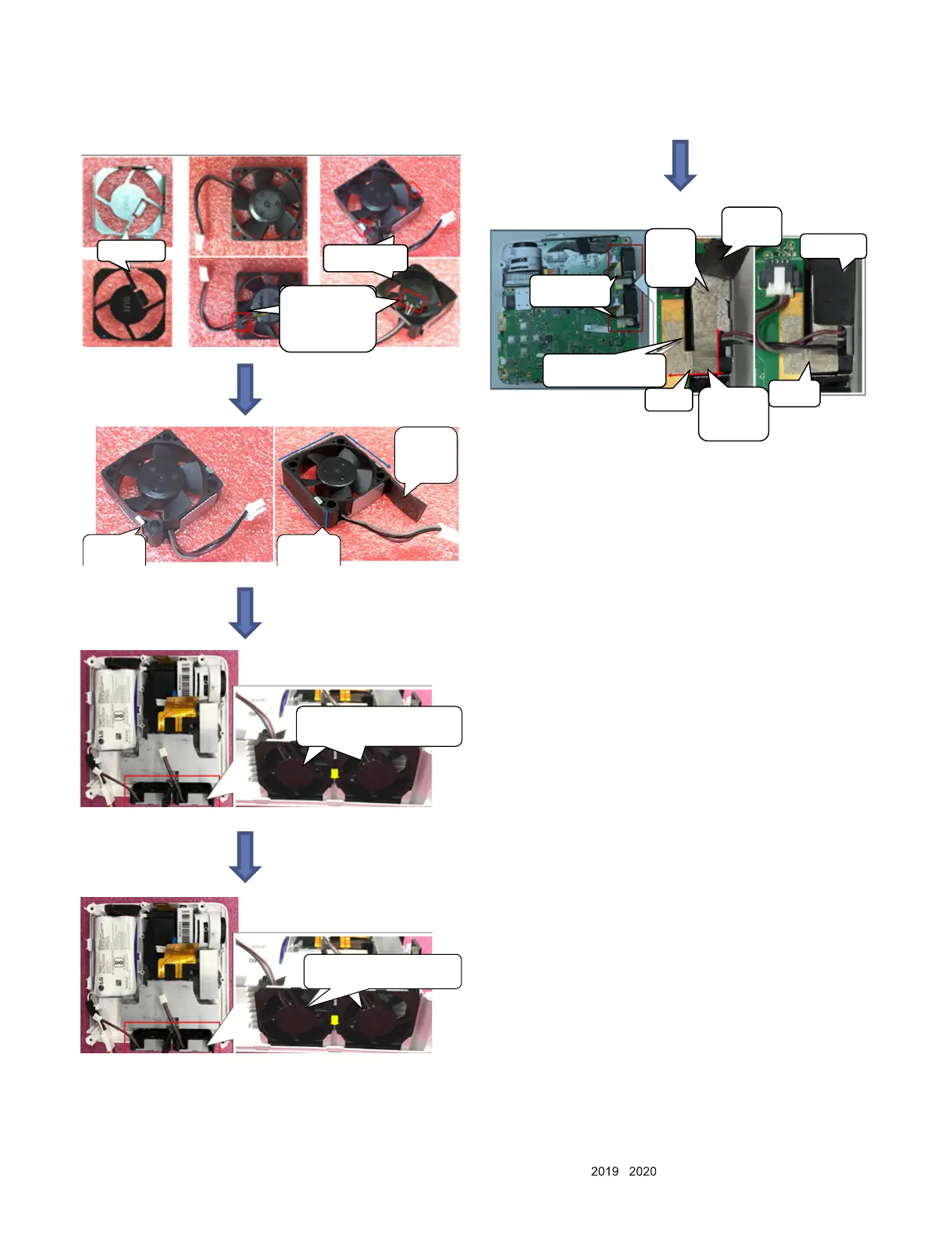
4. Fan assembly
Assemble fan
baffle
The outlet
surface of the
fan should
correspond to
the snap of the
baffle sl ot
Fan baffle
Can not
remo ve this
separating
paper
1. Stick
Regular
PORON
pad
Check the
fan baffle
assemble in
place
Th e fan baffle is facing outward,
and the corresponding limit slot
is assembled in place
Th e fan baffle is facin g o utward, and
the corresponding limit slot is
assembled in place
The lower side
of conductive
cloth should be
flush with the
fan
Press the
step in
place
The fans in these
two places need to
be pasted
1. stick
the long-
end of
conducti
ve cloth
3.Remove
the
separating
paper
4.Stick the
fan’s PORON
pad
Margin is
required
here
2.Stick the short-end of
conductive cloth(its right side
should be flush with the edge of
MB)



 To Next Page