- 7 -
Copyright © - LG Electronics Inc. All rights reserved.
Only training and service purposes.
SOFTWARE UPDATE
There are two download methods for the projector of this
model. Pls prepare as below before download:
Copy the download le MstarUpgrade.bin to a U disk. The U
disk le system must be FAT32.
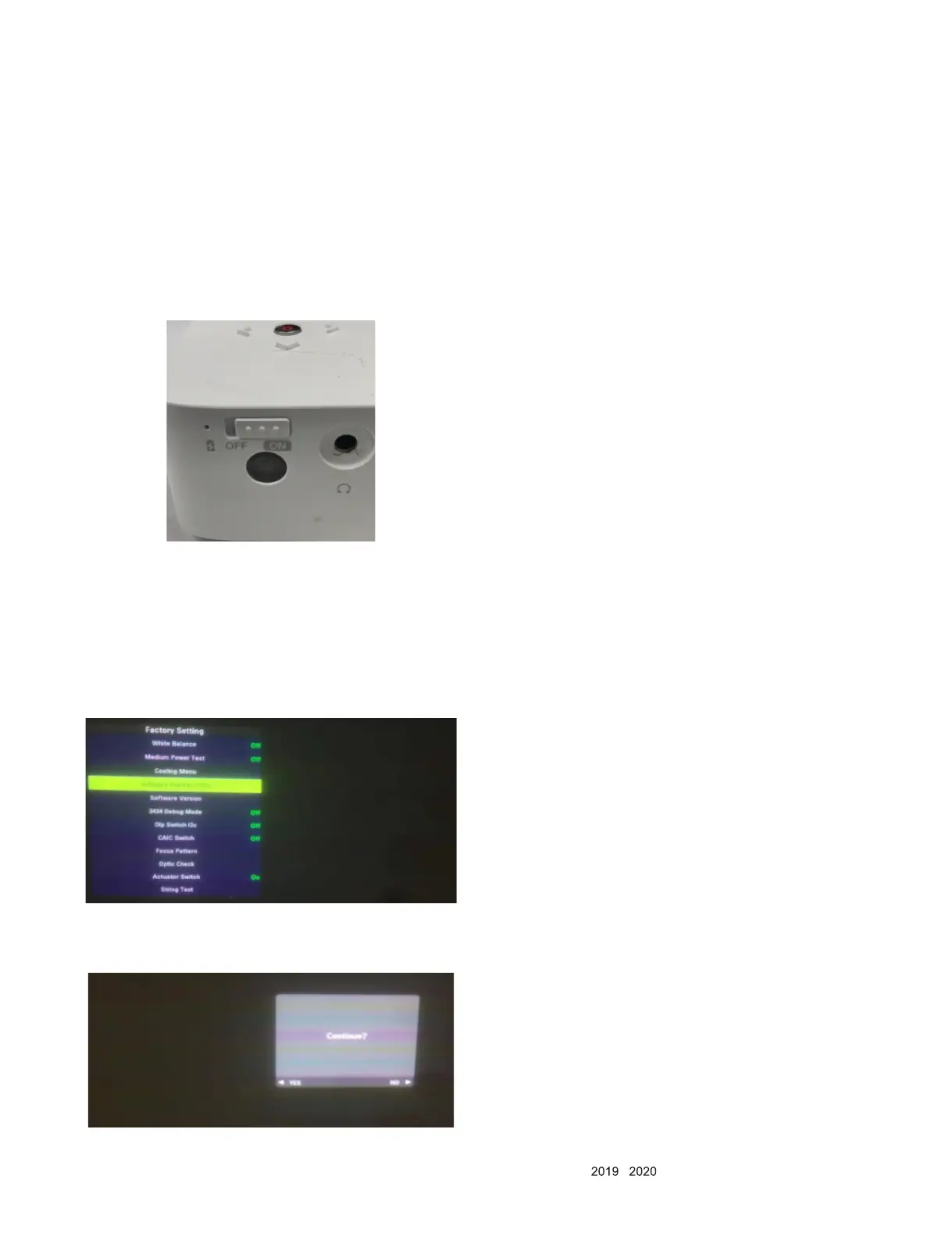
The rst method: Panel key download:
Step 1: turn the power button on the panel of the machine to
o. Insert the USB ash disk.
Step 2: press the up key on the panel. Keep pressing for a
long time.
Step 3: turn the power button on from o.
Step 4: wait for the light to light up. The upgrade interface ap-
pears. Release the up key on the panel
The second method: Factory mode menu download:
Step 1: turn on the machine. Make sure the display interface
is HDMI display or no signal display. Insert the USB
ash disk.
Step 2: press the remote control left key, right key, left key,
right key, left key, right key, OK key in turn.
Step 3: select the software update (USB) option, press OK
key, and the continue reminder menu will pop up.
Step 4: Press the left key of the remote control. Select the yes
option to enter the upgrade interface



 To Next Page