- 17 -
Copyright © - LG Electronics Inc. All rights reserved.
Only training and service purposes.
①→
②→
←③
←④
↓
⑥A→
⑦→
⑤
↓
⑧
Connect to board ○→
↑
⑥B
⑨
→
↑
⑩
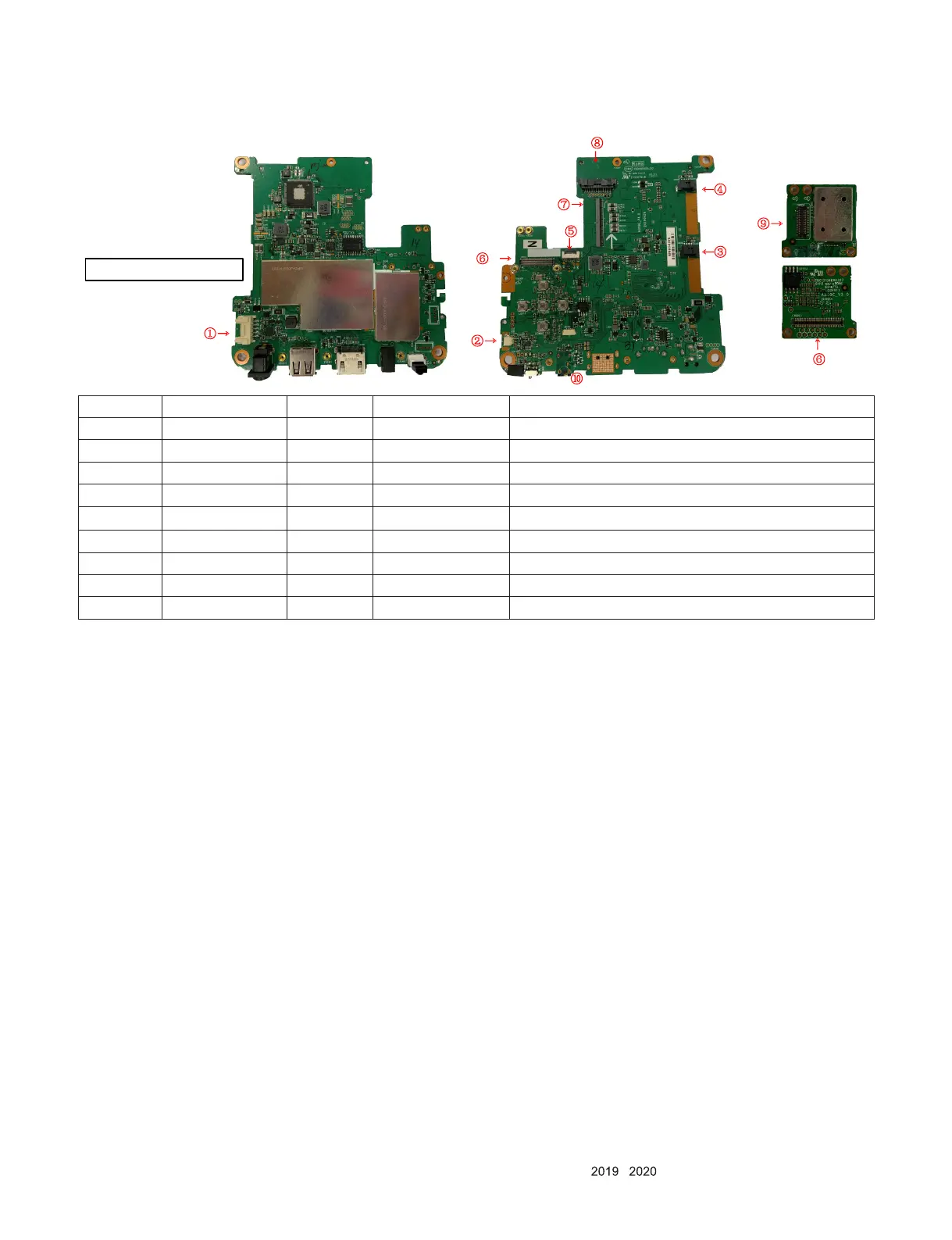
No. Circuit Number Pin count Connections Symptoms of a bad connection
1 CN1302 5 Battery Can not power on.
2 CN2102 2 Speaker No sounds.
3,4 CN2502,CN2501 4,4 FAN The fan does not work.
5 CN2602 10 Actuator(engine) The picture quality is not good.
6A,6B CN2401, CN6003 80,80 R/G/B Data Red ,Green and Blue LED does not turn on.
7 CN2504 50 R/G/B LED(engine) Red ,Green and Blue LED does not turn on.
8 CN1801 12 WiFi-BT Can not connect both Wi and Bluetooth.
9 CN6006 40 DMD(engine) Red ,Green and Blue LED does not turn on.
10 CN2303 5 N/C For developers.



 To Next Page