EasyManua.ls Logo

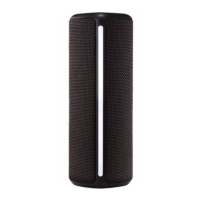
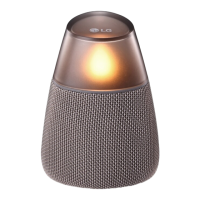
LG PH3O - User Manual

LG PH3O
18 pages
Print Icon
To Next Page IconTo Next Page
Loading...
Please read this manual carefully before operating
your set and retain it for future reference.
MODELS
PH3 PH3G PH3O
OWNER’S MANUAL
Portable
Bluetooth
Speaker
Copyright © 2017 LG Electronics. All Rights Reserved
www.lg.com
*MFL69669601*

Other manuals for LG PH3O

Questions and Answers

  • M
    Max CaseAug 12, 2025
    What to do if my LG Speakers have no sound or sound distortion?
    • S
      sarahawkinsAug 12, 2025
      If your LG Speakers have no sound or the sound is distorted, it could be due to several reasons. First, check if the volume on the unit or your smart device is set to the minimum and adjust it accordingly. If you are using an external device at a high volume, try lowering the volume to improve the sound quality. Also, be aware that using the unit for purposes other than listening to music may lower the sound quality or cause the unit to malfunction.
  • K
    katherineonealAug 19, 2025
    Why won't my LG Speakers connect via Bluetooth?
    • T
      Taylor ShepherdAug 19, 2025
      If you're having trouble pairing your LG Speakers via Bluetooth, try these steps: First, switch Bluetooth off and on again on your Bluetooth device and attempt pairing again. Ensure that your Bluetooth device is turned on. Also, remove any obstacles between your Bluetooth device and the unit. Note that, depending on the type of Bluetooth device or surrounding environment, your device may not pair with the unit.
  • H
    hillkimAug 27, 2025
    What to do if my LG PH3O have no power?
    • S
      Susan HarrellAug 27, 2025
      If your LG Speakers have no power, the battery may be discharged. Try recharging the battery. Alternatively, connect the unit to the power supply using the AC adapter.
  • C
    Candace MezaSep 3, 2025
    What to do if above solutions do not work for LG Speakers?
    • B
      Brandy CooperSep 3, 2025
      If the above solutions do not resolve the issue with your LG Speakers, press the RESET hole with a pointed object, such as a mechanical pencil.

LG PH3O Specifications

General IconGeneral
BrandLG
ModelPH3O
CategorySpeakers
LanguageEnglish

Related product manuals