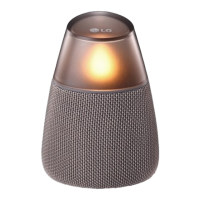
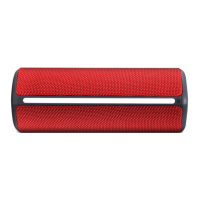
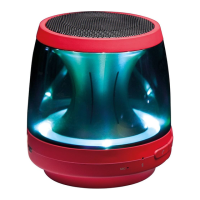
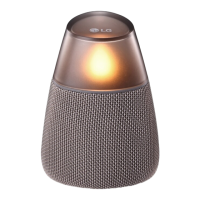
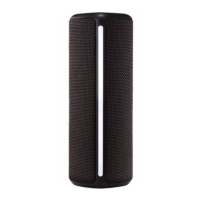
This document is an owner's manual for the LG Portable Bluetooth Speaker, models PH4, PH4B, and PH4R. It provides essential information for operating and maintaining the device.
The LG Portable Bluetooth Speaker is designed for wireless audio playback and hands-free calling. It features a built-in rechargeable battery, making it portable and suitable for various environments. The speaker is splash-proof with an IPX4 rating, meaning it can withstand rain or splashing water, but should not be submerged or intentionally sprayed with water. When charging, the unit should not be exposed to water, and the port cover should be securely closed during use to maintain its splash-proof integrity. After exposure to water, it's recommended to wipe the unit with a soft, dry cloth.
Basic Operations:
To power the unit on or off, press and hold the power button for more than 1 second. The Mood LED light will blink slowly with sound when powered on and turn off when powered off. Volume control is managed by pressing the '-' or '+' buttons. A beep sound indicates when the unit reaches minimum or maximum volume. Music playback can be paused or resumed by pressing the play/pause button. Skipping forward or backward through tracks is done by pressing the play/pause button twice or three times, respectively.
Bluetooth Connection:
The speaker utilizes Bluetooth wireless technology (version 4.0) for connecting to smart devices, MP3 players, and other compatible devices. It supports the A2DP (Advanced Audio Distribution Profile) and SBC codec. To pair, turn on the unit, and the Bluetooth LED will blink with a sound. Select "LG PH4 (XX)" from the device list on your smart device. Once successfully connected, the Bluetooth LED will turn on with a sound. The 'XX' in the device name refers to the last two digits of the Bluetooth address. Once paired, the connection is retained even if the unit is turned off.
Multipoint Connection:
A notable feature is the multipoint connection, allowing the speaker to connect to up to two Bluetooth devices simultaneously. To enable this, connect the unit to a first Bluetooth device, then press and hold the Bluetooth button for 2 seconds to enter multi-pairing mode. The Bluetooth LED will blink, and you can then connect a second Bluetooth device. While two devices can be connected, music playback and control can only be managed from one connected device at a time. This feature is supported on Android and iOS devices. If you move out of the effective Bluetooth range without disconnecting, it may take a few minutes to reconnect other Bluetooth devices. However, after powering the unit off and on, you can reconnect other Bluetooth devices without waiting.
Handsfree Function:
The speaker supports a hands-free function, allowing you to receive incoming calls from your Bluetooth-connected smartphone. To answer a call, press the play/pause button. To reject a call, press and hold the play/pause button. To end a call, press the play/pause button. Call volume can be adjusted using the '-' and '+' buttons on the unit. This function is exclusively available in Bluetooth mode and only with smartphones.
Mood LED Light:
The unit features a Mood LED light. Pressing the dedicated button cycles through different mood LED light settings, including turns on, blinks, and turns off. For the mood LED light to function, the speaker must be connected to a Bluetooth device.
Equalizer Mode Change:
The speaker offers an equalizer mode change function via the BASS button. Pressing the BASS button will switch between "Standard" (Low-Band Boost, default) and "Bass Boost" (Full-Band Boost) modes. Pressing the BASS button again will revert to standard mode. When changing EQ mode, the sound will be muted for a second.
Listening to Music from External Devices:
For non-Bluetooth devices, the speaker includes a PORT.IN connector. Connect your external device to this port using a portable cable, turn on the unit, and then start playing music from your external device. When the portable cable is connected, the unit automatically switches to portable input mode.
Charging and Battery Status:
The unit has a built-in battery. To charge, connect the supplied USB cable to an AC adapter (not supplied) and then to the USB port on the unit, plugging the AC adapter into an AC outlet. The battery LED indicates the charging status: red for charging and white when fully charged. The operating time is approximately 10 hours at 50% volume, though this can vary based on battery status and operational conditions. Charging while listening to music will extend the charging time. The manual recommends using a 5V AC adapter approved by LG Electronics Inc. (more than 1.8A) to avoid explosion risks and ensure proper charging. You can check the battery status by pressing the power button; the LED will change from white (≥ 60%), amber (≥ 15%), to blinking amber (< 15%) with sound.
Maintenance and Troubleshooting:
For maintenance, the exterior surfaces should be cleaned with a soft, dry cloth. For very dirty surfaces, a soft cloth lightly moistened with a mild detergent solution can be used. Avoid volatile liquids like insecticide spray, strong solvents (alcohol, benzine, thinner), or leaving rubber/plastic products in contact with the unit for extended periods, as these can damage the surface.
In case of malfunction or the unit freezing, a reset can be performed by pressing the RESET hole with a thin object like a mechanical pencil. The unit also has an auto power-off feature: it will turn off automatically after 20 minutes of no music playback in Bluetooth mode or 6 hours of no button operation in portable input mode.
Troubleshooting tips include recharging the battery if there's no power, checking volume levels on both the unit and the Bluetooth device if there's no sound or distortion, and ensuring the Bluetooth device is on and within range for pairing issues. If the battery was fully discharged, stored Bluetooth information might be deleted, requiring re-pairing. The manual also advises using the unit in appropriate temperature and humidity conditions to prevent malfunction.


 To Next Page

 General