EasyManua.ls Logo

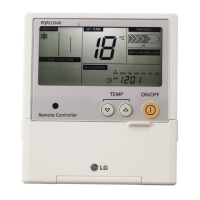
LG PQRCUSA1 - User Manual

LG PQRCUSA1
55 pages
Print Icon
To Next Page IconTo Next Page
Loading...
ENGLISH
LG
Wide Wired Remote Controller
LG
IMPORTANT
• Please read this owner's & installation manual
completely before installing the product.
• Installation work must be performed in
accordance with the national wiring standards
by authorized personnel only.
• Please retain this owner's & installation manual
for future reference after reading it thoroughly.
Owner's & Installation Manual
Models: PQRCUSA1
ITALIANO ESPAÑOL FRANÇAIS DEUTSCH
êìëëäàâ
PORTUGUÊS

Table of Contents

Question and Answer IconNeed help?

Do you have a question about the LG PQRCUSA1 and is the answer not in the manual?

Summary

Safety Precautions

Installation Safety Warnings

Critical safety warnings related to the installation of the product.

In-Use Safety Precautions

Important safety guidelines for the proper and safe use of the product.

Remote Controller Overview

Remote Controller Components

Identification and explanation of the remote controller's display and buttons.

Included Accessories

List and description of accessories provided with the wired remote controller.

Installation and System Setup

Installation Procedures

Step-by-step guide for installing the remote controller and connecting components.

Group Control Configuration

Setting up group control for multiple units or controllers.

Installer Settings

Accessing Installer Settings Mode

Detailed steps to enter the installer setting mode on the remote controller.

Test Run Mode Configuration

Performing a test run after installation to verify system operation.

Central Control Address Setup

Configuring the address for central control system integration.

E.S.P. Value Adjustment

Adjusting the External Static Pressure (ESP) for duct type units.

Thermistor Configuration

Setting the type of thermistor used for temperature sensing.

Ceiling Height Airflow Adjustment

Adjusting fan airflow rate based on ceiling height for cassette models.

Static Pressure Setting

Configuring static pressure levels for duct type systems.

Group Setting Configuration

Configuring master/slave settings for group control operation.

Mode Override Setting

Setting master/slave override for multi-indoor unit systems.

Dry Contact Mode Operation

Enabling or disabling operation via dry contact.

Zone State Configuration

Setting the zone state to variable or fixed.

Temperature Unit Switching

Switching the temperature display between Celsius and Fahrenheit.

Zone Type Setup

Setting the zone type for damper controller compatibility.

Zone Number Configuration

Setting the number of installed zones for control.

Optional Function Setup

Configuring optional features like Plasma Purification or Electric Heater.

Operation Modes

Cooling Mode Operations

Instructions for standard and power cooling operations.

Heating Mode Operation

How to operate the unit in heating mode and adjust temperature.

Dehumidification Mode

Activating and adjusting settings for dehumidification mode.

Auto Changeover Mode

How to activate and set the Auto Changeover operation mode.

Auto Operation Mode

Steps to activate and use the Auto Operation mode.

Fan Mode Operation

How to select and operate the unit in Fan mode.

Core Control Functions

Temperature Setting and Room Check

How to adjust desired temperature and check current room temperature.

Airflow Direction Setting

How to adjust the vane angle for airflow direction.

Sub Functions

Plasma Purification

How to activate or cancel the Plasma Purification function.

Humidifier

How to turn the Humidifier sub-function on or off.

Electric Heater

How to turn the Electric Heater sub-function on or off.

Energy-Saving Cooling

How to activate or cancel the Energy-Saving cooling function.

Manual Smart Clean

How to turn on or cancel the Manual Smart Clean function.

Fan Auto

How to operate or cancel the Fan Auto sub-function.

Advanced Function Settings

Child Lock

How to set the Child Lock function to prevent unauthorized use.

Auto Clean Operation

How to enable or disable the Auto Clean function.

Automatic Smart Clean

How to set the Smart Clean unit to operate automatically.

Filter Sign Clear

How to clear the indoor filter cleaning indicator.

Elevation Grill Operation

How to move the indoor filter up/down for cleaning.

Vane Angle Control

How to adjust the angle of the airflow vanes.

Mode Change Temperature

How to set the converting temperature for Auto Changeover.

Zone Control Operation

How to turn individual zones on or off.

Time and Reservation Management

Changing Current Time

Steps to enter the time setting mode and adjust day, AM/PM, hour, and minute.

Simple Reservation Setup

How to set a simple reservation for turning the unit on or off.

Sleep Reservation Setup

How to set a sleep reservation to turn off the unit after a set time.

ON Reservation Setup

How to set a specific time for the air conditioner to turn ON.

OFF Reservation Setup

How to set a specific time for the air conditioner to turn OFF.

Weekly Reservation Setup

How to set ON/OFF times for specific days of the week.

Holiday Reservation Setup

How to designate specific days as holidays to stop operation.

System Features and Diagnostics

Ventilation Kit Control

How to turn the ventilation kit ON/OFF using the remote controller.

Error Code Display

How error codes are displayed on the remote controller.

Summary

Safety Precautions

Installation Safety Warnings

Critical safety warnings related to the installation of the product.

In-Use Safety Precautions

Important safety guidelines for the proper and safe use of the product.

Remote Controller Overview

Remote Controller Components

Identification and explanation of the remote controller's display and buttons.

Included Accessories

List and description of accessories provided with the wired remote controller.

Installation and System Setup

Installation Procedures

Step-by-step guide for installing the remote controller and connecting components.

Group Control Configuration

Setting up group control for multiple units or controllers.

Installer Settings

Accessing Installer Settings Mode

Detailed steps to enter the installer setting mode on the remote controller.

Test Run Mode Configuration

Performing a test run after installation to verify system operation.

Central Control Address Setup

Configuring the address for central control system integration.

E.S.P. Value Adjustment

Adjusting the External Static Pressure (ESP) for duct type units.

Thermistor Configuration

Setting the type of thermistor used for temperature sensing.

Ceiling Height Airflow Adjustment

Adjusting fan airflow rate based on ceiling height for cassette models.

Static Pressure Setting

Configuring static pressure levels for duct type systems.

Group Setting Configuration

Configuring master/slave settings for group control operation.

Mode Override Setting

Setting master/slave override for multi-indoor unit systems.

Dry Contact Mode Operation

Enabling or disabling operation via dry contact.

Zone State Configuration

Setting the zone state to variable or fixed.

Temperature Unit Switching

Switching the temperature display between Celsius and Fahrenheit.

Zone Type Setup

Setting the zone type for damper controller compatibility.

Zone Number Configuration

Setting the number of installed zones for control.

Optional Function Setup

Configuring optional features like Plasma Purification or Electric Heater.

Operation Modes

Cooling Mode Operations

Instructions for standard and power cooling operations.

Heating Mode Operation

How to operate the unit in heating mode and adjust temperature.

Dehumidification Mode

Activating and adjusting settings for dehumidification mode.

Auto Changeover Mode

How to activate and set the Auto Changeover operation mode.

Auto Operation Mode

Steps to activate and use the Auto Operation mode.

Fan Mode Operation

How to select and operate the unit in Fan mode.

Core Control Functions

Temperature Setting and Room Check

How to adjust desired temperature and check current room temperature.

Airflow Direction Setting

How to adjust the vane angle for airflow direction.

Sub Functions

Plasma Purification

How to activate or cancel the Plasma Purification function.

Humidifier

How to turn the Humidifier sub-function on or off.

Electric Heater

How to turn the Electric Heater sub-function on or off.

Energy-Saving Cooling

How to activate or cancel the Energy-Saving cooling function.

Manual Smart Clean

How to turn on or cancel the Manual Smart Clean function.

Fan Auto

How to operate or cancel the Fan Auto sub-function.

Advanced Function Settings

Child Lock

How to set the Child Lock function to prevent unauthorized use.

Auto Clean Operation

How to enable or disable the Auto Clean function.

Automatic Smart Clean

How to set the Smart Clean unit to operate automatically.

Filter Sign Clear

How to clear the indoor filter cleaning indicator.

Elevation Grill Operation

How to move the indoor filter up/down for cleaning.

Vane Angle Control

How to adjust the angle of the airflow vanes.

Mode Change Temperature

How to set the converting temperature for Auto Changeover.

Zone Control Operation

How to turn individual zones on or off.

Time and Reservation Management

Changing Current Time

Steps to enter the time setting mode and adjust day, AM/PM, hour, and minute.

Simple Reservation Setup

How to set a simple reservation for turning the unit on or off.

Sleep Reservation Setup

How to set a sleep reservation to turn off the unit after a set time.

ON Reservation Setup

How to set a specific time for the air conditioner to turn ON.

OFF Reservation Setup

How to set a specific time for the air conditioner to turn OFF.

Weekly Reservation Setup

How to set ON/OFF times for specific days of the week.

Holiday Reservation Setup

How to designate specific days as holidays to stop operation.

System Features and Diagnostics

Ventilation Kit Control

How to turn the ventilation kit ON/OFF using the remote controller.

Error Code Display

How error codes are displayed on the remote controller.

LG PQRCUSA1 Specifications

General IconGeneral
Device TypeRemote Control
CompatibilityLG TVs
ConnectivityInfrared
Power SourceBattery
BrandLG
ModelPQRCUSA1
ColorBlack
Battery TypeAA
Number of Batteries2

Related product manuals