
EasyManua.ls Logo

LG S3WF - User Manual

LG S3WF
48 pages
Print Icon
To Next Page IconTo Next Page
Loading...
OWNER'S MANUAL
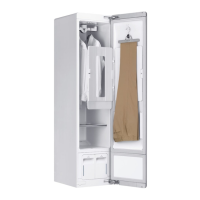
STYLER
Before beginning installation, read these instructions
carefully. This will simplify installation and ensure that the
product is installed correctly and safely. Leave these
instructions near the product after installation for future
reference.
ENGLISH
S3*F(*)
MFL66101295
Rev.00_031921
www.lg.com
Copyright © 2021 LG Electronics Inc. All Rights Reserved.

Questions and Answers

  • C
    Craig TaylorAug 11, 2025
    What to do if the dE error message shows on my LG S3WF?
    • D
      Dr. Samuel BanksAug 11, 2025
      If the dE error message appears on the display of your LG Hair Styler, it means the door is not completely closed. Ensure all items are entirely inside the cabinet and that the door is tightly shut.
  • W
    whernandezAug 18, 2025
    Why is the Fill Water icon blinking on my LG S3WF Hair Styler?
    • V
      Vanessa CampbellAug 18, 2025
      If the Fill Water icon is blinking on your LG Hair Styler, it indicates that the water supply tank is either empty or missing. You should fill the water supply tank and then reinstall it properly.
  • N
    nicholasstarkAug 26, 2025
    What to do if the Empty Water icon is blinking on my LG Hair Styler?
    • S
      smithmarkAug 26, 2025
      If the Empty Water icon is blinking on your LG Hair Styler, it means the water drain tank is full or missing. To resolve this, empty the water drain tank and reinstall it.
  • R
    Ryan LewisSep 2, 2025
    What to do if I see AE, LE, LEz, E1, E4, tE1, tEz, tE3 or tEs error message on the LG Hair Styler display?
    • N
      Nicole WilliamsSep 2, 2025
      If you see AE, LE, LEz, E1, E4, tE1, tEz, tE3 or tEs error message on the display of your LG Hair Styler, it indicates a system error. Unplug the appliance and call for service.

LG S3WF Specifications

General IconGeneral
BrandLG
ModelS3WF
CategoryHair Styler
LanguageEnglish