EasyManua.ls Logo

LG S42S1-W - User Manual

LG S42S1-W
55 pages
Print Icon
To Next Page IconTo Next Page
Loading...
Please read this manual carefully before operating
your set and retain it for future reference.
OWNER’S MANUAL
Blu-ray™/ DVD
Home Theater System
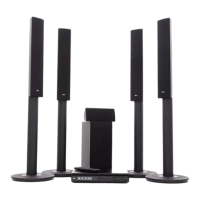
BH4120S (BH4120S, S42S2-S, S42S1-W)
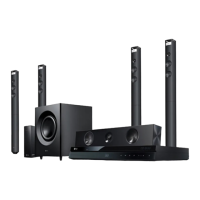
BH4620P (BH4620P, SH36PD-F/ S/ C/ W)

Table of Contents

Other manuals for LG S42S1-W

Questions and Answers

Summary

Getting Started

Safety Information

Crucial safety precautions and warnings for operating the unit.

Power Cord Safety Guidelines

Warnings and guidelines regarding the power cord and its usage.

Important Safety Instructions

A comprehensive list of safety instructions for operation.

Remote Control Operation

Explanation of the remote control buttons and their functions.

Connecting

System Positioning Guidelines

Guidelines for optimal placement of speakers and the main unit.

Speaker Connection Guide

Instructions for physically connecting the speakers to the player.

Attaching Speakers to the Player

Step-by-step guide for connecting speaker wires to the unit.

Connecting to Your TV

Options for connecting the home theater system to a television.

HDMI Connection Procedure

Detailed instructions for connecting via HDMI for high-quality output.

Resolution Setting Adjustments

How to adjust the video output resolution for HDMI.

Changing Video Output Resolution

How to adjust the video output resolution for HDMI.

USB Device Connection and Playback

How to connect and play files from USB storage devices.

System Setting

Initial Setup Wizard

Guide through the initial setup wizard for language and speakers.

Language and Speaker Setup

Guide through initial setup for language and speaker configuration.

Adjusting Setup Settings

How to access and modify player settings via the Setup menu.

Display Settings Configuration

Configuration options for display, including aspect ratio and resolution.

Resolution and Display Settings

Detailed explanation of resolution and display settings.

Video Output Resolution Options

Detailed explanation of video output resolution options.

Digital Audio Output Configuration

Configuration of digital audio output formats (PCM, DTS).

Speaker Setup and AV Sync

Adjusting speaker setup and HD AV Sync.

Speaker Configuration and Testing

Selecting speakers, adjusting levels, distance, and using test tones.

Parental Controls and Locks

Settings for password, DVD rating, Blu-ray rating, and area code.

Password Management and Recovery

Creating, changing, or recovering the security password.

Disc Rating and Area Code Settings

Managing parental controls for DVD/Blu-ray and setting area codes.

Operating

General Playback Operations

Overview of basic playback functions and menu navigation.

Navigating the Home Menu

Navigating the Home menu to access music, movie, photo, and settings.

Playing Discs and Media Files

Steps for inserting discs and playing files from discs or USB.

Basic Playback Controls

Common playback controls for video, audio, and photos.

Video and Audio Playback Operations

Common playback controls like stop, pause, frame-by-frame, scan, slow motion.

Photo Viewing Operations

Controls for viewing photos, including slide shows and navigation.

Advanced Playback Features

Exploring advanced playback functionalities like repeat and scene memory.

Repeat Playback Options

Settings for repeating sections, chapters, titles, or files.

Recording Process and Guidelines

Steps for recording, notes on times, and copyright cautions.

Troubleshooting

General Troubleshooting

Solutions for common operational issues like power, playback, and remote control.

Power and Playback Issues

Solutions for power not turning on or playback not starting.

Remote Control and Unit Operation Issues

Troubleshooting for remote control and general unit malfunction.

Picture and Sound Issues

Solutions for problems related to video and audio output.

Picture Troubleshooting

Solutions for no picture or picture noise issues.

Sound Troubleshooting

Solutions for distorted or no sound issues.

Appendix

Summary

Getting Started

Safety Information

Crucial safety precautions and warnings for operating the unit.

Power Cord Safety Guidelines

Warnings and guidelines regarding the power cord and its usage.

Important Safety Instructions

A comprehensive list of safety instructions for operation.

Remote Control Operation

Explanation of the remote control buttons and their functions.

Connecting

System Positioning Guidelines

Guidelines for optimal placement of speakers and the main unit.

Speaker Connection Guide

Instructions for physically connecting the speakers to the player.

Attaching Speakers to the Player

Step-by-step guide for connecting speaker wires to the unit.

Connecting to Your TV

Options for connecting the home theater system to a television.

HDMI Connection Procedure

Detailed instructions for connecting via HDMI for high-quality output.

Resolution Setting Adjustments

How to adjust the video output resolution for HDMI.

Changing Video Output Resolution

How to adjust the video output resolution for HDMI.

USB Device Connection and Playback

How to connect and play files from USB storage devices.

System Setting

Initial Setup Wizard

Guide through the initial setup wizard for language and speakers.

Language and Speaker Setup

Guide through initial setup for language and speaker configuration.

Adjusting Setup Settings

How to access and modify player settings via the Setup menu.

Display Settings Configuration

Configuration options for display, including aspect ratio and resolution.

Resolution and Display Settings

Detailed explanation of resolution and display settings.

Video Output Resolution Options

Detailed explanation of video output resolution options.

Digital Audio Output Configuration

Configuration of digital audio output formats (PCM, DTS).

Speaker Setup and AV Sync

Adjusting speaker setup and HD AV Sync.

Speaker Configuration and Testing

Selecting speakers, adjusting levels, distance, and using test tones.

Parental Controls and Locks

Settings for password, DVD rating, Blu-ray rating, and area code.

Password Management and Recovery

Creating, changing, or recovering the security password.

Disc Rating and Area Code Settings

Managing parental controls for DVD/Blu-ray and setting area codes.

Operating

General Playback Operations

Overview of basic playback functions and menu navigation.

Navigating the Home Menu

Navigating the Home menu to access music, movie, photo, and settings.

Playing Discs and Media Files

Steps for inserting discs and playing files from discs or USB.

Basic Playback Controls

Common playback controls for video, audio, and photos.

Video and Audio Playback Operations

Common playback controls like stop, pause, frame-by-frame, scan, slow motion.

Photo Viewing Operations

Controls for viewing photos, including slide shows and navigation.

Advanced Playback Features

Exploring advanced playback functionalities like repeat and scene memory.

Repeat Playback Options

Settings for repeating sections, chapters, titles, or files.

Recording Process and Guidelines

Steps for recording, notes on times, and copyright cautions.

Troubleshooting

General Troubleshooting

Solutions for common operational issues like power, playback, and remote control.

Power and Playback Issues

Solutions for power not turning on or playback not starting.

Remote Control and Unit Operation Issues

Troubleshooting for remote control and general unit malfunction.

Picture and Sound Issues

Solutions for problems related to video and audio output.

Picture Troubleshooting

Solutions for no picture or picture noise issues.

Sound Troubleshooting

Solutions for distorted or no sound issues.

Appendix

LG S42S1-W Specifications

General IconGeneral
BrandLG
ModelS42S1-W
CategoryHome Theater System
Number of Channels2.1
BluetoothYes
USB PortYes
Optical InputYes
Wall MountableYes
ConnectivityBluetooth

Related product manuals