EasyManua.ls Logo

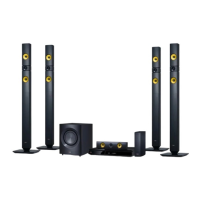
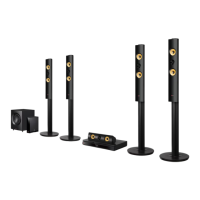
LG S73B1-F - User Manual

LG S73B1-F
80 pages
Print Icon
To Next Page IconTo Next Page
Loading...
OWNER’S MANUAL
3D Blu-ray™ / DVD Home
Cinema System
Please read this manual carefully before operating
your set and retain it for future reference.
P/NO : SAC35714706
BH7230C (BH7230C, S73B1-F, S73T1-W)
BH7230CB (BH7230CB, S73B3-F, S73T1-W)
BH7130C (BH7130C, S73B1-S, S73T1-W)
BH7130CB (BH7130CB, S73B3-S, S73T1-W)

Table of Contents

Other manuals for LG S73B1-F

Questions and Answers

  • R
    Richard HuffmanAug 9, 2025
    What to do if the LG S73B1-F Home Theater System remote control is not working?
    • S
      Sandra HamptonAug 9, 2025
      If the remote control for your LG Home Theater System isn't working correctly, make sure you're pointing it at the remote sensor on the unit and that you are not too far away. Ensure there are no obstacles blocking the path between the remote and the unit. Also, check the batteries in the remote control to see if they are exhausted.
  • C
    Cynthia BellAug 14, 2025
    What to do if my LG S73B1-F Home Theater System won't turn on or off?
    • K
      Kathryn HowellAug 14, 2025
      If your LG Home Theater System is plugged in but won't turn on or off, reset the unit by unplugging the power cord, waiting at least five seconds, and then plugging it back in.
  • J
    judithcaldwellAug 19, 2025
    Why is my USB device not recognized by my LG Home Theater System?
    • M
      Melissa BrownAug 19, 2025
      If your LG Home Theater System isn't recognizing the connected USB storage device, it might be due to several reasons. Some USB cables may not provide enough current, so try a different USB cable. Also, avoid using USB extension cables or USB hubs, as they can prevent recognition. Note that the system only supports USB Flash Drives and USB External HDDs with FAT32 or NTFS format. Devices requiring additional program installation on a computer are not supported.
  • J
    Jacob SummersAug 25, 2025
    Why won't my LG S73B1-F Home Theater System start playback?
    • T
      tammyhallAug 25, 2025
      If your LG Home Theater System isn't starting playback, ensure that you have inserted a playable disc, verifying its type, color system, and regional code. Place the disc with the playback side down, correctly positioned inside the guide on the disc tray. Clean the disc if necessary. Also, check if the Rating function is enabled and adjust the rating level if needed.
  • B
    Brandon EllisAug 29, 2025
    Why can't my LG S73B1-F play certain video, photo, or audio files?
    • A
      Anna SantanaAug 29, 2025
      Your LG Home Theater System may not play certain video, photo, or audio files if the files are not recorded in a supported format or if the unit does not support the codec of the video file.
  • E
    ericarodriguezSep 3, 2025
    Why can't I change the angle on my LG S73B1-F Home Theater System?
    • D
      Damon SimsSep 3, 2025
      The angle on your LG Home Theater System cannot be changed if multi-angles were not recorded on the DVD Video being played.

LG S73B1-F Specifications

General IconGeneral
BrandLG
ModelS73B1-F
CategoryHome Theater System
LanguageEnglish

Related product manuals