EasyManua.ls Logo

LG S75T1-S/W - User Manual

LG S75T1-S/W
76 pages
Print Icon
To Next Page IconTo Next Page
Loading...
P/NO : MFL68686362
_1.0
Please read this manual carefully before operating
your set and retain it for future reference.
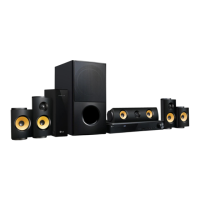
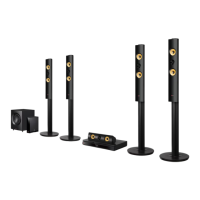
LHB745 (LHB745, S75T1-S/W, S75B1-S, S74T1-C)
OWNER’S MANUAL
3D Blu-ray™ /
DVD Home
Cinema System
LH
A845 (LHA845, S75T1-S/W, S75B1-S, S74T1-C)

Table of Contents

Questions and Answers

  • C
    Cody RosalesAug 20, 2025
    How to fix an LG S75T1-S/W Home Theater System that does not work properly?
    • A
      Adrian MoranAug 20, 2025
      Try turning off the power of the LG Home Theater System and any connected external devices (TV, Woofer, DVD-player, Amplifier, etc.) and then turn them on again. If that doesn't work, disconnect the power cord of the unit and connected devices, and then reconnect them.
  • K
    kathleenkingAug 22, 2025
    Why is my LG S75T1-S/W remote control not working properly?
    • K
      Katelyn GarciaAug 22, 2025
      The remote control might not be pointed at the unit's remote sensor, or it may be too far away. Ensure there are no obstacles between the remote and the unit. Also, check if the batteries in the remote control are exhausted.
  • W
    William SpencerAug 25, 2025
    Why is there no sound or distorted sound from my LG S75T1-S/W Home Theater System?
    • W
      william44Aug 25, 2025
      The unit may be in scan, slow motion, or pause mode. The sound volume might be set too low. Check the speaker cable connection.
  • T
    Taylor AndradeAug 26, 2025
    Why is there no picture on my TV from my LG S75T1-S/W Home Theater System?
    • R
      rhonda63Aug 27, 2025
      Ensure that you have selected the appropriate video input mode on your TV so that the picture from the LG Home Theater System appears on the screen. Check that the video connection is securely connected. Verify that the [HDMI Color Setting] in the [Settings] menu is set to the appropriate item that conforms to your video connection. Your TV may not support the resolution you have set on the player. Change the resolution that your TV accepts. The player’s HDMI OUT jack may be connected to a DVI device that does not support copyright protection.
  • J
    Jenny WallaceAug 28, 2025
    What to do if my LG S75T1-S/W Home Theater System does not start playback?
    • B
      Bethany WatkinsAug 28, 2025
      Make sure you insert a playable disc, checking its type, color system, and regional code. Place the disc with the playback side down, correctly inside the guide on the disc tray. If the disc is dirty, clean it. Also, cancel the Rating function or change the rating level.
  • V
    vickie84Aug 30, 2025
    Why is the BD-Live feature not working on my LG S75T1-S/W Home Theater System?
    • G
      Gregory CallahanAug 30, 2025
      The connected USB storage may not have enough space. Connect the USB storage with at least 1GB free space. Ensure that the unit is correctly connected to the local area network and can access the internet. Your broadband speed may not fast enough to use the BD-Live features. Contact your Internet Service Provider (ISP) and increase the broadband speed is recommended. The [BD-LIVE connection] option in the [Settings] menu is set to [Prohibited]. Set the option to [Permitted].
  • S
    Susan AndersonSep 1, 2025
    What to do if my LG Home Theater System won't turn on or off?
    • C
      courtneymcguireSep 1, 2025
      Unplug the power cord, wait at least five seconds, and then plug it in again.
  • L
    Lisa GonzalezSep 3, 2025
    Why is there picture noise on my LG S75T1-S/W?
    • C
      Crystal ReevesSep 3, 2025
      You may be playing a disc recorded in a color system different from your TV. Try setting the resolution to one that your TV accepts.
  • M
    Mary SimsSep 5, 2025
    Why is my USB storage device not recognized by my LG S75T1-S/W?
    • K
      Katherine KnoxSep 5, 2025
      Try using a different USB cable, as some cables may not provide enough current. Avoid using a USB extension cable or USB hub, as these can prevent recognition. Note that the LG Home Theater System does not support USB devices requiring additional program installation on a computer. This unit supports only USB Flash Drive and USB External HDD with FAT32 or NTFS format.
  • S
    Sandra DavisSep 7, 2025
    Why does my LG S75T1-S/W Home Theater System keep buffering when streaming videos?
    • K
      Kenneth SandersSep 7, 2025
      Your broadband service speed may not be fast enough to stream video services. Contact your Internet Service Provider (ISP) and increasing your broadband speed is recommended.

Summary

Connecting

Network Connection Setup

Overview and setup procedures for connecting to a home network via wired or wireless connection.

System Setting

Initial Setup and Settings Menu

Wizard for initial setup (language, network) and accessing the main Settings menu.

Operating

Disc and File Playback

Instructions for playing discs, Blu-ray 3D, and various file types from discs or USB.

Troubleshooting

General and Picture;Sound Issues

Solutions for common problems like unit not working, no power, playback errors, and picture/sound issues.

Network Issues

Troubleshooting steps for network-related problems like BD-Live and streaming service failures.

Appendix

Remote Control Setup and Software Update

Setting up the remote to control TV and procedures for network software updates.

LG S75T1-S/W Specifications

General IconGeneral
BrandLG
ModelS75T1-S/W
CategoryHome Theater System
SubwooferYes
Subwoofer TypeWireless
BluetoothYes
Optical InputYes
Remote ControlYes
Sound ModesStandard, Music, Cinema, Sports, Game
Audio Formats SupportedDolby Digital, DTS

Related product manuals