EasyManua.ls Logo

LG S75T1-W5-2 - User Manual

LG S75T1-W5-2
78 pages
Print Icon
To Next Page IconTo Next Page
Loading...
Please read this manual carefully before operating
your set and retain it for future reference.
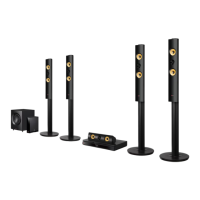
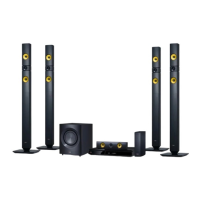
LHB725W (LHB725W, S75B1-F/S, S74T1-C, S75T1-W, W5-2)
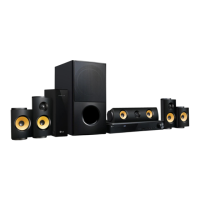
LHA825W (LHA825W, S75B1-F/S, S74T1-C, S75T1-W, W5-2)
OWNER’S MANUAL
3D Blu-ray™ /
DVD Home
Cinema System

Table of Contents

Questions and Answers

  • W
    William MontoyaSep 8, 2025
    Why is my USB storage device not recognized by my LG S75T1-W5-2 Home Theater System?
    • M
      megan67Sep 8, 2025
      Try using a different USB cable, as some cables may not provide enough current. Avoid using a USB extension cable or USB hub, as these can prevent recognition. Note that the LG Home Theater System does not support USB devices requiring additional program installation on a computer. This unit supports only USB Flash Drive and USB External HDD with FAT32 or NTFS format.
  • T
    Tara TravisAug 23, 2025
    Why is the LG Home Theater System remote control not working?
    • J
      John WilliamsAug 23, 2025
      If your LG Home Theater System remote control isn't working, make sure it's pointed directly at the unit's remote sensor and is not too far away. Also, check for any obstacles between the remote and the unit. Finally, verify that the batteries in the remote control are not exhausted.
  • R
    rfrederickAug 25, 2025
    Why is my LG Home Theater System remote control not working properly?
    • G
      George WebbAug 25, 2025
      The remote control might not be pointed at the unit's remote sensor, or it may be too far away. Ensure there are no obstacles between the remote and the unit. Also, check if the batteries in the remote control are exhausted.
  • A
    Audrey HaleyAug 27, 2025
    Why is there no sound or distorted sound from my LG Home Theater System?
    • J
      Jason ButlerAug 27, 2025
      The unit may be in scan, slow motion, or pause mode. The sound volume might be set too low. Check the speaker cable connection.
  • J
    Jeremy RollinsAug 27, 2025
    Why is there no picture on my TV from my LG S75T1-W5-2 Home Theater System?
    • S
      Sonia WalshAug 28, 2025
      Ensure that you have selected the appropriate video input mode on your TV so that the picture from the LG Home Theater System appears on the screen. Check that the video connection is securely connected. Verify that the [HDMI Color Setting] in the [Settings] menu is set to the appropriate item that conforms to your video connection. Your TV may not support the resolution you have set on the player. Change the resolution that your TV accepts. The player’s HDMI OUT jack may be connected to a DVI device that does not support copyright protection.
  • J
    Jacob PriceSep 22, 2025
    Why can't I change the angle on my LG Home Theater System?
    • M
      Michelle LaraSep 22, 2025
      The angle cannot be changed because multi-angles are not recorded on the DVD Video being played.
  • J
    jeffrey60Sep 16, 2025
    Why is the access point not displayed on the 'Access point name' list of my LG Home Theater System?
    • N
      Nicholas MckenzieSep 16, 2025
      The access point or wireless LAN router may not be broadcasting its SSID. Set your access point to broadcast its SSID through your computer. Your network device such as access point may not set with available frequency range and channel that this player can support. Try setting the frequency range and channel on the network device setting.
  • M
    Melanie VillarrealSep 18, 2025
    Why the angle cannot be changed on my LG S75T1-W5-2 Home Theater System?
    • B
      Barbara BrownSep 18, 2025
      Multi-angles are not recorded on the DVD Video being played.
  • R
    Robert JamesSep 7, 2025
    Why won't my LG S75T1-W5-2 power on?
    • A
      Ana LopezSep 7, 2025
      To solve the problem, ensure the power cord of your LG Home Theater System is securely plugged into the wall outlet.
  • T
    tara98Sep 4, 2025
    What to do if my LG Home Theater System doesn't work properly?
    • Y
      yodervictorSep 4, 2025
      If your LG Home Theater System isn't working correctly, try turning off the power to both the unit and any connected external devices like your TV, Woofer, DVD-player, or Amplifier, and then turn them back on. If that doesn't work, disconnect the power cord of the unit and all connected external devices, wait a few seconds, and then reconnect them.

LG S75T1-W5-2 Specifications

General IconGeneral
BrandLG
ModelS75T1-W5-2
CategoryHome Theater System
Wireless SubwooferYes
BluetoothYes
HDMI Output1

Related product manuals