EasyManua.ls Logo

LG S92T2-C - User Manual

LG S92T2-C
147 pages
Print Icon
To Next Page IconTo Next Page
Loading...
P/NO : AFN75741110 MARCH, 2012
CINEMA 3D SOUND Blu-ray
TM
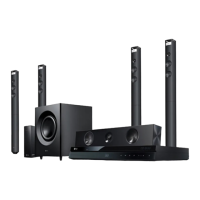
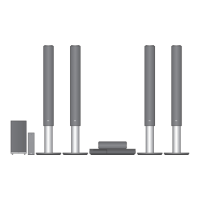
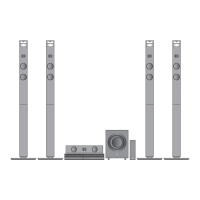
HOME THEATER SYSTEM
SERVICE MANUAL
MODEL: BH9520TW
(BH9520TW, S92T1-S/W, S92T1-C, T2, W2)
CAUTION
BEFORE SERVICING THE UNIT, READ THE “SAFETY PRECAUTIONS”
IN THIS MANUAL.
Website http://biz.lgservice.com
Internal Use Only
MODEL: BH9520TW (BH9520TW, S92T1-S/W, S92T1-C, T2, W2)SERVICE MANUAL

Table of Contents

Questions and Answers

  • A
    aleonardSep 8, 2025
    What to do if there is no picture on LG S92T2-C?
    • J
      jleeSep 8, 2025
      If there's no picture on your LG Home Theater System, try these steps: - Select the appropriate video input mode on the TV so the picture from the unit appears on the TV screen. - Connect the video connection securely. - Check the [HDMI Color Setting] in the [Setup] menu is set to the appropriate item that conforms to your video connection. - Change the resolution that your TV accepts.
  • C
    Christopher JohnsonAug 25, 2025
    What to do if my LG S92T2-C won't turn on or off?
    • M
      Michelle RussellAug 25, 2025
      If your LG Home Theater System is plugged in but won't power on or off, try resetting it. Unplug the power cord, wait at least five seconds, and then plug it back in.
  • K
    Kaitlyn WheelerAug 25, 2025
    Why won't my LG S92T2-C turn on?
    • W
      wendy87Aug 26, 2025
      If your LG Home Theater System isn't powering on, ensure the power cord is securely plugged into the wall outlet.
  • S
    Sharon RobersonSep 18, 2025
    How to fix LG S92T2-C when there is no picture?
    • K
      Keith AcostaSep 18, 2025
      If there's no picture on your LG Home Theater System, try these steps: * Select the appropriate video input mode on your TV so the picture from the unit appears. * Ensure the video connection is securely connected. * Check that the [HDMI Color Setting] in the [Setup] menu is set appropriately for your video connection. * Change the resolution to one that your TV supports, as it may not support the current resolution set on the player.
  • M
    Mr. Gary SmithSep 9, 2025
    Why is the BD-Live feature not working on my LG S92T2-C?
    • D
      david12Sep 9, 2025
      If the BD-Live feature on your LG Home Theater System isn't working, here are a few things to check: - Ensure the connected USB storage has at least 1GB of free space. - Confirm the unit is correctly connected to the local area network and can access the internet. - Set the [BD-LIVE connection] option in the [Setup] menu to [Permitted].
  • C
    carsonsandraSep 13, 2025
    Why picture noise appears on LG S92T2-C?
    • R
      Rebecca EatonSep 13, 2025
      If you're experiencing picture noise with your LG Home Theater System, it could be because you're playing a disc recorded in a color system different from your TV. Also, ensure that the resolution is set to one that your TV supports.
  • N
    Nichole MartinSep 3, 2025
    What to do if my LG S92T2-C power does not turn on?
    • J
      Jose JohnsonSep 3, 2025
      If your LG Home Theater System won't turn on, ensure the power cord is securely plugged into the wall outlet. If it is plugged, unplug the power cord, wait at least five seconds, and then plug it in again to reset the unit.
  • M
    Michelle SmithSep 4, 2025
    What to do if my LG S92T2-C Home Theater System will not turn on or off?
    • S
      Sheila BatesSep 4, 2025
      To reset your LG Home Theater System when it's plugged in but won't power on or off, unplug the power cord, wait at least five seconds, and then plug it back in.
  • Q
    qmichaelSep 23, 2025
    Why my LG S92T2-C cannot play movie, photo or music files?
    • J
      James FisherSep 23, 2025
      If your LG Home Theater System cannot play movie, photo, or music files, the files may not be recorded in a format that the unit can play, or the unit might not support the codec of the movie file.
  • J
    Jason ScottAug 29, 2025
    Why can't my LG S92T2-C Home Theater System play movie, photo, or music files?
    • J
      jeffery45Aug 29, 2025
      Your LG Home Theater System might not play movie, photo, or music files if the files are not recorded in a format that the unit can play or if the unit does not support the codec of the movie file.

LG S92T2-C Specifications

General IconGeneral
BrandLG
ModelS92T2-C
CategoryHome Theater System
Channels9.1.5
Total Power Output810W
Wireless SubwooferYes
BluetoothYes
USB PortYes
Optical InputYes
Audio Formats SupportedDolby Atmos, DTS:X

Related product manuals