EasyManua.ls Logo

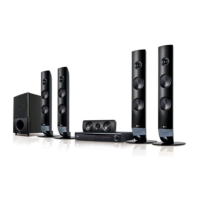
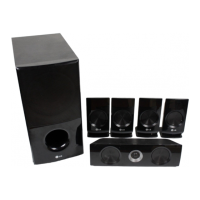
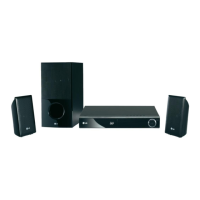
LG SH86TM-C - User Manual

LG SH86TM-C
60 pages
Print Icon
To Next Page IconTo Next Page
Loading...
Please read this manual carefully before operating
your set and retain it for future reference.
HB806TM (HB806TM, SH86TM-S/ C, SH85TM-W)
OWNER’S MANUAL
3D / 2D Blu-ray Disc
TM
DVD HOME CINEMA
SYSTEM
P/NO : SAC35233704

Table of Contents

Other manuals for LG SH86TM-C

Questions and Answers

  • L
    Lauren JacksonSep 10, 2025
    How to fix LG SH86TM-C not outputting 3D views during Blu-ray 3D disc playback?
    • R
      Robert ConleySep 10, 2025
      If your LG Home Theater System isn't outputting 3D views during Blu-ray 3D disc playback: - Connect the player to your TV with an HDMI cable (Type A, High Speed HDMI™ Cable). - Ensure the [3D Mode] option in the [Setup] menu is set to [On].
  • J
    James SimonAug 22, 2025
    How to fix an LG Home Theater System with no power?
    • A
      Andrew SmithAug 23, 2025
      If your LG Home Theater System has no power, ensure the power cord is securely plugged into the wall outlet.
  • H
    hardynicoleAug 25, 2025
    What to do if there is no picture on my LG Home Theater System?
    • A
      Alicia MartinAug 25, 2025
      If you're not getting a picture from your LG Home Theater System, try these steps: - Select the correct video input mode on your TV. - Ensure the video connections are secure. - Verify the [HDMI Color Setting] in the [Setup] menu matches your video connection. - Your TV might not support the current resolution; try changing it. - Note that if the player’s HDMI OUT jack is connected to a DVI device that does not support copyright protection, this could be the cause.
  • R
    Robert HaleyAug 26, 2025
    Why won't my LG SH86TM-C Home Theater System start playback?
    • D
      Derek FloresAug 27, 2025
      If your LG Home Theater System isn't starting playback, consider the following: - Ensure you've inserted a playable disc, checking its type, colour system, and regional code. - Place the disc with the playback side facing down. - Make sure the disc is correctly placed on the disc tray inside the guide. - Clean the disc. - Cancel the Rating function or adjust the rating level if it's enabled.
  • R
    Rebecca HallAug 27, 2025
    Why is the BD-Live feature not working on my LG Home Theater System?
    • R
      Rachael WattsAug 27, 2025
      If the BD-Live feature isn't working on your LG Home Theater System, check these: - Ensure the connected USB storage has at least 1GB of free space. - Verify the unit is connected to the local area network and can access the internet. - Your broadband speed may not be sufficient; consider contacting your ISP to increase it. - Check that the [BD-LIVE connection] option in the [Setup] menu is set to [Permitted].
  • D
    Danielle MooreAug 29, 2025
    Why is there no sound coming from my LG Home Theater System, or why is it distorted?
    • M
      Michael TurnerAug 29, 2025
      If you're experiencing no sound or distorted sound from your LG Home Theater System, it could be due to a few reasons: - The unit might be in scan, slow motion, or pause mode. - The sound volume might be set too low. - Check the speaker cable connection.
  • J
    Jessica OrrSep 18, 2025
    How to improve poor DVD picture quality on LG SH86TM-C Home Theater System?
    • A
      Angela KentSep 18, 2025
      If the DVD picture quality is poor on your LG Home Theater System, clean the disc using a soft cloth with outward strokes.
  • I
    ibryantSep 12, 2025
    Why aren't shared folders/files from my media server showing on my LG SH86TM-C?
    • A
      Anthony LucasSep 12, 2025
      If shared folders or files from your media server aren't showing up on your LG Home Theater System, the player might not be connected to the same local area network as your media server.
  • C
    Cathy SmithSep 8, 2025
    Why can't my LG Home Theater System play movie, photo, or music files?
    • L
      Lisa BartonSep 8, 2025
      Your LG Home Theater System might not be able to play certain movie, photo, or music files if they're not recorded in a compatible format or if the unit doesn't support the file's codec.
  • M
    Morgan ShepardSep 5, 2025
    Why do streaming services buffer on my LG Home Theater System?
    • M
      Matthew LongSep 5, 2025
      If streaming video services on your LG Home Theater System frequently stop or buffer, it's likely that your broadband service speed isn't fast enough. Contact your Internet Service Provider (ISP) to increase your broadband speed.

Summary

Safety Information and Precautions

Risk of Electric Shock

Warning about not opening the unit to avoid electric shock.

Laser System Safety

Precautions for safe operation of the laser system.

Power Cord Safety Guidelines

Guidelines for safe use and handling of the power cord.

File Compatibility Guide

Remote Control Operations

Remote Control Buttons

Explanation of all buttons on the remote control.

Speaker Connection Guide

Attaching Speakers to the Player

Steps for connecting speaker wires to the unit.

Connecting to Your TV

HDMI Connection

How to connect the player to a TV using an HDMI cable.

Home Network Setup

Connecting to Your Home Network

Connecting the player to a LAN for services.

Wired Network Configuration

Wired Network Setup Steps

Detailed steps to configure network settings.

USB Device Playback

USB Device Connection

How to connect and play content from USB devices.

Playback Content from USB

Steps to select and play movie, music, or photo files from USB.

System Settings and Display

Lock, Rating, and Network Settings

LOCK Menu and Password Management

Setting parental controls and passwords for discs.

Network Services and Features

BD-LIVE and NetCast Access

Controlling internet access for BD-Live and accessing online content.

Sound Effect Customization

General Playback Operations

Using the HOME Menu

Navigating the main menu for playback options.

Playing Discs and USB Files

Steps for playing content from discs and USB devices.

Advanced Disc Playback

Playing Blu-ray 3 D Discs

Requirements and steps for 3D Blu-ray playback.

Enjoying BD-Live Content

Accessing bonus content via BD-Live.

Network Server Playback

Playing Files from a DLNA Server

Accessing and playing media from a network server.

Content Playback Controls

Advanced Playback Features

Repeat Playback Modes

Setting repeat playback for sections, chapters, or entire discs.

Search and Marker Functions

Marker Search for Scenes

Marking and recalling specific points in content.

Using the Search Menu

Finding specific points or scenes for playback.

Content Management

Scene Memory and Photo Options

On-Screen Display Information

Displaying Playback Information

Showing title, chapter, time, audio, and subtitle details.

Playback Time Search

Audio and Subtitle Language Selection

Picture Mode Adjustments

Radio Operations and Settings

NetCast Entertainment Access

Troubleshooting Guide

General Troubleshooting

Solutions for power, playback, and remote control problems.

Network Troubleshooting

Resolving issues with BD-Live, streaming, and network servers.

Picture Troubleshooting

Solutions for no picture, noise, or 3D playback issues.

Sound Troubleshooting

Addressing problems with no sound or distorted audio.

Remote Control TV Operation

Controlling TV with Remote

Using the player's remote to control the TV.

Network Software Update

Performing Software Updates

Steps to download and install player software updates.

Sharing Media Files and Folders

Unit Maintenance and Care

LG SH86TM-C Specifications

General IconGeneral
BrandLG
ModelSH86TM-C
CategoryHome Theater System
LanguageEnglish

Related product manuals