EasyManua.ls Logo

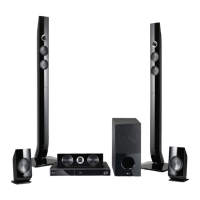
LG SH96SB-C - User Manual

LG SH96SB-C
76 pages
Print Icon
To Next Page IconTo Next Page
Loading...
OWNER’S MANUAL
Smart TV Blu-ray Disc™ /
DVD Home Theatre System
Please read this manual carefully before operating
your set and retain it for future reference.
HB906TA (HB906TA, SH96TA-S, SH96SB-C, SH96TA-W)
www.lg.com
P/NO : SAC35095605
Downloaded From TheatreSystem-Manual.com Manuals

Table of Contents

Questions and Answers

  • D
    Donald HerreraSep 5, 2025
    How to stop humming noise on LG SH96SB-C Home Theater System while playing DVD/CD?
    • B
      brianharrisSep 5, 2025
      If you hear a humming noise while playing a DVD or CD on your LG Home Theater System, clean the disc using a soft cloth with outward strokes. Additionally, try moving the unit and audio components further away from your TV.
  • E
    Eric MckenzieAug 25, 2025
    Why is my LG Home Theater System remote control not working?
    • S
      Sarah RiveraAug 25, 2025
      If the LG Home Theater System remote control isn't working properly, ensure it's pointed directly at the unit and you're within 23 feet (7m). Remove any obstacles between the remote and the unit. Also, try replacing the batteries with new ones.
  • K
    Kayla KimAug 25, 2025
    How to fix no power on LG Home Theater System?
    • K
      Kelsey TaylorAug 26, 2025
      If your LG Home Theater System has no power, make sure the power cord is securely plugged into the wall outlet.
  • R
    Robert CruzSep 13, 2025
    Why is there a humming noise when playing a DVD or CD on my LG SH96SB-C Home Theater System?
    • M
      michellekiddSep 13, 2025
      If you hear a humming noise while playing a DVD or CD on your LG Home Theater System, try cleaning the disc with a soft cloth, wiping outwards from the center. Also, try moving the unit and audio components further away from your TV.
  • C
    cody42Sep 23, 2025
    Why I cannot play movie, photo or music files on my LG LCD TV?
    • H
      hannajillSep 23, 2025
      You can't play movie, photo, or music files if the files are not recorded in a format that the unit can play, or if the unit does not support the codec of the movie file.
  • S
    Stacey JonesSep 9, 2025
    Why the angle cannot be changed on my LG SH96SB-C?
    • E
      estesjacksonSep 9, 2025
      If the angle cannot be changed on your LG Home Theater System, it means multi-angles are not recorded on the DVD Video being played.
  • S
    Suzanne JacksonSep 1, 2025
    What to do if LG SH96SB-C remote control doesn’t work?
    • C
      Carl MartinezSep 1, 2025
      If your LG Home Theater System remote control isn’t working, make sure you're pointing it directly at the unit and that you're within 23 feet (7 meters). Remove any obstacles between the remote and the unit. If it still doesn't work, replace the batteries with new ones.
  • J
    Joseph WoodsSep 23, 2025
    Why won't my LG SH96SB-C Home Theater System play a DVD or CD?
    • K
      Katrina BakerSep 23, 2025
      If your LG Home Theater System isn't playing a DVD or CD, first, ensure that a disc is inserted. Check that the disc is playable by verifying the disc type, color system, and regional code. Make sure the disc is placed with the label or printed side facing upwards. Finally, enter your password or change the rating level if prompted.
  • S
    Steven MccarthySep 18, 2025
    What to do if shared folder or files from your PC or a media server are not displayed on the device list on my LG LCD TV?
    • R
      Ray Garcia MDSep 18, 2025
      If shared folders or files from your PC or a media server aren't showing up on your LG LCD TV's device list, it could be because the firewall or anti-virus software on your media server is running. Turn off the firewall or anti-virus software running on your PC or media server.
  • A
    Allison DayAug 28, 2025
    What to do if my LG SH96SB-C Home Theater System is plugged in, but the power will not turn on or off?
    • K
      katherinemurrayAug 28, 2025
      If your LG Home Theater System is plugged in but won't turn on or off, you can try resetting it: 1. Press and hold the POWER button for at least five seconds. This should force the unit to power off, then turn it back on. 2. If that doesn't work, unplug the power cord, wait at least five seconds, and then plug it in again.

Summary

Safety Information

General Safety Precautions

Essential safety guidelines to prevent electric shock, fire, and damage.

Power Cord Safety

Guidelines for safe use and handling of the power cord to prevent hazards.

IMPORTANT SAFETY INSTRUCTIONS

Key Safety Guidelines

Crucial instructions for safe operation, installation, and maintenance of the apparatus.

Introduction

Playable Discs and Symbols

Lists compatible disc types and explains symbols used throughout the manual for clarity.

Getting Started

System Requirements

Specifies necessary display, connection, and software requirements for optimal playback.

Remote Control Overview

Explains the functions of the remote control buttons and battery installation.

Front Panel Controls

Front Panel Overview

Overview of buttons and ports located on the front of the unit for operation.

Rear Panel Connections

Rear Panel Port Identification

Identifies all input/output ports on the rear of the unit for device connectivity.

Connecting

Speaker Assembly and Connection

Step-by-step guide for assembling and connecting the system's speakers for audio output.

Connecting to Your TV

HDMI Connection

Explains how to connect the player to a television using an HDMI cable.

ARC Functionality

Details on Audio Return Channel for sending audio back to the TV.

Resolution Settings

Video Output Resolution

Guides on adjusting video output resolution via HDMI and Component connections.

Home Network Connection

Wired and Wireless Network Setup

Guides for connecting the player to a home network for online services and content streaming.

USB Device Playback

Connecting and Playing USB Files

How to connect a USB device and play movie, music, and photo files.

System Setting

Display and Language Settings

How to configure display aspect ratio, resolution, and language preferences.

System Setting

Audio and Speaker Setup

Options for speaker configuration, audio levels, and distance settings for optimal sound.

System Setting

Network Service Configuration

Settings for network services, BD-LIVE, and Wi-Fi Direct connections.

Operating

General Playback and Menu Navigation

Basic steps for navigating menus and playing content from discs or USB devices.

Operating

Blu-ray 3 D and BD-Live Features

How to play 3D Blu-ray discs and utilize BD-Live for enhanced content.

Operating

Network Server Media Playback

Playing media files from a PC or DLNA server via the home network.

Operating

Wi-Fi Direct Server Connection

Connecting directly to Wi-Fi Direct™ certified servers without an access point.

Basic Media Playback Controls

Common controls for video and audio playback like play, pause, scan, and skip.

Operating

Disc Menu and Resume Playback

Navigating disc menus and utilizing the resume playback function.

Radio Operations

Tuning and Presetting Radio Stations

Instructions for listening to radio, saving favorite stations, and improving reception.

Troubleshooting

General Troubleshooting

Solutions for common issues like no power, playback errors, and remote control problems.

Troubleshooting

Network Connectivity Issues

Troubleshooting steps for BD-Live, streaming services, and network connection problems.

Troubleshooting

Picture and Sound Issues

Solutions for problems related to picture display, noise, sound output, and 3D playback.

Customer Support and Software Updates

Information on obtaining player software updates and contacting customer care.

Appendix

Software Update Procedures

Steps for updating the player's software and network settings via the internet.

Appendix

Nero MediaHome 4 Essentials Installation

Guide for installing the software required for sharing media files from a PC.

Appendix

Unit Maintenance and Disc Handling

Guidelines for cleaning, shipping, and maintaining the unit and discs.

LG SH96SB-C Specifications

General IconGeneral
ModelSH96SB-C
TypeHome Theater System
3D CompatibilityYes
Wireless Rear SpeakersYes
BluetoothYes
USB PortYes
Optical InputYes
BrandLG
CategoryHome Theater System

Related product manuals