
 Need help?
Do you have a question about the LG Signature OLED97M3PUA and is the answer not in the manual?
Sets up the TV screen upright on the floor using a stand.
Installs the TV screen horizontally on the wall using a wall mount.
Describes how to choose the installation location for the Zero Connect Box.
Explains how to adjust the Zero Connect Box's reception direction using the dial and sliding button.
Details how to check the wireless signal strength using the Zero Connect Box's top LED.
Provides instructions for installing the Zero Connect Box in a straight line in front of the TV screen.
Provides instructions for installing the Zero Connect Box diagonally in front of the TV screen.
Instructions for connecting coaxial cables for antenna or cable input.
Guidelines for connecting devices using HDMI, including cable type and power.
Details on how to use the power button on the TV screen.
Instructions for enabling and using the hands-free voice control feature.
Information on protecting the OLED TV screen from damage and wear.
Advice on settings and practices to minimize image retention.
Explains the pixel cleaning feature for preventing image retention.
Addresses issues related to the TV not turning on or turning off unexpectedly.
Troubleshoots connection problems between the TV and the Zero Connect Box.
Information regarding FCC compliance for digital devices in the USA.
Industry Canada compliance statement for wireless devices in Canada.
Statement on IC radiation exposure limits for wireless devices in Canada.
This document serves as a comprehensive guide for the LG SIGNATURE OLED TV, model OLED97M3PUA, detailing its usage, management, and safety instructions. It emphasizes proper installation, operation, and maintenance to ensure optimal performance and longevity of the device.
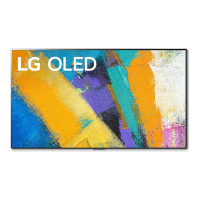
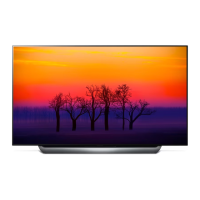
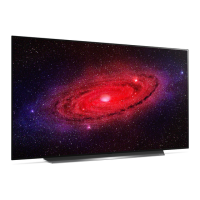
The LG SIGNATURE OLED TV system consists of two main components: the TV Screen and the Zero Connect Box (WM23EA). The TV screen is a high-resolution display capable of producing perfect blacks and clear images, characteristic of OLED technology. It features a power button for turning the screen on, switching to Always Ready mode, and initiating pairing with the Zero Connect Box. The TV screen also incorporates a wireless signal receiver to receive video and audio signals from the Zero Connect Box.
The Zero Connect Box is a crucial component that wirelessly transmits video and audio signals to the TV screen. It acts as a central hub for connecting external devices such as antennas and set-top boxes. The Zero Connect Box is equipped with a wireless signal transmitter, an antenna that can be adjusted in direction using a sliding button (0 to 50° up or down) and a dial (90° left or right), to optimize signal transmission to the TV screen. It also features a voice recognition unit for hands-free control, an external connection terminal for power and other devices, and a pairing button for re-establishing connection with the TV screen. LEDs on the Zero Connect Box indicate wireless signal strength (blue for good, green for normal, yellow for weak, red blinking for disconnected) and power/operation status.
The TV offers flexible installation options: as a stand-alone unit on the floor or mounted on a wall. When using a stand, it's crucial to ensure a minimum distance from the ceiling, side walls, and rear wall, and to secure the TV to the wall to prevent tipping. For wall mounting, a compatible bracket is required, and the wall must be capable of supporting the TV's weight. Proper ventilation around the TV screen is essential for both installation methods.
The Zero Connect Box can be placed in various positions relative to the TV screen (front, beside, below, or behind), with specific distance recommendations to ensure optimal wireless signal transmission. Obstacles between the Zero Connect Box and the TV screen should be avoided to prevent interference with wireless signal and voice recognition functions. The sliding button and dial on the Zero Connect Box allow users to fine-tune the wireless signal transmission direction for the best reception. After initial setup, users can check the signal strength via the top LED color on the Zero Connect Box and adjust its position or orientation if the signal is weak or disconnected.
Connecting external devices is straightforward. Users can connect cables, HDMI devices, and set-top boxes to the Zero Connect Box. The TV supports HDMI Ultra HD Deep Color for clearer images, provided the connected device also supports this feature. For antenna/cable connections, a coaxial cable is used, and a signal amplifier may be necessary for weak signals.
The TV supports hands-free voice control, which requires the Zero Connect Box's front LED to face the user and proper adjustment of the dial and sliding button. This feature can be enabled or disabled through the TV's settings menu. The TV also includes a motion sensor for Always Ready mode, which can be adjusted for sensitivity and requires a clear area in front of the sensor for proper function.
The OLED TV incorporates features to protect its screen and minimize image retention, a common phenomenon in OLED panels. The TV automatically lowers screen brightness when a fixed image is displayed for an extended period and restores it once the image changes. This is a built-in feature to prevent image retention.
A "Pixel Cleaning" feature is included to detect and prevent retention. This process runs automatically based on cumulative viewing time when the TV is turned off, or it can be initiated manually through the TV's settings. During pixel cleaning, horizontal lines may appear at the top and bottom of the screen. It's important that the TV remains connected to power for this feature to work.
To further minimize image retention, users are advised to avoid displaying static images for prolonged periods, such as channel numbers, logos, or game console icons. If black areas appear on the screen, settings like "Vertical Zoom" or "4-Way Zoom" can be used to remove them.
For cleaning, the TV should be unplugged and wiped gently with a soft, dry cloth. Harsh chemicals, glass cleaners, air fresheners, insecticides, lubricants, wax, abrasives, thinner, benzene, or alcohol should not be used, as they can damage the product or its panel.
Troubleshooting guidance is provided for common issues such as the TV not turning on, unexpected shutdowns, or screen anomalies like dots. Users are advised to check power connections, sleep timer settings, and external device functionality. For wireless signal issues, checking for obstructions and adjusting the Zero Connect Box's orientation are recommended. The manual also addresses noise concerns, such as "ticking" sounds (due to plastic deformation) and fan noise from the Zero Connect Box (for heat dissipation), clarifying that these are normal operational sounds.
For the Magic Remote Control, troubleshooting includes re-registering the remote, ensuring no objects interfere with wireless signal transmission, and verifying correct battery insertion.
 General
| Screen Size | 97 inches |
|---|---|
| Display Type | OLED |
| Refresh Rate | 120Hz |
| HDR | Dolby Vision, HDR10, HLG |
| Operating System | webOS |
| HDMI Ports | 4 |
| HDMI Version | 2.1 |
| USB Ports | 3 |
| Bluetooth | Yes |
| Wi-Fi | Yes |
| Ethernet | Yes |


 To Next Page