Getting Started 9
Getting Started
1
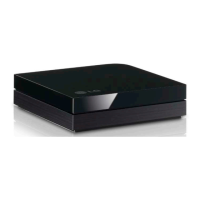
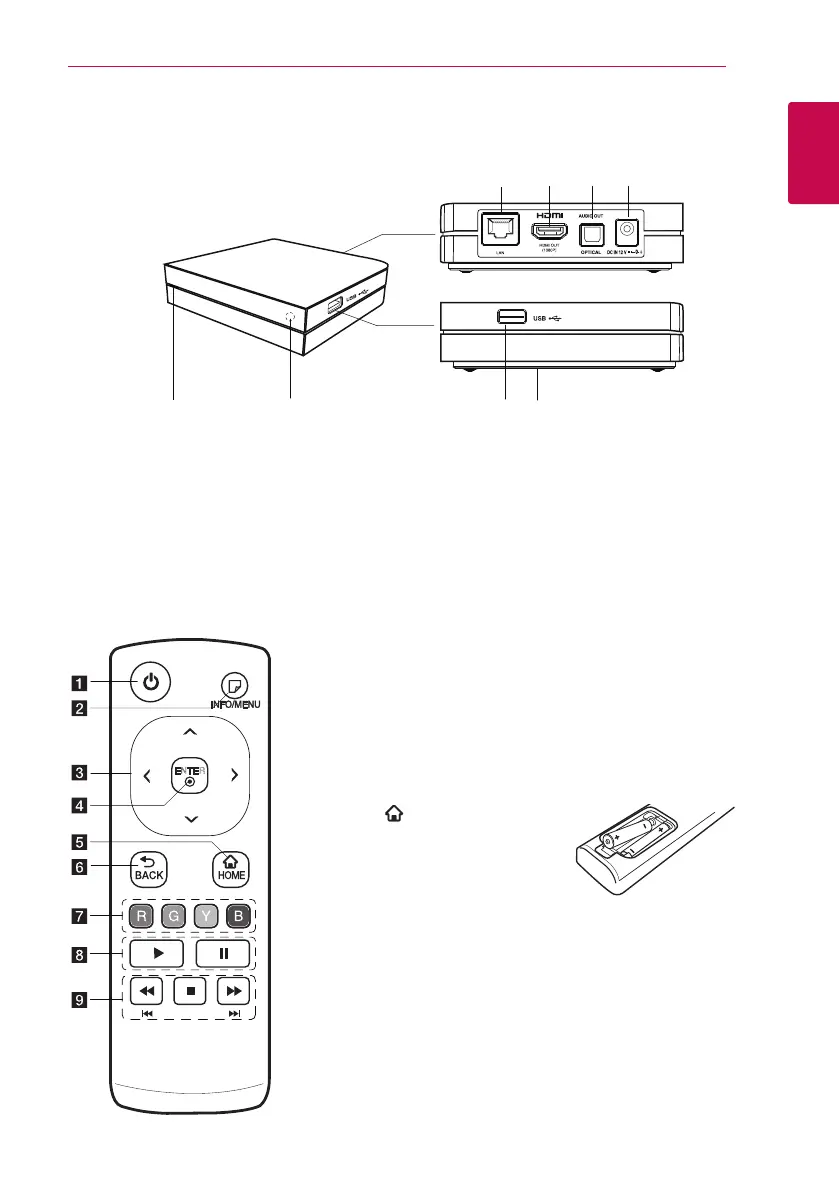
Main unit
e
f
g
h
a
b
c d
a
LAN port
b
HDMI OUT (1080p)
c
OPTICAL AUDIO OUT
d
DC IN 12V (AC adapter input)
e
Power indicator
f
Remote sensor
g
USB port
h
RESET
* RESET button is located at the bottom of the
unit.
ENTER
a
1
(POWER): Switches the
unit ON or OFF.
b
m
(INFO/MENU): Displays or
exits On-Screen Display.
c
Direction buttons: Selects
an option in the menu.
d
ENTER (
b
): Enters the
selected item.
e
HOME (
): Displays or exits
the Home Menu.
f
BACK (
1
): Exits the menu or
return to the previous screen.
g
Colored (R, G, Y, B) buttons:
Use to navigate screen
menus. They are also used for
[Premium] menu.
h
d
: Starts playback.
M
: Pauses playback.
i
c/v
: Searches
backward or forward.
C/V
: Press and hold for
two seconds to skip previous/
next chapter or le.
Z
: Stops playback.
Battery Installation
Remove the battery cover on the
rear of the Remote Control, and
insert two R03 (size AAA)batteries
with
4
and
5
matched correctly.
Remote control


 To Next Page
 Loading...