EasyManua.ls Logo

LG SP7R - User Manual

LG SP7R
16 pages
Print Icon
To Next Page IconTo Next Page
Loading...
www.lg.com
Copyright © 2022 LG Electronics Inc. All Rights Reserved.2204_Rev01
MFL71797056
SP7R
(SPK8-S)
SIMPLE MANUAL
WIRELESS
SOUND BAR
SP7R.DUSACLK_SIMPLE_MFL71797056.indd 1 2022-04-13  1:16:39
Question and Answer IconNeed help?

Do you have a question about the LG SP7R and is the answer not in the manual?

Summary

Installing and Using the Product

Connecting to TV and Audio Output

Connect the sound bar to TV via HDMI ARC or Optical for audio output.

Bluetooth Smartphone Connectivity

Steps to pair the sound bar with a smartphone using Bluetooth for audio streaming.

Troubleshooting Connection Issues

Troubleshooting steps for connection issues indicated by a red LED on the subwoofer or receiver.

Product Specifications and Safety

Key Technical Specifications

Details on AC adapter, power output, and physical dimensions of the product.

FCC Compliance and RF Exposure

Statements regarding FCC compliance, RF exposure limits, and interference requirements.

General Safety Warnings

Important safety precautions and warnings related to electric shock, moisture, and ventilation.

Important Safety Instructions

Battery Handling and Disposal

Precautions for battery handling, replacement, and specific disposal advice for USA/Canada.

Laser Device Safety Information

Information and warnings related to the laser device used in the product.

Understanding Manual Symbols

Explanation of symbols used in the manual for clarity.

Open Source Software Notice

LG Limited Warranty - USA

Warranty Period and Service Handling

Details the warranty duration for parts/labor and instructions for obtaining service and support.

Warranty Exclusions

Lists conditions and damages that are not covered by the limited warranty.

Contacting LG for Assistance

Information on finding authorized service centers and obtaining product use & maintenance assistance.

Overview

This document is a simple manual for an LG Wireless Sound Bar, model SP7R (SPK8-S). It provides instructions for installing and using the product, as well as important safety information and warranty details.

Function Description

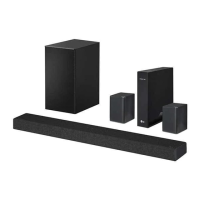
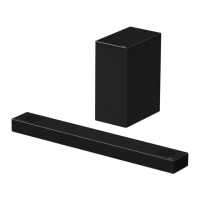
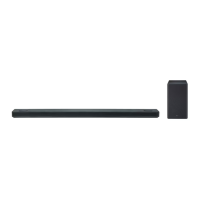
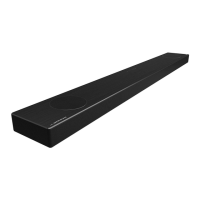
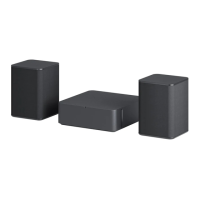
The LG Wireless Sound Bar is designed to enhance your audio experience, particularly when connected to a TV or external devices. It consists of a main sound bar unit, a wireless subwoofer, and two rear speakers with a wireless receiver. The system supports various audio input options, including optical and HDMI ARC, allowing for flexible connectivity with different entertainment setups. The sound bar can also connect to smartphones via Bluetooth, enabling wireless audio streaming. The inclusion of a wireless subwoofer and rear speakers creates a surround sound experience, immersing the user in their audio content. The system is managed through the LG Sound Bar app, which provides additional control and information regarding its use.

Usage Features

The manual outlines a straightforward setup process for the sound bar system.

  1. Connecting to TV: The sound bar can be connected to a TV using either an optical cable or an HDMI cable. For optimal audio quality and control, HDMI ARC (Audio Return Channel) is recommended, as it allows the TV to send audio back to the sound bar and often enables control of the sound bar with the TV remote.
  2. Connecting External Devices: If you have external devices such as a Blu-ray player or game console, they can be connected to the sound bar via an HDMI cable. This centralizes your audio connections through the sound bar, simplifying your setup.
  3. Powering On and Automatic Connection: The wireless subwoofer, wireless receiver, and sound bar should be connected to power in that order. Once powered on, the system is designed to automatically establish a connection between the components. Green LEDs on the wireless subwoofer and wireless receiver indicate a successful connection.
  4. Using with TV: To use the sound bar with your TV, you need to select the appropriate input on the sound bar (OPT/HDMI ARC) and configure your TV's audio output settings to [HDMI ARC], [Optical], or [External Speaker]. The sound bar's status display will show "OPT" or "ARC" when properly connected and receiving sound from the TV.
  5. Bluetooth Connectivity: For wireless audio streaming from a smartphone, you can connect via Bluetooth. This involves enabling Bluetooth on your smartphone, pressing the Bluetooth pair button on the sound bar, and then selecting "LG SP7R (XX)" from the list of available devices on your phone. The sound bar's display will show "BT READY" and then "PAIRED" followed by "Connected Bluetooth device name" and "BT" upon successful connection.
  6. LG Sound Bar App: The LG Sound Bar app, available on Google Play and the App Store, provides an intuitive interface for managing the sound bar. It offers additional features and controls, with further information accessible through the app's [Help] section.
  7. Sound Modes: The manual notes that some speakers might not produce sound depending on the input source. In such cases, selecting the "CINEMA" sound mode is recommended to ensure audio output through all speakers, providing a more immersive experience.

Maintenance Features

The manual provides guidance on maintaining the product and troubleshooting common issues.

  1. Wireless Connection Troubleshooting: If the wireless subwoofer or wireless receiver shows a red LED, it indicates a lost connection with the sound bar. The troubleshooting steps involve:
    • Turning off the sound bar.
    • Pressing the PAIRING button on the back of the disconnected wireless subwoofer or receiver. The LED should blink green. If the subwoofer's LED remains red, press and hold its PAIRING button again.
    • Turning on the sound bar. A green LED on the back of the wireless subwoofer or on the front of the wireless receiver confirms a successful reconnection.
  2. Preventing Wireless Interference: To avoid wireless interference, it is advised to keep the sound bar, subwoofer, and wireless receiver at least 1 meter (3.3 ft) away from other wireless devices like routers or microwave ovens.
  3. Battery Replacement: The manual includes a diagram for replacing batteries in the remote control, indicating the correct polarity (+/-) and battery type (AA/R06).
  4. General Safety and Care:
    • The product should be cleaned with a dry cloth only.
    • Ventilation openings should not be blocked to prevent overheating.
    • The product should not be installed near heat sources.
    • The power plug is the disconnecting device and should remain readily accessible for emergencies.
    • The apparatus should not be exposed to water or liquids, and no objects filled with liquids should be placed on it.
    • For models using a laser device, proper use and maintenance by an authorized service center are emphasized to prevent hazardous radiation exposure.
    • For models with batteries, instructions for safe removal and disposal are provided to prevent environmental contamination and health risks. Batteries should not be exposed to excessive heat.
    • The manual also highlights the importance of using only the supplied AC adapter to prevent damage and voiding the warranty.
  5. Service and Support: In case of product damage or malfunction, all servicing should be referred to qualified service personnel. The warranty section details conditions under which LG will repair or replace the product, emphasizing the need for original proof of purchase and adherence to specified usage conditions. For assistance, customers can visit www.lg.com or call the provided customer service numbers.

LG SP7R Specifications

General IconGeneral
Audio decodersDTS Digital Surround, DTS Virtual:X, Dolby Digital
Equalizer modesAI Sound Pro, Bass Blast, Bass Blast+, Game, Movie, Music, Sport, Standard, Voice
RMS rated power580 W
Audio output channels7.1 channels
Rear speaker RMS power140 W
Center speaker RMS power40 W
Audio sample rate (24bit)96 kHz
Audio Return Channel (ARC)Yes
Surround speaker RMS power90 W
Display typeLCD
Product colorBlack
Audio formats supportedFLAC, LPCM, MP3, OGG, WAV
Wi-FiNo
HDMI in1
HDMI version1.4
Connectivity technologyWired & Wireless
Subwoofer typeActive subwoofer
Cables includedOptical
Number of products included1 pc(s)
Soundbar power consumption45 W
Power consumption (standby)0.5 W
Subwoofer power consumption33 W
Soundbar speaker RMS power220 W
Package typeBox
Package depth246.4 mm
Package width1071.9 mm
Package height454.7 mm
Package weight164654 g
Weight and Dimensions IconWeight and Dimensions
Depth104.14 mm
Width1000.8 mm
Height63.5 mm
Soundbar weight3221 g
Subwoofer depth289.6 mm
Subwoofer width180.3 mm
Subwoofer height393.7 mm
Subwoofer weight5806 g
Rear speaker depth81.3 mm
Rear speaker height121.9 mm
Rear speaker weight862 g

Related product manuals