EasyManua.ls Logo

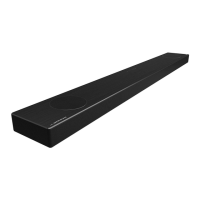
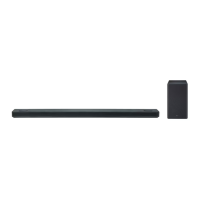
LG SPK8-W - User Manual

LG SPK8-W
66 pages
Print Icon
To Next Page IconTo Next Page
Loading...
MODEL
SK8Y (SK8Y, SPK8-W)
Please read this manual carefully before operating your set and retain it for
future reference.
www.lg.com
Copyright © 2018 LG Electronics Inc. All Rights Reserved.
OWNER’S MANUAL
LG Wi-Fi
Sound Bar

Table of Contents

Other manuals for LG SPK8-W

Questions and Answers

  • A
    Amber ChandlerSep 23, 2025
    How to fix LG Sound Sync when it is not working with my LG SPK8-W?
    • S
      Stephen MercerSep 23, 2025
      To troubleshoot LG Sound Sync issues with your LG Speaker System, first, check if your LG TV supports LG Sound Sync. Then, verify the connection of LG Sound Sync. Finally, check the sound settings on both your TV and the speaker system.
  • J
    Jo HillAug 23, 2025
    How to troubleshoot no woofer sound on LG Speaker System?
    • B
      benjaminburnsAug 23, 2025
      If you're not getting any sound from the woofer of your LG Speaker System, ensure that the subwoofer's power cord is securely plugged into the wall outlet. If it is, check if the pairing between the unit and the subwoofer has been disconnected.
  • M
    Melinda CarpenterAug 25, 2025
    Why is the output sound of my LG SPK8-W low?
    • J
      jared26Aug 26, 2025
      If the output sound of your LG Speaker System seems low, switch the DRC function to OFF using the “LG Wi-Fi Speaker” app. If connected to a TV, change the AUDIO DIGITAL OUT setting on the TV Setup Menu from PCM to AUTO or BITSTREAM. If connected to a Player, change the AUDIO DIGITAL OUT setting on the Player Setup Menu from PCM to PRIMARY PASS-THROUGH or BITSTREAM. Also, change the Audio DRC setting on the connected device setup menu to the OFF state, and ensure Night Mode is turned OFF.
  • S
    stoneharryAug 27, 2025
    Why is there no sound coming from my LG Speaker System?
    • B
      bradyalishaAug 27, 2025
      If your LG Speaker System isn't producing any sound, first, make sure the volume isn't set to the minimum. If it is, simply adjust the volume. Also, if you're using an external device like a set-top box or Bluetooth device, check and adjust its volume level as well. Ensure the mute function isn't activated by pressing the mute button or adjusting the volume. Finally, verify that you've selected the correct input source for your device.
  • L
    Lauren GrayAug 27, 2025
    What to do if the remote control for my LG SPK8-W Speaker System does not work?
    • A
      Anthony MatthewsAug 28, 2025
      If the remote control for your LG Speaker System isn't working correctly, make sure you're operating it within a 7-meter range of the unit. Check for any obstacles between the remote and the unit and remove them. If the batteries are exhausted, replace them with new ones.
  • A
    Angelica CollinsSep 18, 2025
    What to do if the AUTO POWER function does not work on my LG SPK8-W Speaker System?
    • M
      Michael MurphySep 18, 2025
      If the AUTO POWER function on your LG Speaker System isn't working, check the connection of the external device, such as a TV, DVD/Blu-Ray player, or Bluetooth device. Also, check the state of SIMPLINK on your LG TV and try turning off SIMPLINK. The function may not operate depending on the connected device.
  • J
    Julie KramerSep 15, 2025
    Why does the power not turn on for my LG Speaker System?
    • J
      Jaime AndersonSep 15, 2025
      If your LG Speaker System isn't turning on, ensure that the power cord is properly plugged into the outlet. If it is not, connect the power plug to the outlet.
  • D
    David HaleySep 16, 2025
    How to troubleshoot an LG SPK8-W Speaker System that does not work properly?
    • C
      Charles StewartSep 17, 2025
      If your LG Speaker System isn't working properly, try turning off the power to both the unit and any connected external devices like your TV, Woofer, DVD player, or Amplifier, and then turn them back on. If that doesn't work, disconnect the power cord of the unit and the connected external devices and then reconnect them. Note that previous settings may not be saved when the device is shut off.
  • J
    Jacob GoldenSep 6, 2025
    What to do if my LG SPK8-W is not working properly?
    • S
      Stephen StanleySep 7, 2025
      If your LG Speaker System isn't working properly, try turning off the power to both the unit and any connected external devices like TVs, woofers, DVD players, or amplifiers, and then turn them back on. Alternatively, disconnect the power cords of both the unit and connected devices before reconnecting them. Also, previous settings may not be saved when device power is shut off.
  • C
    Christopher GrahamSep 4, 2025
    Why doesn't the AUTO POWER function work on my LG Speaker System?
    • M
      Mark RiversSep 4, 2025
      If the AUTO POWER function on your LG Speaker System isn't working, check the connection of the external device such as TV, DVD/Blu-Ray player or Bluetooth device. If you have an LG TV, check the SIMPLINK settings and try turning SIMPLINK off. Note that depending on the connected device, this function may not operate.

Summary

Safety Precautions

CAUTION concerning the Power Cord

Safety precautions for the power cord.

Key Features

LG Sound Sync

Control unit volume with LG TV remote.

LG Wi-Fi Speaker Application

Control speaker via app on smart device.

Bluetooth Connectivity

Listen to music from Bluetooth device.

Surround Sound Capability

Enjoy surround sound with rear speakers.

Manual Symbols Guide

Symbols Used in Manual

Explains symbols used in the manual.

Remote Control Details

Battery Replacement

Instructions for replacing the remote battery.

Front Panel Overview

LED Indicator Status

Shows connection status via LED lights.

Display Window Functions

Shows status and information on the front display.

Rear Panel Ports

DC IN; Optical In; Portable In

Ports for power, optical, and portable devices.

USB; LAN Port

Ports for service and network connection.

HDMI OUT (TV ARC); HDMI IN

HDMI ports for audio/video output and input.

Unit Functions Overview

TV Remote Control Integration

Control unit volume with TV remote.

Bluetooth Connection Restriction

Limit Bluetooth connection to specific functions.

Automatic Power On;Off

Turn unit on/off automatically based on input signals.

Standby Mode Functions

Maintain connection in standby mode.

Sound Bar Installation

Mounting the Main Unit on a Wall

Instructions for wall-mounting the main unit.

Installation Precautions & Materials

Warnings and required materials for mounting.

Speaker Placement for Surround Sound

Optimal Speaker Placement

Optimal placement for surround sound.

Wireless Component Setup

Wireless Subwoofer Connection

Steps to connect the wireless subwoofer.

Subwoofer LED Indicator

Status indicators for the subwoofer.

Initial Subwoofer Setup

Initial setup for the wireless subwoofer.

Wireless Subwoofer Pairing

Manual Pairing Procedure

Steps for manual subwoofer pairing.

Rear Speaker Connection

Connecting the Rear Speakers

Steps to connect rear speakers.

Wireless Receiver LED Indicator

Explains LED status for wireless receiver.

Initial Wireless Receiver Setup

Initial setup for the wireless receiver.

Wireless Receiver Pairing

Manual Pairing Procedure

Steps for manual receiver pairing.

Surround Sound Settings

Enabling Surround Sound

How to enable surround sound.

Surround Sound: ON Configuration

Surround Sound: OFF Configuration

Ferrite Core Installation

Affixing Ferrite Core to Cables

Instructions for attaching ferrite cores to cables.

TV Connection Methods

Using an OPTICAL Cable

How to connect using an optical cable.

LG Sound Sync Overview

Control unit with LG TV remote via Sound Sync.

LG Sound Sync Connections

Wired LG Sound Sync Setup

Steps for wired LG Sound Sync.

Wireless LG Sound Sync Setup

Steps for wireless LG Sound Sync.

HDMI & SIMPLINK Features

Using an HDMI Cable

How to connect using an HDMI cable.

ARC Functionality Explained

Explanation of the ARC function.

Understanding SIMPLINK

Explanation of SIMPLINK feature.

HDMI Connection Guidelines

Additional HDMI Information

Important notes for HDMI connections.

HDMI Cable Checklist

Checks for proper HDMI cables.

HDMI Cable Connection Requirements

Requirements for HDMI cable connection.

Optional Equipment Connection

Dolby Atmos Setup

Information and requirements for Dolby Atmos.

Wired Audio Connectivity

HDMI Connection Guide

How to connect via HDMI.

Optical IN Connection Guide

How to connect via Optical.

Portable Device Music Playback

Listening to Music from Portable Player

Play music from portable devices.

External Equipment Connectivity

Network Connection Setup

Wired Network Connection

Connect speaker via wired LAN.

Wireless Network Setup

LG Wi-Fi Speaker App Features

Overview of app functionalities.

LG Wi-Fi Speaker App Installation

Google Assistant Compatibility

Bluetooth Technology Usage

About Bluetooth

Basic information about Bluetooth technology.

Bluetooth Profiles

Supported Bluetooth profiles.

Bluetooth Music Playback

Bluetooth Connection Restriction

Advanced Operations

TV Remote Control Operation

Control unit with TV remote.

AV Sync Adjustment

Sound & Display Features

Auto Display Dimmer

Dimming the display window.

Input Source Information Display

Show current input source.

Auto Power Down

Auto Power Management

Auto Input Source Switching

Sound Adjustment Settings

Setting Sound Effects

Select pre-set sound modes.

Automatic Volume Adjustment

Auto volume adjustment feature.

Manual Sound Level Adjustment

Manually adjust speaker levels.

Standby Mode Options

General Standby Mode

Unit enters standby mode.

Network Standby Mode

Unit enters network standby mode.

Bluetooth Standby Mode

Unit enters Bluetooth standby mode.

Speaker Reset Procedure

Troubleshooting

General Troubleshooting

Common issues and solutions.

Troubleshooting: App & Network Issues

Application Issues

Troubleshooting the LG Wi-Fi Speaker app.

Network Connectivity Issues

Problems connecting to the home network.

Troubleshooting: Wireless Issues

Wireless Interference Causes

Dealing with wireless interference.

Bluetooth Malfunction Causes

Causes of Bluetooth issues.

Demo Mode Release

File Requirements & Legal Info

Supported File Requirements

Supported file formats and specs.

Trademarks and Licenses

Legal information about trademarks.

Product Specifications

General Specifications

General specifications of the unit.

Input;Output Ports

Ports and connectors.

Amplifier Output Power

Power output specifications.

Component Specifications

Wireless Subwoofer Specifications

Specifications for the wireless subwoofer.

System Specifications

System specifications (LAN, Wi-Fi).

Wireless Receiver Specifications

Specifications for the wireless receiver.

Rear Speaker Specifications

Specifications for rear speakers.

Speaker Handling & Care

Shipping and Exterior Care

Instructions for shipping and exterior cleaning.

Cleaning the Speaker Surface

How to clean the speaker.

Network Service Information

Terms of Use

Terms of Use Details

Children and Parental Controls

Guidelines for child use and parental controls.

Viruses and Security Precautions

Security measures and virus protection.

Open Source Software Notice

LG SPK8-W Specifications

General IconGeneral
BrandLG
ModelSPK8-W
CategorySpeaker System
LanguageEnglish

Related product manuals