EasyManua.ls Logo

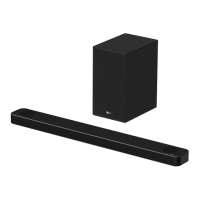
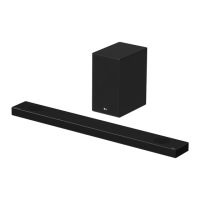
LG SPK5B-W - User Manual

LG SPK5B-W
65 pages
Print Icon
To Next Page IconTo Next Page
Loading...
Please read this manual carefully before operating your set and retain it for
future reference.
OWNER’S MANUAL
LG Wi-Fi
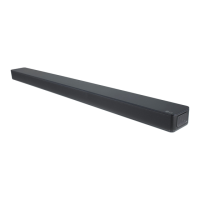
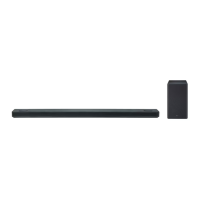
Sound Bar
www.lg.com
Copyright © 2018 LG Electronics Inc. All Rights Reserved.
MODEL
SK6Y (SK6Y, SPK5B-W)

Table of Contents

Other manuals for LG SPK5B-W

Questions and Answers

  • J
    Jessica LeSep 8, 2025
    How to fix LG Sound Sync if it does not work?
    • S
      salazarkatieSep 8, 2025
      To troubleshoot LG Sound Sync, first check whether your LG TV supports LG Sound Sync. Then, verify the connection of LG Sound Sync. Finally, check the sound settings on both your TV and the speaker system.
  • J
    jonespeterAug 23, 2025
    Why is there no woofer sound from my LG SPK5B-W?
    • D
      Derek Cortez DDSAug 23, 2025
      If you're not getting any sound from the woofer, make sure the subwoofer is securely plugged into the wall outlet. If it is, check if the pairing between the main unit and the subwoofer has been disconnected. If so, reconnect the unit and the subwoofer.
  • T
    thomastimAug 25, 2025
    How to fix low output sound on my LG SPK5B-W?
    • K
      kevin64Aug 26, 2025
      If the output sound of your LG Speaker System seems low, switch the DRC function to [OFF] by using “LG Wi-Fi Speaker.” If the sound bar is connected to a TV, change the AUDIO DIGITAL OUT setting in the TV Setup Menu from [PCM] to [AUTO] or [BITSTREAM]. If connected to a Player, change the AUDIO DIGITAL OUT setting in the Player Setup Menu from [PCM] to [PRIMARY PASS-THROUGH] or [BITSTREAM]. Also, change the Audio DRC setting on the connected device setup menu to the [OFF] state and make sure Night Mode is not On; turn [OFF] Night Mode.
  • J
    jeromeallenAug 26, 2025
    Why won't my LG Speaker System connect to a Bluetooth device?
    • L
      Linda KirkAug 27, 2025
      If your LG Speaker System isn't connecting to a Bluetooth device, turn off the Bluetooth connection lock function.
  • S
    Sarah BaileyAug 27, 2025
    Why is there no sound coming from my LG Speaker System?
    • J
      Joseph WoodAug 27, 2025
      If you're not getting any sound from your LG Speaker System, there are several things to check: * Ensure the volume isn't set to the minimum. * If connected to an external device like a set-top box or Bluetooth device, check its volume level. * Make sure the mute function isn't activated by pressing [ or adjusting the volume. * Verify that you've selected the correct input source for your device.
  • M
    melissagillespieSep 22, 2025
    Why does LG Sound Sync not work with my LG SPK5B-W Speaker System?
    • N
      Nicholas WilliamsSep 22, 2025
      If LG Sound Sync isn't working with your LG Speaker System, verify that your LG TV supports LG Sound Sync, check the LG Sound Sync connection, and check the sound settings of both your TV and the speaker system.
  • C
    cantutravisSep 16, 2025
    What to do if the AUTO POWER function on my LG SPK5B-W Speaker System does not work?
    • T
      Thomas EsparzaSep 16, 2025
      If the AUTO POWER function isn't working on your LG Speaker System, check the connection of the external device (TV, DVD/Blu-Ray player, or Bluetooth device). Also, check the SIMPLINK settings on your LG TV and try turning SIMPLINK off. Note that depending on the connected device, this function may not operate.
  • E
    Erica TorresSep 18, 2025
    What to do if my LG SPK5B-W Speaker System does not work properly?
    • A
      April CooperSep 18, 2025
      If your LG Speaker System isn't working properly, try these steps: * Turn off the power of the unit and any connected external devices (TV, Woofer, DVD-player, Amplifier, etc.), then turn them back on. * Disconnect the power cord of the unit and connected external devices, then reconnect them. * Note that previous settings may not be saved when the device is powered off.
  • S
    stanley09Sep 7, 2025
    Why won't my LG SPK5B-W Speaker System power on?
    • T
      Troy OconnorSep 7, 2025
      If your LG speaker system isn't powering on, make sure the power cord is properly plugged into the outlet.
  • M
    Mrs. Angela HallSep 4, 2025
    What to do if my LG SPK5B-W unit does not work properly?
    • D
      Diana MartinSep 4, 2025
      If your LG Speaker System isn't working correctly, try turning off the power to both the unit and any connected external devices like TVs, woofers, DVD players, or amplifiers, and then turn them back on. If that doesn't work, disconnect the power cord of the unit and the connected external devices, and then reconnect them. It's also possible that previous settings weren't saved when the device was powered off.

Summary

Safety Information

Power Cord Safety

Warnings and precautions regarding the power cord.

Hardware Overview

Installation and Setup

Installing the sound bar

General instructions for setting up the sound bar.

Connecting Devices

Wireless and Rear Speaker Setup

Instructions for connecting wireless subwoofers and rear speakers.

Rear speakers connection (Sold Separately)

Details on connecting optional rear speakers to the wireless receiver.

Connecting to your TV

Guide on connecting the sound bar to a TV via various methods.

Optical, HDMI, and LG Sync Connections

Steps for connecting via optical, HDMI, ARC, and LG Sound Sync.

Network Connection

How to connect the sound bar to a network for enhanced features.

LG Wi-Fi Speaker App Setup

Details and setup for the companion app for enhanced functionality.

Operating the Sound Bar

Bluetooth Connectivity and Music Playback

Guide to Bluetooth usage and playing music via Bluetooth.

Sound Adjustment

Standby and Reset Procedures

Troubleshooting

General, Remote, and Function Issues

Common issues with unit, power, remote, and basic functions.

LG Sync, AUTO POWER, and Network Issues

Troubleshooting LG Sound Sync, AUTO POWER, and network connectivity.

Sound, Bluetooth, and App Issues

Resolving low sound, Bluetooth, and app connectivity problems.

Network Connection and Media Server Issues

Fixing network connection problems and media server display errors.

LG Wi-Fi Speaker App Errors

Common errors and solutions when using the app.

Interference and Bluetooth Issues

Addressing wireless interference and Bluetooth device problems.

Specifications

LG Wi-Fi Speaker App Usage

LG SPK5B-W Specifications

General IconGeneral
BrandLG
ModelSPK5B-W
CategorySpeaker System
LanguageEnglish

Related product manuals