EasyManua.ls Logo

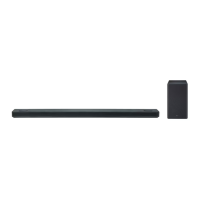
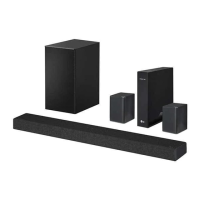
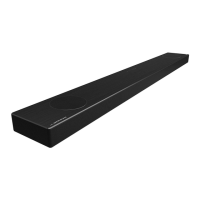
LG SPK5-W - User Manual

LG SPK5-W
62 pages
Print Icon
To Next Page IconTo Next Page
Loading...
MODEL
SK6F (SK6F, SPK5-W)
Please read this manual carefully before operating your set and retain it for
future reference.
www.lg.com
Copyright © 2018 LG Electronics Inc. All Rights Reserved.
OWNER’S MANUAL
LG Wi-Fi
Sound Bar

Table of Contents

Questions and Answers

  • J
    Jordan BeckAug 11, 2025
    What to do if my LG Speaker System remote control does not work properly?
    • L
      Louis SmithAug 11, 2025
      If the remote control isn't working, consider these possibilities: * Ensure you're within 7 meters of the unit. * Remove any obstructions between the remote and the unit. * Replace the batteries with new ones.
  • C
    coltonperkinsAug 15, 2025
    Why is there no sound coming from my LG SPK5-W Speaker System?
    • H
      holderelizabethAug 15, 2025
      If no sound is produced, consider the following: * Check the volume level and adjust it if it's set to the minimum. * Deactivate the mute function by pressing the mute button or adjusting the volume. * Verify that the correct input source is selected.
  • R
    Rachel MckenzieAug 20, 2025
    Why is there no woofer sound from my LG Speaker System?
    • M
      Matthew DavidsonAug 21, 2025
      If you're not getting any sound from the woofer: * Make sure the subwoofer's power cord is securely plugged into the wall outlet. * Check if the pairing between the unit and the subwoofer has been disconnected. If so, reconnect them.
  • D
    Dustin LopezAug 26, 2025
    What to do if my LG SPK5-W does not work properly?
    • V
      vbarnesAug 26, 2025
      If the unit isn't working correctly: * Try turning off the power to both the unit and any connected external devices (TV, Woofer, DVD-player, Amplifier, etc.), then turn them back on. * Disconnect the power cord of the unit and connected devices, and then reconnect them. * Be aware that previous settings might not be saved if the device power is shut off.
  • B
    Brian JonesAug 31, 2025
    Why does AUTO POWER function not work on my LG SPK5-W Speaker System?
    • C
      Christopher RamseyAug 31, 2025
      If the AUTO POWER function isn't working: * Check the connection of the external device such as TV, DVD/Blu-Ray player or Bluetooth device. * Check the state of SIMPLINK on your LG TV and turn off SIMPLINK. * Note that depending on the connected device, this function may not operate.
  • C
    Courtney JacksonSep 4, 2025
    Why LG Sound Sync does not work with my LG SPK5-W Speaker System?
    • K
      Kathleen RoySep 4, 2025
      If LG Sound Sync isn't working, please check the following: * Confirm that your LG TV supports LG Sound Sync. * Check the connection of LG Sound Sync. * Verify the sound settings on both your TV and this unit.

LG SPK5-W Specifications

General IconGeneral
BrandLG
ModelSPK5-W
CategorySpeaker System
LanguageEnglish

Related product manuals