EasyManua.ls Logo

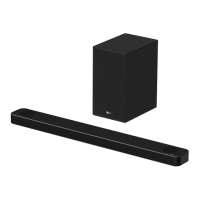
LG SPL8-W - User Manual

LG SPL8-W
60 pages
Print Icon
To Next Page IconTo Next Page
Loading...
MODEL
SL9YG (SL9YG, SPL8-W)
1903_Rev01
www.lge.com
Copyright © 2019 LG Electronics Inc. All Rights Reserved.
OWNER’S MANUAL
LG Wi-Fi
Sound Bar
Please read this manual carefully before operating your set and retain it for future
reference.

Table of Contents

Questions and Answers

  • C
    Carol MillerSep 7, 2025
    Why doesn't the AUTO POWER function work on my LG SPL8-W?
    • B
      braySep 7, 2025
      If the AUTO POWER function on your LG Speaker System isn't working, check the connection of any external devices like TVs or DVD/Blu-Ray players. Also, check the SIMPLINK settings on your LG TV and try turning SIMPLINK off. Note that this function may not operate depending on the connected device.
  • C
    Christopher SchmidtAug 22, 2025
    Why is there no sound coming from my LG Speaker System?
    • S
      Sean AlexanderAug 22, 2025
      If your LG Speaker System isn't producing sound, first, make sure the volume isn't set to the minimum. If you're connected to an external device, check its volume level too. Also, verify that the mute function isn't activated by pressing [ or adjusting the volume. Finally, ensure the correct input source is selected.
  • W
    William MclaughlinSep 3, 2025
    How to troubleshoot an LG Speaker System that does not work properly?
    • K
      Kelly CarlsonSep 4, 2025
      If your LG Speaker System isn't working correctly, try turning off the power of both the unit and any connected external devices like TVs, woofers, DVD players, or amplifiers, and then turn them back on. If that doesn't work, disconnect the power cord of the unit and connected devices before reconnecting them. Also, be aware that previous settings may not be saved when the device is powered off.
  • M
    Mark ReedSep 2, 2025
    Why is LG Sound Sync not working on my LG SPL8-W Speaker System?
    • R
      Rhonda CarrollSep 2, 2025
      If your LG Sound Sync isn't working with your LG Speaker System, first check if your LG TV supports LG Sound Sync (Wired). Then, verify the connection of LG Sound Sync (Wired). Finally, check the sound settings on both your TV and the speaker system to ensure they are correctly configured.
  • A
    Alyssa GreenSep 1, 2025
    Why is there no woofer sound from my LG SPL8-W?
    • A
      Amy FloresSep 1, 2025
      If you're not getting any woofer sound from your LG Speaker System, make sure the subwoofer is securely plugged into the wall outlet. If it is, check if the pairing between the main unit and the subwoofer has been disconnected, and if so, reconnect them.
  • C
    Christine FosterAug 30, 2025
    Why is my LG Speaker System remote not working?
    • A
      Angela GarciaAug 30, 2025
      If your LG Speaker System's remote control isn't working, ensure you're within 7 meters (23 ft) of the unit and that there are no obstacles blocking the signal. Also, check if the batteries are exhausted and replace them with new ones.
  • G
    Gregory BrownAug 29, 2025
    What to do if the sound output is too low on my LG SPL8-W Speaker System?
    • J
      Jordan LopezAug 29, 2025
      If the output sound of your LG Speaker System seems low, try the following: 1. Switch the DRC function to OFF using the “LG Wi-Fi Speaker” app. 2. If connected to a TV, change the AUDIO DIGITAL OUT setting on the TV Setup Menu from PCM to AUTO or BITSTREAM. 3. If connected to a Player, change the AUDIO DIGITAL OUT setting on the Player Setup Menu from PCM to PRIMARY PASS-THROUGH or BITSTREAM. 4. Change the Audio DRC setting on the connected device setup menu to the OFF state. 5. Make sure that Night Time mode is not On. 6. Turn off Night Time mode.
  • E
    eric88Aug 27, 2025
    What to do if there is no woofer sound from my LG SPL8-W?
    • J
      Jeffrey OlsonAug 27, 2025
      If you're not getting any sound from the woofer on your LG Speaker System, ensure the subwoofer's power cord is securely plugged into the wall outlet. Also, verify that the unit and the subwoofer are properly connected.
  • M
    michelleblackAug 27, 2025
    Why is Bluetooth pairing not working on my LG SPL8-W Speaker System?
    • J
      Jennifer NguyenAug 27, 2025
      If Bluetooth pairing isn't working well with your LG Speaker System, ensure your Bluetooth device is turned on. Try switching Bluetooth off and on again on your device, then attempt pairing again. Also, remove any obstacles between the Bluetooth device and the unit. Keep in mind that depending on the device type or surrounding environment, pairing might not always be successful.
  • M
    Marie ObrienAug 25, 2025
    What to do if my LG SPL8-W power does not turn on?
    • A
      Amanda HatfieldAug 26, 2025
      If your LG Speaker System isn't turning on, ensure the power cord is securely plugged into the outlet.

Summary

Safety Information

Power Cord Safety Precautions

Guidelines and warnings for the safe use of the power cord.

Introduction to the Manual

Understanding Manual Symbols

Explains the meaning of symbols like Note and Caution used in the manual.

Front Panel Overview and Controls

Buttons, LEDs, and Display

Describes front panel buttons, LED indicators, and the display window.

Touch Button Usage Precautions

Guidelines for safe and effective use of touch-sensitive buttons.

Rear Panel Connections

Input and Output Ports

Details the USB, OPTICAL IN, HDMI OUT, and HDMI IN ports.

Remote Control Operations

Basic Controls and Modes

Power, volume, playback, mute, and standby functions.

Advanced Remote Functions

Sound effects, TV remote control, surround sound, night time modes.

Voice Control and Information

Using Google Assistant and displaying input information.

Sound Bar Installation and Wall Mounting

Placement and Setup Guidance

Recommendations for optimal placement of the sound bar and subwoofer.

Wall Mounting Instructions

Step-by-step guide for securely mounting the unit on a wall.

Installation and Safety Precautions

Important notes and warnings during installation and mounting.

Network Connection and Google Home App Setup

Installing and Launching the Google Home App

Guide to downloading and starting the Google Home app.

Wi-Fi Connection Process

Steps to connect the speaker to Wi-Fi using the app.

Wireless Subwoofer and Rear Speaker Setup

Connecting and Pairing Subwoofer

Instructions for connecting and manually pairing the wireless subwoofer.

Connecting and Pairing Rear Speakers

Instructions for connecting and pairing the rear speaker receiver.

Surround Sound Configuration

How to enable and adjust surround sound settings.

Ferrite Core and Interference Management

Affixing the Ferrite Core

Guide on how to attach the ferrite core to speaker cables.

Minimizing Wireless Interference

Tips to avoid interference for optimal wireless performance.

Connecting to Your TV

Optical Cable Connection

How to connect the unit to a TV using an optical cable.

LG Sound Sync Setup

Instructions for using LG Sound Sync for TV remote control.

HDMI Connection and Features

ARC and SIMPLINK Functionality

Explanation of ARC and SIMPLINK for TV audio and control.

HDMI Cable Requirements and Notes

Information on HDMI cable types, quality, and troubleshooting.

Optional Equipment and Advanced Audio Formats

Dolby Atmos and DTS:X Support

Information on using advanced audio formats like Dolby Atmos and DTS:X.

Connecting External Devices for Advanced Audio

Steps to connect devices for enhanced audio experiences.

Connecting External Devices

HDMI IN Connection

How to connect external devices via HDMI IN.

Optical IN Connection

How to connect external devices via Optical IN.

USB Connection and Usage

How to connect and use USB devices for audio playback.

USB Device Requirements and Operation

USB Device Compatibility and Requirements

Details on supported USB devices, file systems, and formats.

USB Playback Controls

How to play, pause, skip, and manage playback from USB.

Using the Google Assistant

Voice Command Basics

How to activate and use voice commands with the Assistant.

Example Voice Commands

Provides examples for controlling time, weather, music, and smart home devices.

Voice Control for Volume

How voice commands affect volume level and scaling.

Google Assistant Help Resources

Online Support Links

Provides website links for setup, usage, and troubleshooting assistance.

Voice Control for TV and Sound Bar

Controlling LG TV with Voice

Lists voice commands for controlling LG TV functions.

Controlling Sound Bar with Voice

Lists voice commands for sound bar functions like input and sound effects.

LG Wi-Fi Speaker App Usage

App Installation and Setup

Steps to install and set up the LG Wi-Fi Speaker app.

App Features and Usage

How to use the app for music streaming and sound bar control.

Bluetooth Wireless Technology and Connection

About Bluetooth and Pairing

Explains Bluetooth technology and the pairing process.

Listening to Music via Bluetooth

How to play music from a Bluetooth device.

Bluetooth Connection Management

Notes on auto-pairing, disconnection, and connection limitations.

Voice Control for Bluetooth Connection

Using voice commands to connect and disconnect Bluetooth devices.

Other Operations and Auto Functions

TV Remote Control Usage

How to control the unit using a TV's remote control.

Auto Power On;Off Function

How the sound bar automatically turns on and off based on input signals.

Auto Function Change

How the unit automatically switches input functions based on signals.

Standby Modes and Speaker Reset

Standby and Networked Standby Modes

Explains the different standby modes and how to enter them.

Speaker Reset Procedure

Instructions for resetting the speaker to factory defaults.

Troubleshooting Common Issues

General Unit and Power Problems

Solutions for the unit not working or power issues.

Sound and Woofer Issues

Troubleshooting steps for no sound or woofer problems.

Connectivity Problems

Solutions for USB, Bluetooth, and Wi-Fi connection issues.

Voice Recognition and Application Errors

Troubleshooting for voice recognition and app malfunction.

Wireless Interference and Demo Mode

Tips for wireless interference and releasing demo mode.

File Requirements and Trademarks

Supported File Formats and Restrictions

Lists compatible file formats and playback restrictions.

Trademarks and Licenses

Information on Dolby, DTS, Bluetooth, and HDMI trademarks.

Product Specifications

General and Input;Output Specifications

Details on power, dimensions, sampling frequencies, and ports.

Amplifier and Wireless Component Specs

Information on amplifier output power and wireless component specifications.

Handling, Cleaning, and Network Services Information

Speaker Handling and Cleaning

Guidelines for shipping, keeping clean, and cleaning the speaker.

Important Network Services Information

Details on third-party services, availability, and customer support.

Terms of Use

License, Ownership, and Restrictions

Details on software license, ownership, and usage limitations.

Software Limitations and Third-Party Services

Notes on software limitations, availability, and third-party content.

Terms of Use - Legal and Miscellaneous

Information on complaints, governing law, and general terms.

Open Source Software and Disclaimers

Open Source Software Notice

Information on obtaining open source code for the product.

Google Services Disclaimers

Disclaimers related to Google Assistant and related services.

LG SPL8-W Specifications

General IconGeneral
BrandLG
ModelSPL8-W
CategorySpeaker System
LanguageEnglish

Related product manuals