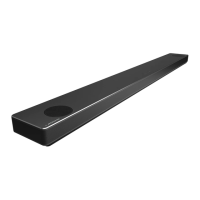
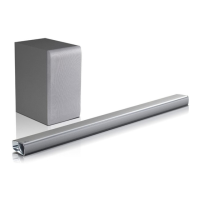
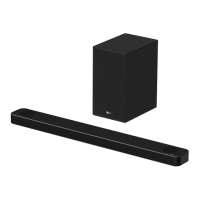
This document is the owner's manual for an LG Wireless Sound Bar, model SN4A (SN4A, SPN4BM-W).
Function Description
The LG Wireless Sound Bar is a home audio device designed to enhance the sound experience of your TV and other external devices. It functions as a central audio output, capable of connecting to various sources such as TVs, Blu-ray disc players, and DVD players. The system includes a main sound bar unit and a wireless subwoofer, providing a comprehensive audio solution. Key features include:
- Wireless Subwoofer Connection: The sound bar connects wirelessly to its subwoofer, offering flexible placement options and reducing cable clutter.
- Multiple Input Options: It supports various input sources including Optical, HDMI IN, HDMI OUT (TV ARC), and USB, allowing for versatile connectivity with different devices.
- Bluetooth Connectivity: The sound bar features Bluetooth wireless technology, enabling users to stream music wirelessly from smartphones, tablets, and other Bluetooth-enabled devices. It supports Bluetooth version 4.0 with codecs SBC and AAC.
- LG Sound Sync: This feature allows the sound bar to synchronize with compatible LG TVs, enabling control of the sound bar's volume and power through the TV's remote control. This can be achieved via optical cable or wirelessly.
- ARC (Audio Return Channel) Function: When connected via HDMI OUT (TV ARC), the sound bar can receive audio from the TV and send audio to the TV, simplifying the connection and control.
- Sound Effects: The device offers various sound effects such as AI SOUND PRO, BASS BLAST or BASS BLAST+, STANDARD, and DTS VIRTUAL:X to optimize the audio experience for different content.
- USB Playback: Users can play music files directly from a USB memory device, with support for MP3, WMA, and OGG formats.
- Remote Control: A dedicated remote control is provided for easy operation, including power, volume, input selection, sound effects, and playback controls.
Important Technical Specifications
General:
- Power Consumption (Main Unit): Refer to the main label on the unit.
- Manufacturer: Asian Power Devices Inc.
- Input: 100 - 240 V ~ 50 - 60 Hz
- Output: 25 V === 1.52 A
- AC Adapter (Main Unit):
- Model: MS-Z1520R250-03BA0-P
- Manufacturer: MOSO POWER SUPPLY TECHNOLOGY CO., LTD.
- Input: 100 - 240 V ~ 50/60 Hz
- Output: 25 V === 1.52 A
- Dimensions (W x H x D): Approx. 890.0 mm x 57.0 mm x 85.0 mm (35 inch x 2.2 inch x 3.3 inch)
- Operating Temperature: 5 °C to 35 °C (41 °F to 95 °F)
- Operating Humidity: 5 % to 90 %
- Bus Power Supply (USB): 5 V === 500 mA
- Available Digital Input Audio Sampling Frequency: 32 kHz, 44.1 kHz, 48 kHz, 88.2 kHz, 96 kHz
- Available Digital Input Audio format: Dolby Audio, DTS Digital Surround, PCM
Input/Output:
- OPTICAL IN: 3 V (p-p), Optical jack x 1
- HDMI IN: 19 Pin (Type A, HDMI™ connector) x 1
- HDMI OUT (TV ARC): 19 Pin (Type A, HDMI™ connector) x 1
Amplifier (RMS Output):
- Total: 300 W RMS
- Front: 50 W RMS x 2 (4 Ω at 1 kHz, THD 10 %)
- Subwoofer: 200 W RMS (3 Ω at 80 Hz, THD 10 %)
Wireless Subwoofer:
- Power requirements: Refer to the main label on the subwoofer.
- Power consumption: Refer to the main label on the subwoofer.
- Type: 1 Way 1 Speaker
- Impedance: 3 Ω
- Rated Input Power: 200 W RMS
- Max. Input Power: 400 W RMS
- Dimensions (W x H x D): Approx. 171.0 mm x 390.0 mm x 261.0 mm (7.0 inch x 15.5 inch x 11.4 inch)
USB Device Requirement:
- Devices requiring additional program installation are not supported.
- Do not extract the USB device during operation.
- For large capacity USBs, it may take longer to search.
- To prevent data loss, back up all data.
- The unit's USB Port can be connected to a PC; it cannot be used as a storage device.
- The exFAT file system is not supported (FAT16/FAT32/NTFS systems are available).
- Recognizes the following: External HDD, Card readers, Locked devices, Hard type USB devices, USB hub, USB extension cable, iPhone/iPod/iPad, Android device.
Playable File (USB):
- Sampling Frequency:
- MP3: within 32 to 48 kHz
- WMA: within 32 to 48 kHz
- OGG: within 32 to 48 kHz
- FLAC: 32 kHz, 44.1 kHz, 48 kHz, 88.2 kHz, 96 kHz, 176.4 kHz and 192 kHz (16 bit/ 24 bit)
- WAV: 32 kHz, 44.1 kHz, 48 kHz, 88.2 kHz, 96 kHz, 176.4 kHz and 192 kHz (16 bit/ 24 bit)
- Bitrate resolution:
- MP3: within 80 to 320 kbps
- WMA: within 56 to 128 kbps
- OGG: within 64 to 500 kbps
- Maximum files: Up to 2,000
- Maximum directories: Up to 200
- Protected files by DRM cannot be played.
- Video files in USB storage cannot be played.
- Playback performance may vary depending on the USB device.
Usage Features
Installation:
- Sound Bar Placement: The sound bar should be placed in front of the TV.
- Wireless Subwoofer Placement: The wireless subwoofer can be placed anywhere in the room. For optimal sound, it is recommended to place the subwoofer near the main unit and turn it slightly toward the center of the room to reduce wall reflections. Maintain a separate distance between the sound bar and TV by 10 - 15 cm (3.9 -5.9 inch) or more.
- Mounting on a Wall: The main unit can be mounted on a wall using the provided wall bracket install guide, wall bracket, screws (A), and wall plugs. Ensure the TV's bottom edge aligns with the bottom of the TV and attach to the position. It is crucial to use appropriate wall plugs for concrete walls and to secure the unit firmly to prevent falls. Do not install upside down or hang onto the installed unit.
Connectivity:
- Connecting to AC Adapter: Connect the AC adapter cable to the DC IN adapter input on the sound bar, then plug the AC power cord into an AC outlet.
- Wireless Subwoofer Pairing: The subwoofer automatically pairs with the sound bar. If pairing fails, manually press the PAIRING button on the rear of the wireless subwoofer. The yellow-green LED on the front of the subwoofer blinks quickly during pairing and turns solid yellow-green when connected.
- Connecting to TV (Optical Cable): Connect an optical cable from the TV's OPTICAL OUT jack to the sound bar's OPTICAL IN jack. Select "OPT" on the display window.
- Connecting to TV (HDMI Cable - TV ARC): Connect an HDMI cable from the TV's HDMI OUT (TV ARC) jack to the sound bar's HDMI OUT (TV ARC) jack. Select "ARC" on the display window. This connection supports SIMPLINK for integrated control.
- Connecting to TV (HDMI Cable - HDMI IN): Connect an HDMI cable from an external device (e.g., Blu-ray player) to the sound bar's HDMI IN jack, and another HDMI cable from the sound bar's HDMI OUT (TV ARC) jack to the TV's HDMI IN jack.
- USB Connection: Insert a USB memory device into the USB port on the back of the unit.
Basic Operations:
- Power On/Off: Press the power button on the remote control or the unit. The display window will darken automatically if there is no key input for 15 seconds.
- Input Selection: Press the F (Function) button on the remote control or the unit to select the desired input source (Optical, ARC, Bluetooth, LG Sound Sync (Wired/Wireless), HDMI IN, USB).
- Volume Control: Adjust volume using the +/- buttons on the remote control or the unit.
- Mute: Press the Mute button on the remote control to mute or unmute the sound.
- Sound Effect Selection: Press the SOUND EFFECT button on the remote control to cycle through available sound effects (AI SOUND PRO, BASS BLAST or BASS BLAST+, STANDARD, DTS VIRTUAL:X).
- Sound Tuning: Adjust subwoofer (WF), treble (TRE), and bass (BAS) levels using the sound tuning button on the remote control.
- USB Playback:
- Playback/Pause: Press the Play/Pause button.
- Skip Tracks: Press the Skip/Search buttons (K< or >I) to go to the next or previous file.
- Search Section: Press and hold K< or >I during playback to search a section.
- Repeat Playback: Press the REPEAT button to select desired repeat or random mode.
- Folder Search: Press the FOLDER ^/V button to search for folders on the USB device.
- Bluetooth Operation:
- Pairing: Select Bluetooth input (BT) on the sound bar. On your Bluetooth device, search for "LG SN4A(XX)" and connect.
- Bluetooth Connection Lock (BT LOCK): Press and hold the Play/Pause button on the remote control for about 3 seconds in BT (Bluetooth) function to lock/unlock Bluetooth connection. This prevents unintended Bluetooth connections.
- AUTO POWER On/Off: This unit automatically turns on by an input source (Optical, LG TV or Bluetooth). It will automatically turn off if there is no signal for a certain period of time from the external device. To turn on or off this function, press and hold the power button on the remote control for about 3 seconds.
Maintenance Features
Cleaning the Unit:
- Use a soft, dry cloth to clean the unit.
- For extremely dirty surfaces, use a soft cloth lightly moistened with a mild detergent solution.
- Do not use strong solvents such as alcohol, benzene, or thinners as these might damage the surface of the unit.
- Do not use volatile liquids such as insecticide spray near the unit.
- Wiping with strong pressure may damage the surface.
- Do not leave rubber or plastic products in contact with the unit for a long period of time.
Troubleshooting:
The manual provides a comprehensive troubleshooting guide for common issues:
- Unit does not work properly: Check power cord connection, check electricity, check other electronic devices.
- No Power: Plug in the power cord, check electricity, check other electronic devices.
- No sound: Check input source, select correct input source, check mute function, adjust volume, check external device connection, adjust volume level of the device.
- No woofer sound: Check power cord of subwoofer, plug power cord into wall outlet, check pairing between unit and subwoofer (refer to page 17 for pairing instructions).
- Remote control does not work properly: Check if remote control is too far, remove obstacles, check batteries, replace with new ones.
- AUTO POWER function does not work: Check connection of external device, check SIMPLINK status, check depending on connected device.
- LG Sound Sync does not work: Check connection of LG Sound Sync (Optical or wireless), check sound setting of your TV and this unit.
- Unit does not connect with Bluetooth device: Turn off the Bluetooth connection lock function (refer to page 33).
- When you feel the output sound of the unit is low: Check the sound bar connected with TV, change the AUDIO DIGITAL OUT setting on TV Setup Menu from [PCM] to [AUTO] or [BITSTREAM]. Check the sound bar connected with Player, change the AUDIO DIGITAL OUT setting on Player Setup Menu from [PCM] to [PRIMARY PASS-THROUGH] or [BITSTREAM]. Change Audio DRC setting on connected device setup menu to [OFF] state. Make sure Night time mode is not On. Turn [OFF] Night time mode.
- USB is not recognized: Format the USB device and connect it again. When formatting the USB device, select the available file system (refer to page 25).
- Wireless interference: Wireless may not operate normally in weak signal area. Place the device close enough to wireless subwoofer. Do not install the device on metal furniture for optimum performance. Any part of your body contact the transceiver of the Bluetooth device or sound bar. There is an obstacle or wall or the device is installed in a secluded spot. There is a device (a wireless LAN, a medical equipment or a microwave) using same frequency, make the distance between the products as far away as possible each other. When connecting the device to the Bluetooth device, make the distance between the products as close as possible each other. When the device gets too far from the Bluetooth device, the connection is disconnected and also malfunction may occur.
- NOTES to release Demo mode: If the input source cannot be changed (e.g., BT, HDMI, and only [DEMO] indication is showing in the front display), unplug the power cord and plug it in again. If that doesn't work, after setting the volume to 2, press and hold F (About 5 seconds) on the main unit until the display indicates current selected function.
- Remote Control does not work (No response): Unplug the power cord and plug it in again. If that doesn't work, after setting the volume to 2, press and hold F (About 5 seconds) on the main unit until the display indicates current selected function.
Shipping the Unit:
- When shipping the unit, use the original shipping carton and packing materials. If you need to ship the unit for maximum protection, re-pack the unit as it was originally packed at the factory.

 Need help?
 General

 To Next Page