EasyManua.ls Logo

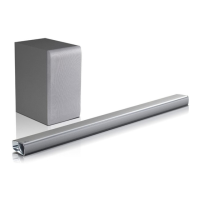
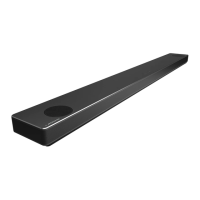
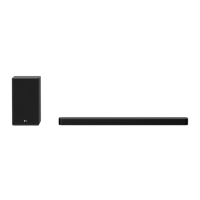
LG SPN5B-W - User Manual

LG SPN5B-W
47 pages
Print Icon
To Next Page IconTo Next Page
Loading...
OWNER’S MANUAL
Wireless
Sound Bar
Please read this manual carefully before operating your set and retain it for future
reference.
MODEL
DSN7Y (DSN7Y, SPN5B-W)
2104_Rev04
www.lg.com
Copyright © 2020-2021 LG Electronics Inc. All Rights Reserved.

Questions and Answers

  • R
    Rose NguyenAug 20, 2025
    What to do if my LG SPN5B-W Speaker System remote control does not work properly?
    • S
      sharptravisAug 20, 2025
      If your LG Speaker System's remote control isn't working, try these steps: First, make sure you're within about 7 meters of the unit. Then, check for any obstacles between the remote and the unit and remove them. Finally, if the issue persists, replace the batteries in the remote with new ones.
  • J
    Jonathan JohnsonAug 21, 2025
    What to do if my LG Speaker System has no power?
    • J
      John HenryAug 22, 2025
      If your LG Speaker System has no power, begin by ensuring the power cord is securely plugged in. If it is, check whether there is a power outage by testing other electronic devices.
  • J
    jenkinskelseyAug 25, 2025
    Why is there no woofer sound from my LG SPN5B-W Speaker System?
    • L
      Lindsey KramerAug 25, 2025
      If you're not getting any sound from the woofer of your LG Speaker System, first check if the subwoofer's power cord is securely plugged into the wall outlet. Also, verify the connection between the unit and the subwoofer.
  • W
    Wanda MooreAug 26, 2025
    Why does the AUTO POWER function not work on my LG Speaker System?
    • R
      Rebecca OsborneAug 26, 2025
      If the AUTO POWER function isn't working on your LG Speaker System, first check the connection of the external device, such as a TV, DVD/Blu-Ray player, or Bluetooth device. Also, check the SIMPLINK settings on your LG TV and try turning off SIMPLINK. Note that depending on the connected device, this function may not operate.
  • E
    Elizabeth HicksAug 27, 2025
    What to do if my LG Speaker System remote control does not work?
    • D
      Daisy CookAug 28, 2025
      If the remote control isn't working, first ensure you are within 7 meters (23 feet) of the unit. Then, check for any obstacles between the remote and the unit and remove them. Finally, replace the batteries in the remote with new ones.
  • O
    ohallAug 29, 2025
    Why doesn't the LG Sound Sync work on my LG SPN5B-W?
    • J
      Jessica MurphyAug 30, 2025
      First, verify that your LG TV supports LG Sound Sync. Next, check the connection of LG Sound Sync (Optical or wireless). Finally, check the sound settings on both your TV and the speaker system.
  • C
    carolgonzalezAug 31, 2025
    What to do if my LG SPN5B-W Speaker System remote control is not working?
    • M
      Mary HernandezSep 1, 2025
      If the remote control for your LG Speaker System isn't working properly, make sure you're within about 7 meters of the unit. Also, check for any obstacles between the remote and the unit and remove them. If it still doesn't work, the batteries in the remote might be dead, so try replacing them with new ones.
  • V
    vkelleySep 3, 2025
    Why is there no woofer sound on my LG SPN5B-W?
    • T
      Theresa MasonSep 3, 2025
      If you are not getting any sound from the woofer of your LG Speaker System, ensure that the subwoofer's power cord is securely plugged into the wall outlet. If it is, the pairing between the unit and the subwoofer may have been disconnected. In this case, you should connect the unit and the subwoofer. (Page 18)
  • M
    Michael JonesSep 4, 2025
    Why is there no sound coming from my LG Speaker System?
    • M
      mitchellannaSep 5, 2025
      There could be several reasons why your LG Speaker System isn't producing sound. First, ensure that the correct input source is selected. Also, check if the mute function is activated and deactivate it by pressing the Mute button or adjusting the volume. If you're using an external device like a set-top box or Bluetooth device, make sure its volume level is also adjusted appropriately.
  • B
    Brittany ParkerSep 7, 2025
    What to do if my LG Speaker System does not work properly?
    • P
      Penny DawsonSep 7, 2025
      If your LG Speaker System isn't working correctly, try these steps: Turn off the power to both the unit and any connected external devices (like your TV, Woofer, DVD player, or Amplifier), then turn them back on. If that doesn't work, disconnect the power cord of the unit and connected devices, and then reconnect them. Keep in mind that previous settings may not be saved when the device is powered off.

Summary

Owners Manual

Safety Information

General Safety Precautions

Covers warnings and cautions regarding electrical shock, moisture, ventilation, and usage.

Power Cord Safety

Details precautions for handling the power cord to prevent hazards.

Front Panel Features and Operation

Front Panel Controls

Details the functions of the power, function, and volume buttons on the unit.

Touch Button Precautions

Provides guidelines for using the touch-sensitive buttons to prevent damage or malfunction.

Rear Panel Connections

Remote Control Operation

Speaker Placement Guide

Sound Bar Installation

Wall Mounting Instructions

Wall Mount Preparation

Lists necessary materials and initial steps for wall mounting.

Wall Mounting Procedure

Step-by-step guide for attaching the unit to a wall using brackets.

Wall Mounting Safety

Wireless Subwoofer Setup

Wireless Subwoofer LED Indicator

Explains the meaning of different LED colors on the wireless subwoofer.

Manual Subwoofer Pairing

Steps for manually pairing the wireless subwoofer if automatic connection fails.

Initial Subwoofer Setup

How to set up the wireless subwoofer for the first time for automatic connection.

Rear Speaker Connection

Connecting Rear Speakers

Detailed instructions on connecting the rear speakers to the wireless receiver.

Wireless Receiver Pairing Notes

Information about the wireless receiver and its connection to rear speakers.

Wireless Receiver and Surround Sound

Manually Pairing Wireless Receiver

Steps to manually pair the wireless receiver with the soundbar.

Connecting to Your TV

Optical Cable Connection

Steps for connecting the TV to the soundbar using an optical cable.

LG Sound Sync Methods

HDMI and SIMPLINK Connections

Advanced HDMI Information

Optional Equipment Connectivity

USB Device Usage

Basic Operations

AUTO POWER Function

Bluetooth Technology Guide

Listening to Bluetooth Music

Steps for pairing and playing music from a Bluetooth-enabled device.

Bluetooth Device Pairing and Playback

Bluetooth Device Control and Locking

Installing LG Sound Bar App

Instructions for installing the LG Sound Bar app via QR code or app store.

LG Sound Bar App Operations

Troubleshooting Guide

General Troubleshooting Steps

Common issues like unit not working, no power, no sound, and their solutions.

Remote Control and AUTO POWER Issues

Troubleshooting for remote control malfunctions and AUTO POWER function errors.

Wireless and USB Troubleshooting

Bluetooth Connection Problems

Solutions for units not connecting to Bluetooth devices.

Sound Quality and USB Issues

Tips for low sound output and troubleshooting unrecognized USB devices.

Wireless Interference Causes

Explains common causes of wireless interference and how to mitigate them.

Demo Mode and Remote Control Issues

Product Specifications

General Specifications

Details power consumption, dimensions, operating conditions, and input formats.

Amplifier Output Power

Technical details on RMS output power for each speaker channel.

Wireless Component Specifications

LG SPN5B-W Specifications

General IconGeneral
BrandLG
ModelSPN5B-W
Channels2.1
SubwooferWireless
Bluetooth Version4.0
ColorWhite
Audio DecodingDolby Digital, DTS
ConnectivityBluetooth, USB
Dimensions890 x 57 x 85 mm

Related product manuals