Need help?
Do you have a question about the LG TD-H803CSW and is the answer not in the manual?
Explains symbols for risks, warnings, and cautions.
Appliance not for persons with reduced capabilities unless supervised.
Basic precautions to reduce risks of explosion, fire, death, electric shock, injury.
Details the maximum load capacity for different models.
Warns against drying flammable solvents or substances.
Covers safe handling, placement, and electrical connection precautions.
Lists general safety rules for operating the appliance.
Safety guidelines for cleaning and discarding the appliance.
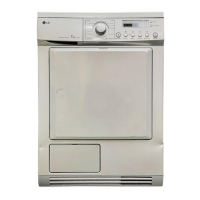
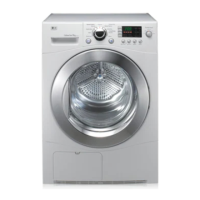
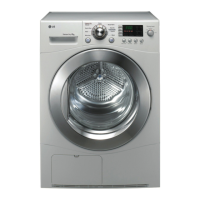
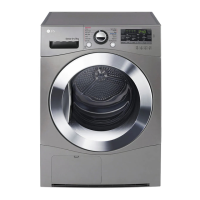
Details the components and technical specifications of the dryer.
Illustrates the front view of the dryer with labeled parts.
Lists and shows optional accessories for the dryer.
Specifies where and how the appliance should be installed.
Details airflow needs for alcove or cupboard installations.
Specifies acceptable temperature ranges for operation.
Outlines safe electrical hook-up procedures and precautions.
Instructions on how to ensure the appliance is stable and balanced.
Instructions on how to check if the appliance is level.
Steps to adjust the appliance's feet for stability.
Instructions on how to reverse the dryer door for convenience.
Guidance on safely stacking the dryer on a washing machine.
Step-by-step instructions for stacking the dryer.
General introduction to using the dryer for the first time.
Step-by-step guide on how to operate the dryer.
Advice on how to prepare clothes before drying.
Guidelines for sorting clothes based on fabric type and care labels.
Explains how to interpret fabric care symbols for drying.
Details the buttons, displays, and functions on the control panel.
Explains the indicators and messages shown on the display.
Lists sensor drying programs, clothing types, and load capacities.
Details additional drying programs and their specifications.
Explains manual drying programs like Rack Dry, Cool Air, Warm Air.
Covers Quick Dry and Download Cycle programs.
Shows which dry modes are available for each program.
Explains advanced options like Delay End and Anti Crease.
How to select the desired dryness level.
How to turn the audible alert on or off.
How to use the Anti Crease feature to reduce wrinkles.
How to save and recall custom drying programs.
How to use the interior drum light.
How to adjust drying time for manual programs.
How to lock and unlock the control panel.
Instructions for using the Rack Dry program.
Introduction to communicating with the appliance via smartphone.
Lists smart features like Smart Pairing and Smart Diagnosis.
Automatically sets cycles based on previous wash.
Provides information for diagnosing issues using the app.
Notifies users about cycle completion or appliance issues.
Tracks energy consumption of recent cycles.
Allows setting options for the appliance and app.
Steps to download and install the LG ThinQ app.
How to control the dryer via smartphone.
Detailed steps for remote operation.
How to download new drying programs.
Safety statement regarding RF exposure distance.
Information on obtaining open source code.
Explains using the app and audible diagnosis for troubleshooting.
Instructions for cleaning the lint filter after each use.
Detailed steps for cleaning the inner and outer lint filters.
How to empty the water tank after each use.
General periodic cleaning instructions.
How to clean the moisture sensor inside the drum.
How to clean the air inlet grill.
Guidance on initial checks before contacting support.
Lists error codes and their possible causes/solutions.
Troubleshooting common operational problems like not turning on or heating.
Troubleshooting common performance problems like wrinkles or inconsistent drying.
Addresses shrinking clothes and lint on clothes.
Troubleshooting excess static and damp spots after drying.
Troubleshooting problems connecting to the Wi-Fi network.
 General
| Capacity | 8 kg |
|---|---|
| Noise Level | 65 dB |
| Voltage | 220-240 V |
| Frequency | 50 Hz |
| Color | White |
| Dimensions (W x D x H) | 600 x 600 x 850 mm |

 To Next Page