EasyManua.ls Logo

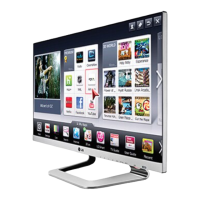
LG TM2792S - User Manual

LG TM2792S
48 pages
Print Icon
To Next Page IconTo Next Page
Loading...
www.lg.com
OWNER’S MANUAL
LED LCD TV
(CINEMA 3D TV)
TM2792S
Please read this manual carefully before operating the your TV
and retain it for future reference.
LED LCD TV (CINEMA 3D TV) MODEL
ENGLISH

Questions and Answers

  • S
    sbaileyAug 18, 2025
    What to do if my LG LCD TV has no image and sound?
    • C
      Cody JohnsonAug 18, 2025
      If your LG LCD TV shows no image and produces no sound, first check if the TV is turned on. Then, verify that the power cord is properly connected to a working wall outlet. You can test the outlet by plugging in other devices to see if they work.
  • J
    John RojasAug 21, 2025
    What to do if LG TM2792S LCD TV screen is divided when changing channels?
    • K
      Kimberly SmithAug 21, 2025
      If your LG LCD TV screen is divided into left/right or top/bottom when you change the channel, it means the channel supports the 3D imaging mode. Select the 3D imaging type displayed on the screen by pressing the 3D button on the remote control.
  • M
    Michael GreenAug 23, 2025
    What to do if LG TM2792S LCD TV shows overlapped image in 3D mode?
    • D
      David SanfordAug 23, 2025
      If you see an overlapped image when switching your LG LCD TV from 2D to 3D, disable the 3D imaging mode using the 3D button on the remote control. Also, changing the channel will automatically disable the 3D imaging mode.
  • E
    Eddie McgrathAug 26, 2025
    What to do if the screen is divided when changing channels on LG LCD TV?
    • H
      higginskristaAug 26, 2025
      If the screen of your LG LCD TV is divided into left/right or top/bottom when you change the channel, it means that the channel supports the 3D imaging mode. To resolve this, select the 3D imaging type displayed on the screen by pressing the 3D button on the remote control.
  • K
    Karla SnyderAug 27, 2025
    How to fix LG TM2792S remote control not working?
    • J
      jwongAug 28, 2025
      If you cannot control your LG LCD TV with the remote control, first check the remote control sensor on the TV and try again. Also, make sure there are no obstacles between the remote and the TV. Finally, verify that the batteries are working and properly installed ( to, to ).
  • B
    Brandon DeckerAug 30, 2025
    Why does my LG TM2792S turn off suddenly?
    • R
      rosarioelizabethAug 30, 2025
      If your LG LCD TV turns off suddenly, check the power control settings to ensure the power supply isn't interrupted. Also, verify if the Auto sleep feature is activated in the Time settings. If the TV is on but not receiving a signal, it will turn off automatically after 15 minutes of inactivity.
  • S
    Susan TateSep 1, 2025
    What to do if LG TM2792S has no image and sound?
    • M
      Michelle MezaSep 1, 2025
      If your LG LCD TV shows no image and produces no sound, first ensure that the TV is turned on. Next, check if the power cord is properly connected to a wall outlet. Finally, test the wall outlet by connecting other products to see if there's a problem with the outlet itself.
  • A
    Allen CookSep 3, 2025
    Why are 3D images blurry on my LG TM2792S LCD TV?
    • B
      Brandon MendozaSep 3, 2025
      If you are viewing 3D images with your LG LCD TV and your eyes are sore or the screen looks blurry, try selecting the Left/Right or Right/Left option to see which one is better for viewing 3D images.
  • G
    Garrett RodriguezSep 6, 2025
    What to do if overlapped image is displayed on LG TM2792S?
    • E
      Erica CortezSep 6, 2025
      When switching the 2D image display to the 3D image display with the 3D button on the remote control of your LG LCD TV, and the overlapped image may be displayed, disable the 3D imaging mode with the 3D button. The 3D imaging mode is disabled automatically if you change the channel.
  • M
    Mark NewmanSep 8, 2025
    Why do I need special glasses for 3D on LG TM2792S LCD TV?
    • I
      iwellsSep 8, 2025
      When viewing 3D images on your LG LCD TV, it is very important to use the glasses provided with the TV. These glasses are designed to compensate optically for the 3D filter attached to the surface of the TV. If you wear third-party glasses, you may not see 3D images properly.

LG TM2792S Specifications

General IconGeneral
Display TypeLCD
Aspect Ratio16:9
Response Time5ms
USB Ports1
Refresh Rate60 Hz
Speakers2 x 5W
Screen Size27 inch
Resolution1920 x 1080
Weight4.2 kg
InputsHDMI, USB, VGA, Component, Composite

Related product manuals