
 Need help?
Do you have a question about the LG TONE-DT90Q and is the answer not in the manual?
Guide for establishing a Bluetooth connection between a smartphone and the earbuds.
Identification and description of the components of the charging case.
Identification and description of the components of the earbuds.
Step-by-step guide to pair the earbuds with a smartphone via Bluetooth.
How to connect the earbuds to two devices simultaneously using the app.
How the earbuds automatically reconnect to the last connected device.
Instructions on how to properly wear the earbuds for optimal fit and performance.
How to control music playback and volume using the earbuds' touch controls.
Managing incoming and ongoing calls using the touch controls on the earbuds.
How to switch between ANC, ambient sound, and normal modes using touch controls.
Steps to connect the charging case to analog audio sources using a cable.
Steps to disconnect the charging case from analog audio sources.
Steps to connect the charging case to USB audio sources like PCs.
Steps to disconnect the charging case from USB audio sources.
Instructions on how to charge the charging case and earbuds using a cable.
Instructions on how to charge the charging case wirelessly.
Explanation of the UVnano feature for cleaning the earbuds within the charging case.
How to check the remaining battery level of the earbuds and charging case.
Guide to download and connect to the LG TONE Free mobile application.
Important warnings and cautions regarding product usage and potential hazards.
Guidelines for safe and proper use of the earbuds and charging case.
Common issues and their solutions for product malfunctions.
Technical details and specifications of the LG TONE Free earbuds.
Advice on protecting hearing from high volume levels and prolonged exposure.
General information, including trademark acknowledgments and licensing.
Information regarding RF exposure compliance for the Bluetooth headset.
Factors affecting Bluetooth signal range and reception.
Guidelines for proper care and charging of the rechargeable battery.
List of registered trademarks and licenses associated with the product.
Information about open-source software used and how to obtain source code.
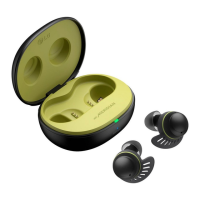
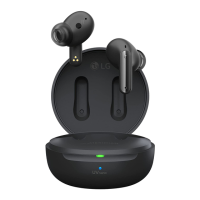
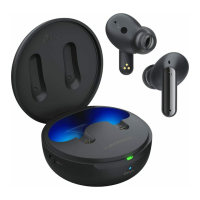
The LG TONE Free TONE-DT90Q is a Bluetooth LG Stereo Headset designed for wireless audio and communication. This owner's manual provides comprehensive instructions for its use, covering connectivity, audio playback, call management, and maintenance.
The LG TONE Free headset primarily functions as a wireless audio device, allowing users to listen to music, podcasts, and other audio content from a connected smartphone or external device. It supports Bluetooth connectivity, enabling seamless pairing with compatible devices. A key feature is its ability to manage phone calls, allowing users to receive, hang up, and reject calls directly from the earbuds.
The headset incorporates Active Noise Cancellation (ANC), which blocks external sounds, providing an immersive listening experience. Conversely, an Ambient Sound mode is available, allowing users to hear their surroundings for safety and awareness. These modes can be toggled by touching and holding the earbud touchpad.
A unique aspect of the LG TONE Free is its "Plug and Wireless" mode, which extends its utility beyond Bluetooth. The charging case can connect to analog audio devices (like airplane seat audio, treadmills, cassette players, radios, or TVs) or USB audio devices (like PCs) using a USB-C to AUX cable or a USB Type-C Charging and Data cable, respectively. This allows the earbuds to receive audio from these sources wirelessly, effectively turning the charging case into a wireless audio transmitter.
The LG TONE Free app, available for Android and iOS, enhances the user experience by offering additional functionalities. Through the app, users can check the earbuds' battery status, receive voice notifications, change equalizer modes, locate the last connected position, and search for their wireless earbuds. The app also allows for customization of the touch pad settings, enabling users to personalize how functions like play/pause, volume control, and next song are operated.
Connecting the LG TONE Free to a smartphone via Bluetooth is a straightforward process. Users initiate the connection by enabling Bluetooth on their smartphone, opening the charging case, and then touching and holding the earbud touchpad for 3-5 seconds if the blue battery status indicator isn't blinking or if connecting to a new device. A Fast Pair pop-up on the smartphone screen facilitates quick connection. For iOS or older Android versions, manual selection of "TONE-T90Q" from the Bluetooth menu is required. The headset supports Android 6.0 or higher, requiring Bluetooth and location information settings to be enabled.
For audio playback, a single touch on either earbud plays or pauses music. Volume can be adjusted by touching the left earbud twice to decrease it or the right earbud twice to increase it. Skipping to the next song is achieved by touching either earbud three times. These touch controls are customizable via the LG TONE Free app.
Call management is intuitive: a single touch on either earbud answers an incoming call, while a double touch hangs up. Touching and holding an earbud rejects a call. The headset automatically connects to calls made from a smartphone. During a call, a single touch can switch the current call to standby to receive another incoming call.
The "Plug and Wireless" mode involves connecting the charging case to an external audio source. For analog devices, the USB-C to AUX cable is used, and for USB audio devices, the USB Type-C Charging and Data cable is employed. After connecting the cable and wearing the earbuds, sliding the Plug and Wireless mode switch on the charging case to the right activates the mode, indicated by a blinking green light. Once connected, the indicator turns off. Disconnecting involves sliding the switch to the left, which reconnects the earbuds to the previously paired Bluetooth device. In this mode, touch controls allow for mute/unmute (single touch), volume adjustment (double touch), and playing the next song (three touches, specifically for USB audio devices). The call function is not supported when connected to an analog device.
The headset also supports multiple connections, allowing it to be paired with two devices simultaneously (e.g., a smartphone and a PC). This feature, activated through the LG TONE Free app's Multi-Point & Multi-Pairing settings, prioritizes audio from the device that last played content. Automatic reconnection ensures that when the charging case is opened, the earbuds automatically connect to the main paired device.
Charging the LG TONE Free can be done via wire or wirelessly. For wired charging, the included charging cable connects to the charging case, simultaneously charging both the earbuds and the case. Wireless charging involves placing the charging case on the center of a wireless charger.
A notable maintenance feature is the built-in UVnano LED in the charging case. When the earbuds are placed in the case and the cover is closed, and the device is charging (either wired or wirelessly), the UVnano LED operates for 10 minutes. This feature is designed to keep the earbuds clean by removing up to 99.9% of harmful germs from the ear gels. The UVnano indicator, located on the charging case, glows blue when the UVnano LED is active.
Battery status can be checked by opening the charging case. The battery status indicator on the case displays different colors to indicate the charge level: red for 20% or less (or charging), yellow for 20%-80%, and green for 80% or higher (or fully charged). This indicator also blinks blue during Bluetooth search mode and red if a charging error occurs.
The manual advises users to wipe the product clean if it has been exposed to sweat and to keep the area around the earphones clean to prevent skin trouble, especially during prolonged use. It also provides troubleshooting tips for common issues like power failure, call function problems, or registration difficulties, including instructions for a factory reset if necessary.
 General
| Type | Neckband |
|---|---|
| Bluetooth Version | 5.0 |
| Water Resistance | IPX4 |
| Microphone | Yes |
| Frequency Response | 20 Hz - 20 kHz |
| Colors | Black, White |
| Charging Time | About 2 hrs |
| Noise Cancellation | Yes |
| Quick Charge | Yes |
| Voice Assistant Support | Yes |
| Multi-Point Connection | Yes |





 To Next Page