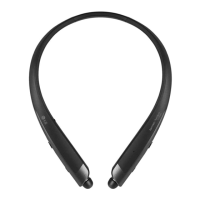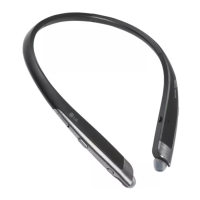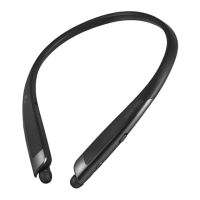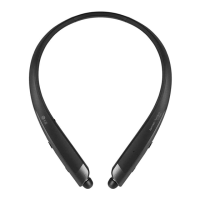

 To Next Page
T
Terry JonesJul 28, 2025
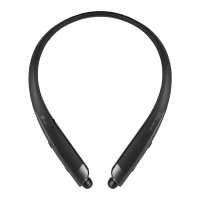
What to do if the sound is low on my LG TONE PLATINUM Headsets?
- BBrian BrownJul 28, 2025
If the sound level is too low on your LG Headsets, adjust the sound level of the device that is connected to your HBS-1100.

What to do if the sound is low on my LG TONE PLATINUM Headsets?
If the sound level is too low on your LG Headsets, adjust the sound level of the device that is connected to your HBS-1100.
What to do if I cannot make a call with my LG HBS-1100 Headsets?
If you cannot make a call with your HBS-1100, it may be because the mobile phone does not support headset and hands-free functions. Check the battery level and charge it.
What to do if LG Wireless headset HBS-1100 cannot make a call?
If your mobile phone does not support headset and hands-free functions, you cannot use the calling features. Check the battery level and charge it.
Why is the sound low on my LG Wireless headset?
Control the sound level of the device connected to the HBS-1100.
How to fix LG Wireless headset if the power does not turn on?
Check the battery level and charge it.
General safety warnings and precautions for using the product.
Caution regarding the use of authentic LG Electronics components.
Steps for charging the headset battery.
Explanation of indicator lamp colors and their meaning for battery status.
Guide to pairing the headset, including the default PIN code.
Step-by-step instructions for quickly connecting the headset via Bluetooth.
Instructions for manually connecting the headset to a device.
Information on connecting the headset to multiple devices simultaneously.
Summary of call transfer, answering, ending, and vibration alerts.
Troubleshooting steps for power not turning on or connection failures.
Solutions for low sound issues and registration problems.
Details on Bluetooth version, battery type, and capacity.
Recommendations to prevent hearing damage from high volume usage.
Guidance on using headsets safely, especially when operating vehicles.
 General
| Standby time | 415.2 h |
|---|---|
| Rechargeable battery | Yes |
| Battery recharge time | 2 h |
| Continuous audio playback time | 10 h |
| Headset type | Binaural |
| Product type | Headset |
| Product color | Silver |
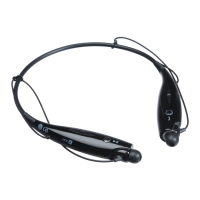
| Wearing style | Neck-band |
| LED indicators | Status |
| Recommended usage | Calls/Music |
| Wireless range | 10 m |
| Bluetooth version | 4.1 |
| Bluetooth profiles | HSP, HFP, A2DP, AVRCP |
| Connectivity technology | Wireless |
| Brand compatibility | Any brand |
| Ear coupling | Intraaural |
| Microphone type | Built-in |
 Weight and Dimensions
| Depth | 12.7 mm |
|---|---|
| Width | 152.4 mm |
| Height | 178.8 mm |
| Weight | 58.1 g |