EasyManua.ls Logo

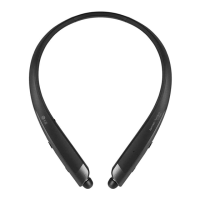
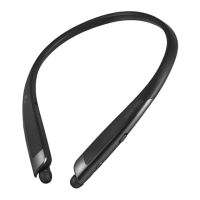
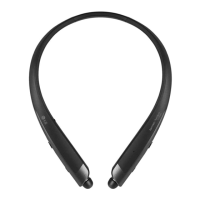
LG TONE PLATINUM SE - User Manual

LG TONE PLATINUM SE
48 pages
Print Icon
To Next Page IconTo Next Page
Loading...
ENGLISH
ESPAÑOL
Rev 1.0 US
Please read the Important Safety Information for the proper use of this product.
After reading, store this User Manual in an easily accessible place for all users.
NOTE:
Please read all information carefully prior to using the headset in order to enjoy the best
performance and prevent damage to the product.
HBS-1120
www.lg.com
Copyright © 2018 LG Electronics Inc. All rights reserved.
User Manual
Bluetooth® Wireless Stereo Headset

Questions and Answers

  • P
    Pamela HallJul 29, 2025
    What to do if Google Assistant is not responding on LG TONE PLATINUM SE Headsets?
    • M
      Margaret Morgan MDJul 29, 2025
      If the Google Assistant isn't responding on your LG Headsets, first, review the Installation and Usage Requirements detailed in the Google Assistant documentation. Also, ensure that the Google Assistant service is available in your country.
  • F
    fisherdawnAug 5, 2025
    How to fix low sound on LG Headsets?
    • B
      Brandi StephensAug 5, 2025
      If the sound is too low on your LG Headsets, adjust the volume settings on the device that is connected to the headset.
  • G
    Gene GreerAug 12, 2025
    Why I cannot make a call with LG TONE PLATINUM SE Headsets?
    • J
      jenniferphillipsAug 12, 2025
      If you cannot make a call with your LG Headsets, it might be due to your mobile phone not supporting headset and hands-free functions. Check the battery level and charge it.
  • T
    Tasha AlvaradoAug 21, 2025
    What to do if I cannot register LG TONE PLATINUM SE Headsets to the mobile phone?
    • D
      Diane ArmstrongAug 21, 2025
      If you cannot register your LG Headsets to your mobile phone, ensure the headset is powered on and in search mode. To activate search mode, simultaneously press and hold the MFB button while sliding the Power switch to the ON position.

Summary

Safety Cautions

Precautions When Using the Product

Pairing and Connecting

Connecting Quickly

Step-by-step guide for fast Bluetooth pairing and connection between headset and mobile device.

Fast Pair

Method for quick pairing using Android Fast Pair feature for seamless connection.

Automatic Reconnection

Mobile Calling Functions

Playing Music

The Google Assistant

Installation and Usage Requirements of the Google Assistant

Set up the Google Assistant

Using the Google Assistant

Using Google Translate through the Google Assistant

Battery Charging and Alerts

Out of Range

LG Tone & Talk

Troubleshooting

Specifications and Features

Limited Warranty

Important Safety Information

Avoiding Hearing Damage

Guidance on preventing permanent hearing loss from high volume usage and ear ringing.

LG TONE PLATINUM SE Specifications

General IconGeneral
BrandLG
ModelTONE PLATINUM SE
CategoryHeadsets
LanguageEnglish

Related product manuals