EasyManua.ls Logo

LG TONE FREE - User Manual

LG TONE FREE
63 pages
Print Icon
To Next Page IconTo Next Page
Loading...
ENGLISH
ESPAÑOL
Please read the Important Safety Information for the proper
use of this product. After reading, store this Owner's Manual
in an easily accessible place for all users.
NOTE: Please read all information carefully prior to using
the headset in order to enjoy the best performance and
prevent damage to the product.
Rev 2.0 US
TONE-FP5 / TONE-FP5W
www.lg.com
Copyright © 2021 - 2023 LG Electronics Inc. All rights reserved.
OWNER'S MANUAL
Bluetooth® LG Stereo Headset

Other manuals for LG TONE FREE

Questions and Answers

  • S
    Shannon AyersSep 18, 2025
    Why are the speaker and air ventilation holes blocked on my LG TONE FREE?
    • L
      Lisa PayneSep 18, 2025
      If the speaker hole and air ventilation hole on your LG Headsets are blocked, clean them regularly to ensure they are not obstructed by foreign substances like sebum or earwax.
  • K
    Kevin OrtegaAug 25, 2025
    What to do if I am unable to register my LG TONE FREE Headsets earbuds to mobile phone?
    • J
      John SmithAug 25, 2025
      First, check whether the earbuds are turned on. Then, check if the earbuds have entered the search mode. To do this, while the earbuds are inserted in the charging case, press and hold the touch pad on the left or right earbud for 3 to 5 seconds to switch to the search mode.
  • Z
    Zachary DeleonAug 25, 2025
    What to do if unable to register LG TONE FREE to mobile phone?
    • S
      samantha22Aug 26, 2025
      If your LG Headsets are not registering to your mobile phone, ensure that the earbuds are turned on. Also, verify that the earbuds have entered the search mode. To do this, put the earbuds in the charging case, then press and hold the touch pad on either the left or right earbud for 3 to 5 seconds.
  • D
    David JohnsonAug 26, 2025
    What to do if I'm unable to register LG TONE FREE Headsets earbuds to mobile phone?
    • M
      mariohallAug 26, 2025
      If you cannot register your LG earbuds to your mobile phone, ensure that the earbuds are turned on and have entered the search mode. While the earbuds are in the charging case, press and hold the touch pad on either the left or right earbud for 3 to 5 seconds to switch to the search mode.
  • P
    parsonsnancySep 18, 2025
    Why can't I make calls with my LG TONE FREE Headsets?
    • B
      brandon09Sep 18, 2025
      If you cannot make a call with your LG Headsets earbuds, it might be because your mobile phone does not support headset and hands-free functions. Also, check the battery level and charge it, if needed.
  • J
    Jacob MendezSep 23, 2025
    Why I am unable to make a call with my LG TONE FREE?
    • J
      Jacob ShawSep 23, 2025
      If you cannot make calls with your LG Headsets, it might be because your mobile phone does not support headset and hands-free functions. Also check the battery level and charge it.
  • A
    Anna VelasquezSep 9, 2025
    Why can't I make calls with my LG TONE FREE Headsets earbuds?
    • D
      debralandrySep 9, 2025
      If your mobile phone does not support headset and hands-free functions, you will be unable to use the calling features. Check the battery level and charge it.
  • J
    johnsontimothySep 10, 2025
    How to factory reset LG TONE FREE?
    • K
      Kenneth SimpsonSep 10, 2025
      If you've replaced your LG Headsets earbuds or are experiencing operational issues, you can perform a factory reset. To do this, insert the earbuds into the charging case, then press and hold the touch pad on either the left or right earbud for 10 seconds or more. The charging case's battery status indicator will flash red, indicating that the initialization to the factory status is in progress. After the reset is complete, reconnect the earbuds.
  • K
    Katherine CruzSep 3, 2025
    What to do if unable to register LG TONE FREE earbuds to mobile phone?
    • Q
      qcampbellSep 3, 2025
      If you're having trouble registering your LG earbuds to your mobile phone, make sure the earbuds are turned on. Also, verify that the charging case of the earbuds is in search mode. If it is not, press the pairing button on the charging case to activate search mode.
  • M
    Melissa LaneSep 1, 2025
    What to do if my LG TONE FREE power does not turn on?
    • A
      Anthony JamesSep 1, 2025
      If the LG Headsets do not turn on, check the battery level and charge it.

Summary

Safety Precautions

General Safety Warnings

Covers specific WARNING and CAUTION points to prevent injury, damage, or malfunction.

Product Components

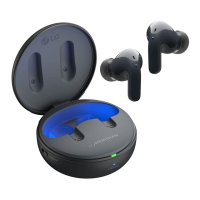
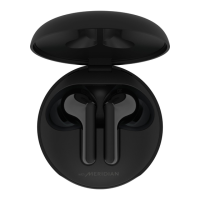
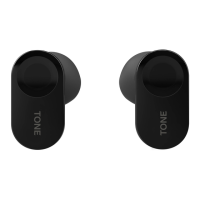
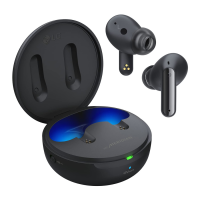
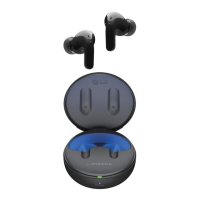
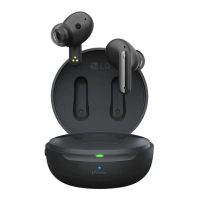
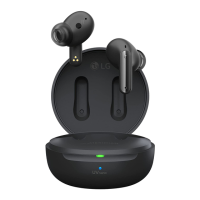
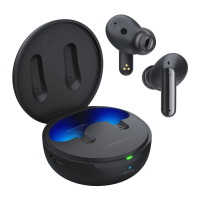
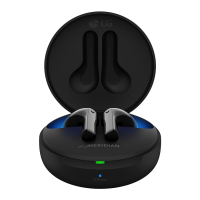
Earbuds and Charging Case

Visual identification of the LG TONE Free earbuds and their charging case.

Product Overview

Pairing and Connecting

Fast Pair Setup

Step-by-step guide for initial Bluetooth pairing using the Fast Pair feature.

Playing Music Controls

Mobile Calling Functions

Ambient Sound and Noise Cancellation

Listen to Ambient Sound (LAS)

Explanation of the LAS feature that allows hearing surrounding sounds.

Active Noise Cancellation (ANC)

Explanation of the ANC feature that blocks out ambient sound for immersive listening.

Charging the Device

Checking the Battery Status

Troubleshooting Common Issues

Symptom and Solution Guide

Table listing common product problems and their corresponding causes and solutions.

Cleaning and Maintenance

Product Specifications

Important Safety Information

Avoiding Hearing Damage

Advice on protecting hearing from high volume levels and prolonged use.

Safe Headset Usage

Recommendations for safe usage, especially while operating vehicles or tasks requiring attention.

Limited Warranty

Warranty Period and Service

Details on the warranty duration, coverage, and steps to get service.

Dispute Resolution Procedure

Information on arbitration, opt-out options, and procedures for resolving disputes with LG.

LG TONE FREE Specifications

General IconGeneral
Charging PortUSB-C
ModelTONE Free
TypeTrue Wireless Stereo (TWS)
Noise CancellationYes (Active Noise Cancellation)
Water ResistanceIPX4
Bluetooth VersionBluetooth 5.0 or 5.2 (depending on model)
Special FeaturesUVnano Charging Case, Meridian Audio Technology
MicrophoneYes
ChargingWireless Charging (Qi compatible)
Driver Size6mm
Battery LifeUp to 6 hours (earbuds)

Videos

How To Reset Any Model of LG Tone Free FP/FN Earbuds

How To Fix LG Tone Free FN/FP Earbuds Showing Separately in Bluetooth

How To Connect Any Model of LG Tone Free FP/FN to Your iPhone

How To Connect Any Model of LG Tone Free FP/FN to Your Mac

How To Connect Any Model of LG Tone Free FP/FN to Your Android Phone

How to Change Volume on LG Tone Free Fit

Related product manuals