To Next Page
P
paulramosJul 29, 2025
What to do if my LG Headsets power does not turn on?
- KKristen CervantesJul 29, 2025
If your LG Headsets do not turn on, check the battery level and charge it.

What to do if my LG Headsets power does not turn on?
If your LG Headsets do not turn on, check the battery level and charge it.
How to factory reset LG Headsets?
If you replaced the earbuds or there is a problem with the operation, you can factory reset your LG Headsets. While the earbuds are inserted in the charging case, press and hold the touch pad on the left or right earbud for 10 seconds or more until the battery status indicator of the charging case flashes red. This will initialize the earbuds to the factory status. After initialization, reconnect the earbuds.
What to do if unable to register LG Headsets to mobile phone?
If you're unable to register your LG Headsets to your mobile phone: * Check whether the earbuds are turned on. * Check if the earbuds have entered the search mode. To do this, while the earbuds are inserted in the charging case, press and hold the touch pad on the left or right earbud for 3 to 5 seconds to switch to the search mode.
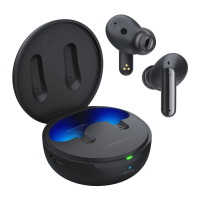
Details the features and indicators of the charging case.
Step-by-step guide to pairing the earbuds with a mobile device.
Explains functions assigned to touch controls for music and calls.
Instructions for charging the earbuds and case using a cable.
Outlines crucial warnings for safe product usage and handling.
Steps to reset the earbuds to factory default settings for issue resolution.
Advice on protecting hearing from potential damage due to high volume.
 General
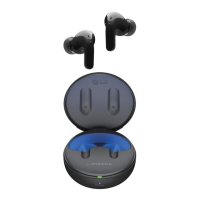
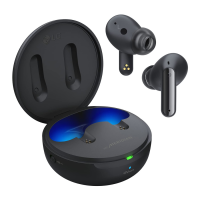
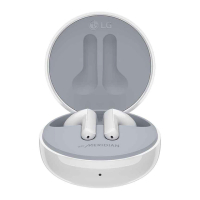
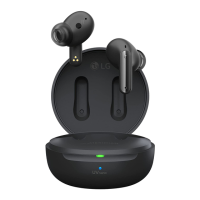
| Product Name | LG TONE Free T60Q |
|---|---|
| Category | Headsets |
| Type | True Wireless Earbuds |
| Charging Case | Yes |
| Water Resistance | IPX4 |
| Bluetooth Version | 5.3 |
| Microphone | Yes |
| Voice Assistant | Yes |
| Colors | Black, White |
| Quick Charge | 5 minutes for 1 hour of use |
| Noise Cancellation | Yes (Active Noise Cancellation) |