EasyManua.ls Logo

LG UD551GKG3 - User Manual

LG UD551GKG3
56 pages
Print Icon
To Next Page IconTo Next Page
Loading...
ENGLISH
ESPAÑOL
FRANÇAIS
www.lg.com
OWNER’S MANUAL
Read this manual carefully before operating
the appliance and retain it for future reference.
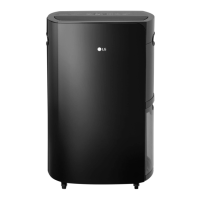
Model : UD701KOG3 , UD551GKG3
DEHUMIDIFIER
Rev.00_031717
Copyright © 2016 - 2017 LG Electronics Inc. All Rights Reserved.
P/NO : MFL63261225

Questions and Answers

  • M
    Michelle ReedAug 19, 2025
    Why is my LG Dehumidifier not running?
    • A
      Austin LeAug 19, 2025
      There are several possible reasons why your LG Dehumidifier might not be running: * The power plug may not be properly inserted. Ensure it is fully inserted. * There may be a power outage. Check if other appliances are working. * The water bucket might not be correctly installed. Make sure it is properly in place. * The 'Bucket Full' light could be on, indicating the bucket needs to be emptied. * The 'Auto Defrost' light might be on. Wait for Auto Defrost to end, then press the Power button. * The set humidity level might be higher than the room's current humidity. Adjust the desired humidity level to be lower than the room's current level.
  • M
    Mark GillAug 21, 2025
    What to do if my LG UD551GKG3 Dehumidifier is not running?
    • M
      mark88Aug 21, 2025
      If your LG Dehumidifier isn't running, there are several potential causes: * Ensure the power plug is correctly inserted; if not, insert it properly. * Check for a power outage by examining other appliances. * Verify the water bucket is correctly installed; if not, reinstall it. * If the 'Bucket Full' light is on, empty the water bucket. * If the 'Auto Defrost' light is on, press the Power button once Auto Defrost ends. * Confirm the set humidity level is below the current room humidity; adjust it if necessary.
  • D
    douglassandersAug 25, 2025
    What to do if the displayed humidity level is incorrect on my LG UD551GKG3?
    • M
      Mandy HenryAug 25, 2025
      If the humidity level displayed on your LG Dehumidifier seems incorrect: * Ensure that the air intake and exhaust are not obstructed by walls or other large objects. * Consider that the dehumidifier displays the humidity level of its immediate location, which may differ from other areas.
  • S
    Steven GibsonAug 26, 2025
    Why is water dripping from my LG UD551GKG3 Dehumidifier when I remove the water bucket?
    • E
      Elizabeth HuntAug 26, 2025
      If water drips from your LG Dehumidifier when removing the water bucket, it's likely because the bucket was removed while the product was still running. To prevent this, turn off the dehumidifier before removing the water bucket and clean off any drips with a soft cloth.
  • J
    Jenna WallsAug 28, 2025
    Why humidity does not decrease even though LG UD551GKG3 Dehumidifier is running?
    • J
      Jordan BradleyAug 28, 2025
      If your LG Dehumidifier's humidity level doesn't seem to decrease much, it could be due to a few reasons: * A door or window might be open. Ensure all doors and windows are closed. * The room might be too large for the dehumidifier's capacity. Use the dehumidifier in a room that is adequately sized for its specifications. * The dehumidifier may be placed near a steam-producing appliance. Avoid using it near such appliances.
  • F
    Frank DavisAug 30, 2025
    Why is there little dehumidification with my LG Dehumidifier?
    • N
      Nicholas TurnerAug 31, 2025
      Several factors can cause little dehumidification with your LG Dehumidifier: * The room temperature or humidity level might be too low. Check the target humidity setting. * The air inlet or outlet could be blocked. Remove any obstructions. * Less dehumidification is normal in winter and dry areas. * The filter may need cleaning. Clean the filter.
  • M
    Monica OlsonSep 2, 2025
    Why humidity doesn't decrease when LG Dehumidifier is running?
    • M
      Melissa MartinSep 2, 2025
      If the humidity level isn't decreasing much even when your LG Dehumidifier is running, it could be due to a few reasons: * A door or window might be open; ensure they are closed. * The room might be too large for the dehumidifier's capacity; use it in an adequately sized room. * The dehumidifier might be placed near a steam-producing appliance; avoid placing it near such appliances.
  • D
    Derek SmithSep 4, 2025
    How to improve dehumidification of my LG UD551GKG3?
    • J
      James BrownSep 4, 2025
      If your LG Dehumidifier isn't dehumidifying effectively, consider these factors: * Check the target humidity, as the room temperature or humidity level might be too low. * Ensure that neither the air inlet nor the outlet is blocked; remove any obstructions.
  • R
    Rita GreerSep 6, 2025
    Why is the displayed humidity level incorrect on my LG Dehumidifier?
    • J
      jensenjesseSep 6, 2025
      The displayed humidity level on your LG Dehumidifier might be incorrect due to: * Obstructions blocking the air intake and exhaust. Keep the dehumidifier away from walls or other large objects. * The dehumidifier being placed too far from the humid area. The display shows the humidity level in its current position, which may differ from other areas.
  • K
    Kyle ScottSep 8, 2025
    What to do if water is dripping from LG UD551GKG3 when removing water bucket?
    • P
      Pamela MiddletonSep 9, 2025
      If water is dripping from your LG Dehumidifier when the water bucket is removed, it's likely because the bucket was removed while the unit was still running. To prevent this, turn off the dehumidifier before removing the water bucket, and clean up any drips with a soft cloth.

LG UD551GKG3 Specifications

General IconGeneral
BrandLG
ModelUD551GKG3
CategoryDehumidifier
LanguageEnglish

Related product manuals