EasyManua.ls Logo

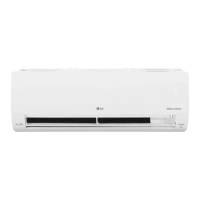
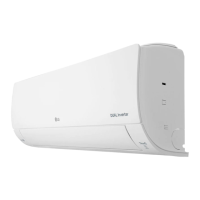
LG VM182C6A - User Manual

LG VM182C6A
38 pages
Print Icon
To Next Page IconTo Next Page
Loading...
www.lg.com
OWNER’S MANUAL
Copyright © 2016 - 2021 LG Electronics Inc. All Rights Reserved
MFL69849001
Rev.10_061721
AIR CONDITIONER
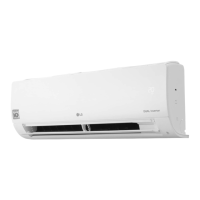
TYPE: WALL MOUNTED
EN ENGLISH SP ESPAÑOL
Read this owner's manual thoroughly before operating the
appliance and keep it handy for reference at all times.

Questions and Answers

  • A
    Anthony RiveraAug 21, 2025
    Why is my LG Air Conditioner not emitting cool air?
    • F
      floresanthonyAug 21, 2025
      Your LG Air Conditioner might not be emitting cool air due to several reasons. Ensure that curtains, blinds, or furniture aren't blocking the unit. The air filter could be dirty and require cleaning every two weeks. If the room temperature is too high, select Jet Mode for faster cooling. Also, ensure no cold air escapes through ventilation points and that the set temperature is lower than the current room temperature. Avoid using heat generators nearby and ensure the unit isn't in Fan Mode.
  • D
    denniswilsonSep 4, 2025
    Why is my LG VM182C6A Air Conditioner indoor unit still operating after being turned off?
    • C
      Christine FowlerSep 4, 2025
      The indoor unit of your LG Air Conditioner might still operate after being turned off because the Auto Clean function is running. This feature removes remaining moisture inside the unit. Allow the Auto Clean function to continue, or turn the unit off if you don't want this feature.
  • D
    Daniel YorkSep 2, 2025
    Why can't I adjust the temperature on my LG VM182C6A Air Conditioner?
    • V
      Valerie WhitakerSep 3, 2025
      If you cannot adjust the temperature on your LG Air Conditioner, it may be because Fan Mode or Jet Mode is selected. Switch to an operation mode where temperature adjustment is possible.
  • D
    Daniel RamirezSep 1, 2025
    Why is my LG Air Conditioner not emitting warm air?
    • D
      Diane BurkeSep 1, 2025
      If your LG Air Conditioner is not emitting warm air, it could be due to several reasons. When Heating Mode starts, the vane might be closed; wait for the unit to generate enough warm air. The outdoor unit may be in Defrosting Mode, which lasts about 15 minutes. Also, the heating effect may not be sufficient if the outside temperature is too low.
  • C
    Colleen CastroAug 30, 2025
    Why there is noise or vibration from my LG VM182C6A Air Conditioner?
    • K
      Kristen SanchezAug 30, 2025
      If you hear a clicking sound when your LG Air Conditioner starts or stops, it's likely the reversing valve moving, which is normal. Creaking sounds from the indoor unit's plastic parts are due to temperature changes and are also normal. Flowing or blowing sounds indicate refrigerant movement and are normal as well.
  • B
    Brian HinesAug 29, 2025
    What to do if LG Air Conditioner does not work normally?
    • G
      Gerald CharlesAug 29, 2025
      If your LG Air Conditioner isn't working normally, and you notice a burning smell, strange sounds, water leaks (even at low humidity), a damaged or overheating power cable, issues with the circuit breaker, or an error code, immediately turn off the air conditioner, disconnect the power supply, and contact the service center.
  • J
    james37Aug 27, 2025
    Why my LG VM182C6A Air Conditioner does not work?
    • D
      David BradyAug 28, 2025
      If your LG Air Conditioner isn't working, check if it's plugged in and the power isolators are switched on. Replace any blown fuses or check if the circuit breaker has tripped. If there was a power failure, wait 3 minutes after power is restored before turning the unit back on. Also, verify that the voltage isn't too high or low, the unit wasn't turned off by a timer, and the batteries in the remote controller are correctly inserted or need replacing.
  • Z
    Zachary WatersAug 26, 2025
    What to do if LG VM182C6A does not emit cool air?
    • B
      Briana PerkinsAug 27, 2025
      If your LG Air Conditioner isn't emitting cool air, first ensure that curtains, blinds, or furniture aren't blocking the unit. Clean the air filter every 2 weeks. If the room temperature is too high, select Jet Mode for quicker cooling. Also, ensure no cold air escapes through ventilation points and the set temperature is lower than the current room temperature. Avoid using heat sources nearby, and make sure the unit isn't in Fan Mode.
  • D
    Diana CannonAug 25, 2025
    Why won't my LG VM182C6A connect to Wi-Fi?
    • T
      tthompsonAug 25, 2025
      If your LG appliance and smartphone won't connect to Wi-Fi, ensure you're using the correct Wi-Fi password. Remove the Wi-Fi network from your smartphone and re-register your appliance on LG ThinQ. Turn off mobile data on your smartphone and use the Wi-Fi network. The wireless network name (SSID) should only contain English letters and numbers. Set the wireless router to 2.4 GHz and ensure the router is close enough to the appliance.
  • B
    Brandon HoffmanAug 23, 2025
    What to do if my LG VM182C6A Air Conditioner doesn't work?
    • E
      Emily IngramAug 23, 2025
      If your LG Air Conditioner isn't working, first check if it's plugged in and the power isolators are switched on. Replace the fuse or check the circuit breaker if it has tripped. If a power failure occurred, wait 3 minutes after power is restored before turning the unit back on. Also, ensure the batteries in the remote controller are correctly inserted or replace them. If the voltage is too high or low, check the circuit breaker.

LG VM182C6A Specifications

General IconGeneral
RefrigerantR410A
TypeSplit System
Cooling Capacity18000 BTU
Voltage220V
Operating Temperature (Heating)24°C

Related product manuals