EasyManua.ls Logo

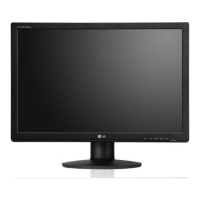
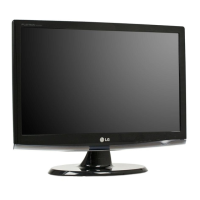
LG W2442PA - User Manual

LG W2442PA
26 pages
Print Icon
To Next Page IconTo Next Page
Loading...
Make sure to read the Important Precautions before using the product.
Keep the User's Guide(CD) in an accessible place for future reference.
See the label attached on the product and give the information to your
dealer when you ask for service.
W2442PA
User’s Guide

Other manuals for LG W2442PA

Questions and Answers

  • R
    Rhonda BurnsJul 31, 2025
    What to do if the LG W2442PA Monitor displays a message that the signal cable is not connected?
    • M
      Michael ReedJul 31, 2025
      This message appears when the signal cable between your PC and your LG Monitor is not connected. Ensure the signal cable is properly connected and try again.
  • J
    James ShannonAug 7, 2025
    Why does my LG Monitor say the signal is out of range?
    • W
      weststephanieAug 7, 2025
      This message appears when the signal from the PC (video card) is out of horizontal or vertical frequency range of the LG Monitor. Configure your display again, referring to the 'Specifications' section of this manual.
  • R
    Ryan PollardAug 14, 2025
    What to do if there is no image on my LG W2442PA Monitor?
    • R
      Rebecca MyersAug 14, 2025
      First, ensure the power cord of your LG Monitor is properly connected to the power outlet. If that doesn't work, adjust the brightness and contrast settings. Also, if the display is in power saving mode, try moving the mouse or pressing any key on the keyboard. Finally, ensure that your PC is turned on.
  • S
    Spencer GibsonAug 21, 2025
    How to unlock OSD on LG Monitor?
    • B
      Bradley ChenAug 22, 2025
      If you see an 'OSD LOCKED' message on your LG Monitor screen, you can unlock the OSD controls by pushing the MENU button for several seconds until the message 'OSD UNLOCKED' appears.

Summary

Important Precautions

Product Safety Guidelines

Follow basic rules for safe installation, use, and servicing of the display unit.

Personal Injury Prevention

Measures to prevent physical harm during monitor handling and placement.

Fire and Hazard Prevention

Guidelines to prevent fire hazards and electrical risks during monitor operation.

Installation Precautions

Important considerations for safe and proper installation of the display.

Connecting and Setting Up the Display

Connecting to the Computer

How to connect the display to a computer system using various cables.

On Screen Display (OSD) Controls

OSD Screen Adjustment Guide

Step-by-step guide to making adjustments using the On Screen Display.

Troubleshooting Common Issues

Troubleshooting: No Image Displayed

Steps to resolve issues when the display shows no image.

Troubleshooting: Out of Range Message

Resolving 'OUT OF RANGE' errors due to frequency issues.

Troubleshooting: Incorrect Display Image

Addressing issues like incorrect position, bars, noise, color problems, or blinking screens.

Troubleshooting: Display Driver Issues

Ensuring the display driver is installed correctly for optimal performance.

LG W2442PA Specifications

General IconGeneral
BrandLG
ModelW2442PA
CategoryMonitor
LanguageEnglish

Related product manuals