EasyManua.ls Logo

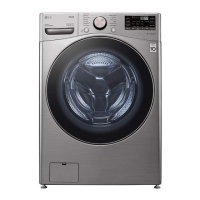
LG WM3850H A Series - User Manual

LG WM3850H A Series
92 pages
Print Icon
To Next Page IconTo Next Page
Loading...
OWNER'S MANUAL
WASHING MACHINE
Please read this owner's manual thoroughly before operating and
keep it handy for reference at all times. Operating Instructions are
available on the LG website at: https://us.smartthinq.com/images/
pdfmanual/VH_FL_Victor2_ECI_Only_EN.pdf
ENGLISH
WM3450CW / WM3850H*A
MFL71693708
Rev.00_110320
www.lg.com
Copyright © 2020 LG Electronics Inc. All Rights Reserved.
us_main.book.book Page 1 Tuesday, November 3, 2020 1:31 PM

Questions and Answers

  • K
    Kevin LaneAug 5, 2025
    What to do if my LG Washer displays an IE Inlet Error?
    • C
      Charlotte DavisAug 5, 2025
      An IE Inlet Error on your LG Washer indicates a water filling issue. Here's what to check: 1. Ensure the water supply faucets are fully open. 2. Inspect the water inlet hoses for kinks, pinches, or crushing, especially behind or under the washer. 3. Clean the water inlet filters, referring to the maintenance section for instructions. 4. Verify adequate water pressure by checking other faucets in your home. Disconnect the inlet hoses and flush them to remove any debris. If the flow remains low, contact a plumber. 5. Avoid using leak-limiting hoses, as they can falsely trigger and prevent filling.
  • H
    hannah69Aug 16, 2025
    Why does my LG Washer beep and then do nothing when I press a button?
    • B
      Bridget RomeroAug 16, 2025
      If your LG Washer beeps when you press a button but doesn't start, the Control Lock feature may be activated. To deactivate it, power on the washer, then press and hold the button labeled 'Control Lock' (or the button directly beneath where 'Control Lock' is printed) for approximately 3 seconds.
  • E
    enealAug 25, 2025
    How to stop loud banging noises from LG WM3850H A Washer when filling with water?
    • C
      Catherine WellsAug 26, 2025
      Loud banging noises while your LG Washer is filling with water are usually related to your home's plumbing, not the washer itself. This phenomenon, known as water hammer, can be mitigated by installing a water hammer arrestor in your plumbing system.

Summary

Important Safety Instructions

Safety Messages

Explains the safety alert symbol and the meaning of WARNING/CAUTION.

Installation Safety

Safety precautions related to installing the appliance.

Operation Safety

Safety precautions to follow during the operation of the appliance.

Maintenance, Grounding & Caution

Covers maintenance, grounding, and caution statements for safe use.

Product Overview

Product Features

Highlights the key features and components of the washing machine.

Accessories

Lists included, required, and optional accessories for the washer.

Product Specifications

Details technical specifications like model, electrical requirements, and dimensions.

Installation

Installation Overview and Location

Preliminary steps, overview, and guidance on selecting the installation location.

Shipping Material Removal

Instructions for safely removing shipping materials and bolts.

Connecting Water and Drain Hoses

Guides for connecting water inlet and drain hoses to the washer.

Leveling and Final Checks

Procedures for leveling the washer and performing final installation checks.

Operation

Before Use and Operation Overview

Initial steps and general guide for operating the washing machine.

Loading the Washer

Instructions and tips for properly loading laundry into the washer.

Options and Extra Functions

How to use additional cycle options to customize washes.

Spin Only Operation

How to use the Spin Only option for draining or drying.

Smart Functions

Using LG ThinQ Application

Introduces the LG ThinQ app for smartphone communication with the appliance.

ThinQ Application Features

Lists key features of the LG ThinQ application for the washer.

ThinQ Setup and Remote Use

Guides for setting up and using the ThinQ app for remote control.

Smart Diagnosis & Troubleshooting

How to use Smart Diagnosis and the ThinQ app for troubleshooting issues.

Maintenance

Regular Cleaning and Care

Routine cleaning tasks for the washer's exterior and interior.

Drum Cleaning

How to clean the washer drum to prevent odors and buildup.

Dispenser and Seal Cleaning

Instructions for cleaning the detergent dispenser drawer and door seal.

Filter Maintenance

Procedures for cleaning water inlet filters and the drain pump filter.

Troubleshooting

Before Calling for Service

Initial checks and FAQs to resolve common washer problems.

Error Messages

Lists common error codes and their solutions for appliance issues.

Noises and Operation Issues

Troubleshooting common noises and operational problems.

Water and Dispensing Issues

Solutions for problems with water filling, draining, and detergent dispensing.

Limited Warranty

Canada Warranty Terms

Specific warranty terms and conditions for Canada.

Warranty Coverage and Exclusions

Details what is covered, not covered, and exclusions by the limited warranty.

Dispute Resolution Procedure

Outlines the process for resolving disputes through arbitration.

LG WM3850H A Series Specifications

General IconGeneral
Energy Star CertifiedYes
Spin Speed1300 RPM
Steam TechnologyYes
Wi-Fi ConnectivityYes
TypeFront Load
Smart TechnologyYes
ColorWhite
Wash CyclesAllergiene, Bedding, Heavy Duty, Normal, Delicates, Speed Wash
Dimensions (HxWxD)39" x 27" x 33 1/4"

Related product manuals