EasyManua.ls Logo

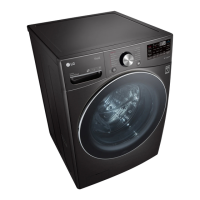
LG WM4200HBA.ABLEEUS - User Manual

LG WM4200HBA.ABLEEUS
60 pages
Print Icon
To Next Page IconTo Next Page
Loading...
OWNER'S MANUAL
WASHING MACHINE
Read this owner's manual thoroughly before operating the
appliance and keep it handy for reference at all times.
ENGLISH
WM4200H*A / WM4100H*A
MFL71728905
Rev.02_120120
www.lg.com
Copyright © 2020 LG Electronics Inc. All Rights Reserved.

Questions and Answers

  • C
    Christopher GomezAug 8, 2025
    Why does my LG WM4200HBA.ABLEEUS show IE INLET ERROR?
    • S
      sstephensAug 8, 2025
      The IE INLET ERROR on your LG washer indicates a problem with the water supply. Here's what to check: 1. Ensure that the water supply faucets are fully open. 2. Verify that the water inlet hoses are not kinked, pinched, or crushed behind or under the washer. 3. Inspect and clean the water inlet filters. 4. Check that your household water pressure is adequate by testing another faucet. 5. Avoid using water supply hoses designed to limit leaks, as they are not recommended.
  • A
    Andrea EspinozaAug 12, 2025
    What to do if my LG WM4200HBA.ABLEEUS shows an IE Inlet Error?
    • B
      brenda79Aug 12, 2025
      If your LG Washer displays an IE Inlet Error, it could be due to several reasons: * Ensure the water supply faucets are fully open. * Check that the water inlet hoses are not kinked, pinched, or crushed behind or under the washer. Take care when moving the washer. * Clean the inlet filters, referring to the MAINTENANCE section for instructions. * Verify that household water pressure is adequate by checking another faucet in the house. Disconnect the water inlet hoses from the washer and run a few gallons of water through the hoses to flush out any dirt. If the flow is too low, contact a plumber to repair the water supply lines. * Avoid using leak-limiting hoses, as they can falsely trip and prevent the washer from filling.
  • D
    David KingAug 16, 2025
    How to deactivate control lock on LG WM4200HBA.ABLEEUS Washer?
    • D
      Diana RojasAug 17, 2025
      If your LG Washer beeps when you press a button but nothing happens, the Control Lock feature may be activated. To turn it off, turn on the washer, then press and hold the button that has Control Lock on or under it for 3 seconds.
  • M
    Matthew WilliamsAug 21, 2025
    Why is there so little water in my LG WM4200HBA.ABLEEUS?
    • G
      gilmorebryanAug 21, 2025
      HE (High Efficiency) washers, like your LG washer, are designed to wash clothes effectively while using a minimal amount of water and energy. This is normal.
  • P
    pennywatsonAug 26, 2025
    What to do if LG WM4200HBA.ABLEEUS Washer beeps and then nothing happens when pressing a button?
    • K
      Kelly BishopAug 26, 2025
      If your LG washer beeps but doesn't respond when you press a button, the Control Lock feature may be activated. To deactivate it, turn on the washer and then press and hold the button labeled 'Control Lock' (or the button located directly under where 'Control Lock' is printed) for about 3 seconds.
  • A
    andradeelizabethAug 29, 2025
    How to fix loud banging noises from LG WM4200HBA.ABLEEUS while filling with water?
    • C
      Cory HutchinsonAug 29, 2025
      Loud banging noises while your LG washer fills with water may be due to your home's plumbing. Consider installing a water hammer arrestor.
  • C
    Charles SmithSep 2, 2025
    Why is my LG Washer making loud banging noises when filling with water?
    • K
      Kelli WellsSep 2, 2025
      The loud banging noises your LG Washer makes while filling with water are likely due to a plumbing issue in your home, known as water hammer. You can reduce this effect by installing a water hammer arrestor, which can be purchased at your local hardware or home improvement store.

LG WM4200HBA.ABLEEUS Specifications

General IconGeneral
Appliance CategoryWasher
TypeFront Load
ColorBlack Steel
Energy Star CertifiedYes
Spin Speed1300 RPM
Width27 inches
Height39 inches
Steam TechnologyYes
Smart TechnologyYes
Allergiene CycleYes
TurboWashYes
Smart DiagnosisYes
Smart FeaturesWi-Fi, ThinQ
Cycle TimeVaries by cycle
Warranty1 Year
Depth30 1/4 inch

Related product manuals