1514
classic A-B-A combination), you
have to reprogram the direction of
travel of the second locomotive.
Otherwise, the locos move in oppos-
ing directions. Reprogram Register
CV29 of the factory-installed decoder
to function value 5 (see Instructions
for Advanced Users).
Hint: All permanently coupled locos
should be programmed to the same
loco address.
Sound
This model has a built-in speaker for
use with the sound-equipped LGB
"B-units" (see The Program).
Connecting a B unit via the four-pin
socket on the rear wall (Fig. 4) acti-
vates the speaker on the A unit. Then
the sound is played by both locos.
Attention! After extended operation,
this model may leave carbon dust or
other debris around the track. This
dust and debris can stain carpet and
other materials. Consider this when
setting up your layout. Ernst Paul
Lehmann Patentwerk and LGB of
America are not liable for any dam-
ages.
SERVICE
Do-It-Yourself Service Levels
Level - Beginner
Level - Intermediate
Level - Advanced
Attention! Improper service will void
your warranty. For quality service,
contact your authorized retailer or an
LGB factory service station (see
Authorized Service).
Hint: Additional expert instructions
for many LGB products are available
at www.lgb.com.
Lubrication
The axle bearings should be lubricat-
ed occasionally with a small amount
of LGB Maintenance Oil (50019).
Cleaning
This model can be cleaned externally
using a mild detergent and gentle
stream of water. Do not immerse this
model.
Attention! Do not expose the speak-
er in the loco directly to water.
Replacing the light bulbs
Front lights: Carefully pry the lens
away from the lantern. Using tweez-
ers, remove and replace the bulb.
Reassemble.
Cab light: Using tweezers, remove
and replace the bulb.
Number board lights: To replace the
number board lights, the body of the
model must be removed:
- Remove one vertical screw in the
floor near the front of the front
truck.
- Remove two vertical screws in the
floor near the rear of the front
truck.
- Remove two vertical screws in the
floor near the front of the rear
truck.
- Remove two horizontal screws on
the back wall.
- Carefully pull the body off the chas-
sis.
- Pull the plug-in bulb out of the
socket on the circuit board behind
the number boards.
- Plug a new bulb into the socket.
- Reassemble.
Replacing the traction tire
- Remove the side frames from the
truck by removing two screws.
- Use a small, straight-blade screw-
driver to replace the traction tire:
- Pry the old traction tire out of the
wheel groove.
Multi-Train System
The model is equipped a factory-
installed onboard decoder for the
LGB Multi-Train System. It can be
used without modifications on ana-
log or digital layouts. For operation
with the Multi-Train System, the
model is programmed to loco
address 03. For information on pro-
gramming the loco address, see the
instructions for various MTS compo-
nents.
When operating with the Multi-Train
System, you can remotely control the
loco’s functions. Press the lighting
button (“9” with remotes) to turn the
loco lights on or off.
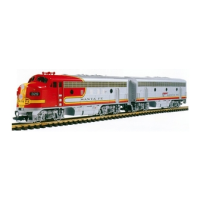
If an LGB F7-B unit is connected (see
The Program), you can control the
following functions
1: Horn. Starting signal (2 long
blasts) when standing. Crossing
signal (2 long, 1 short, 1 long)
when moving.
2: Bell
3: Diesel motor off/on
4: Sound off/on
5: Announcement: "Highball, John!"
6: Brake sound
7: Alarm bell inside cab
8: Brake pressure release
When operating with the Multi-Train
System, the loco features a “Back-
EMF” function. This keeps the motor
speed constant (and under normal
conditions the loco speed), even
when the load of the loco changes,
for example, in curves or on grades.
This feature does not work at top
speed, because additional voltage
must be available to overcome any
added load.
If desired, numerous functions of the
onboard decoder, such as accelera-
tion, braking, direction of travel and
many others, can be programmed
using a PC and the 55045 MTS PC
Decoder Programming Module (see
Instructions for advanced users).
These functions also can be pro-
grammed with the 55015 Universal
Remote.
Lighting
The headlights illuminate when the
model is moving forward. The model
has two "flat" multi-purpose sockets,
with removable covers,on the front
and rear of the loco (Fig. 3, 4). These
sockets can be used to provide track
power to LGB cars with lighting or
sound electronics. The socket is
used also to power LGB F7-B units
with sound.
To remove the cover of the socket,
pull it straight out. If the cover is
tight, gently use a small straight
screwdriver to pry it out. (Do not pull
out the rectangular outer housing.)
Power Supply
Attention! For safety and reliability,
operate this model with LGB power
supplies (transformers, power packs
and controls) only. The use of non-
LGB power supplies will void your
warranty.
Use this model with LGB power sup-
plies with an output of more than 1
amp. For more information on LGB
power supplies for indoor, outdoor
and multi-train operation, see the
LGB catalog.
Running multiple units
Use the multi-purpose sockets to
connect additional LGB F7 models to
this locomotive. This ensures that all
locos receive power at all times. A
two-wire connecting cable is includ-
ed with this model.
Attention when operating with the
Multi-Train System! When you con-
nect an A unit that is facing in the
opposite direction (for example, the


 To Next Page
 Loading...